
Private Radar for Albion Online – Complete ESP, Resource Tracking & Automated Fishing
Stop exploring Albion Online with half the information missing.
Private Radar is an advanced external tool designed for gathering, scouting, PvP awareness, dungeon exploration, resource hunting, and automated fishing. It displays nearby entities through a fully customizable overlay, helping you detect players, valuable resources, mobs, fishing spots, dungeon entrances, and potential threats before they reach you.
The software supports current Windows 10 and Windows 11 builds, works with Intel and AMD processors, and is designed for smooth background operation alongside Albion Online.
Main Features
Player Tracking & Threat Detection
See nearby and off-screen players before they become a problem.
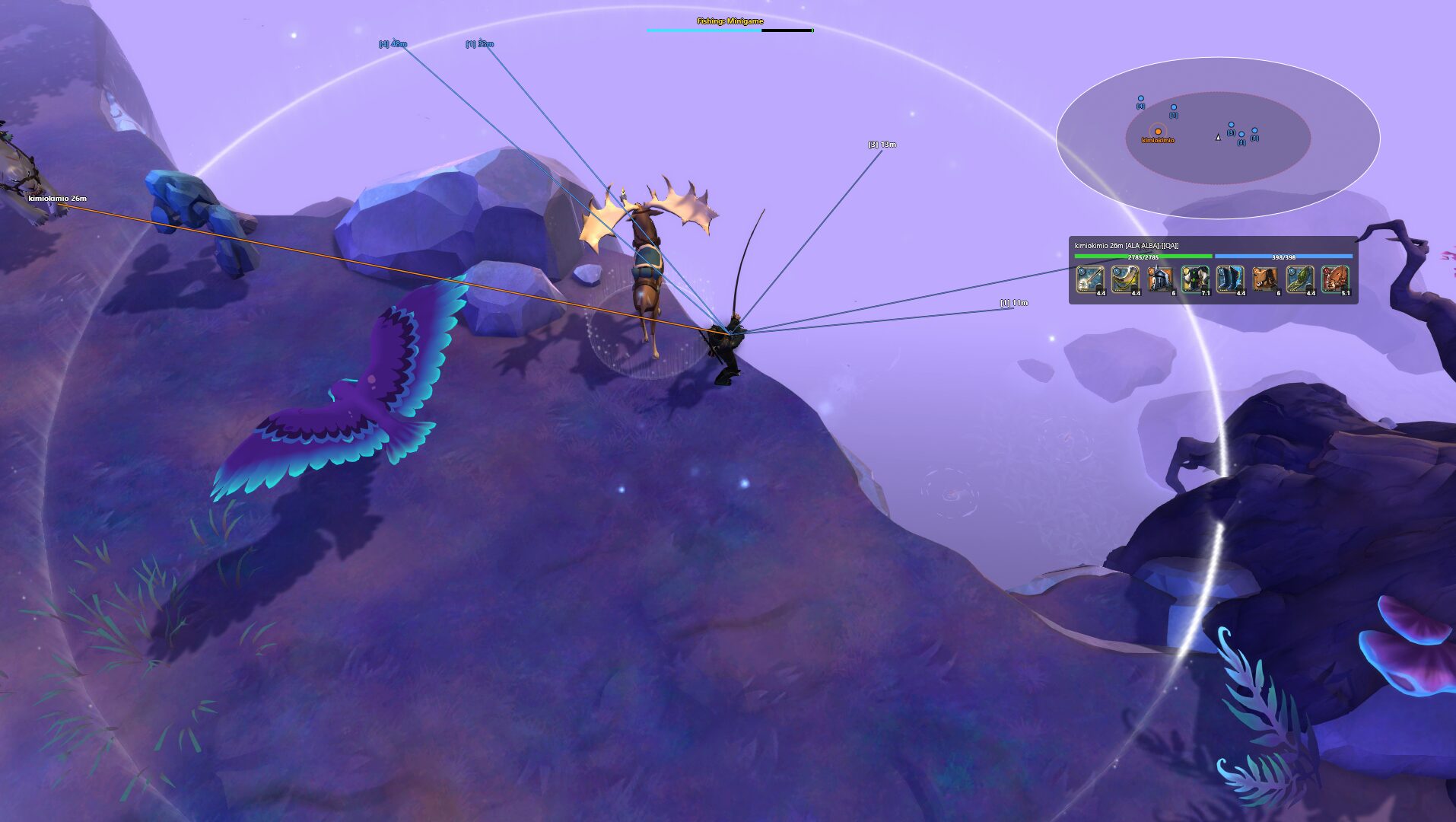
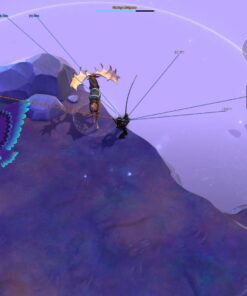
The player ESP provides detailed real-time information, including:
- Nearby and off-screen player detection
- Friendly and hostile player recognition
- Color-coded relationship indicators
- Live health and energy display
- Mounted and dismounted status
- Full equipment and gear display
- Equipment item icons
- Player distance and direction indicators
- Directional lines to nearby players
- Dangerous-player highlighting
- Hostile proximity warnings
- Custom visual and sound alerts
- Friendly-player whitelist
- Player ignore and name filters
New entities can trigger pulsing notifications or sound alerts, giving you time to react when another player enters your configured detection range.
Resource & Node Tracking
Locate valuable resources without manually checking every corner of the map.
Private Radar can display:
- Wood
- Rock
- Ore
- Fiber
- Hide
- Fishing spots
- Lootable chests
Each resource category can be enabled or disabled individually.
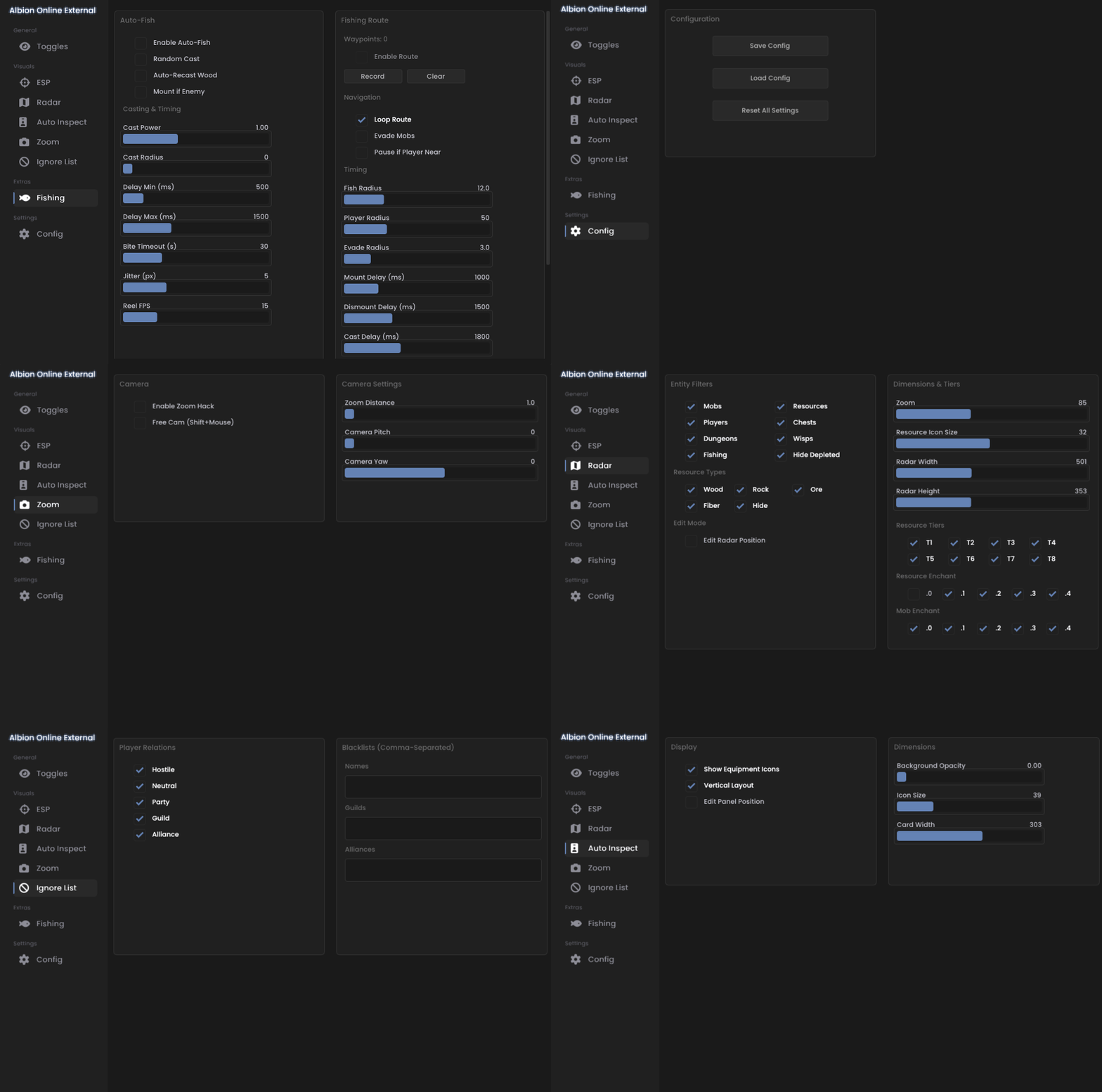
Advanced filters allow you to configure:
- Resource tiers from T1 to T8
- Enchantment levels from .0 to .4
- Minimum and maximum display distance
- Custom colors for each resource type
- Enchanted-resource highlighting
- High-value resource alerts
- Remaining node charges
- Automatic hiding of depleted nodes
This makes it easier to build efficient gathering routes, prioritize valuable enchanted nodes, and avoid wasting time on empty or depleted locations.
Mob & Dungeon Tracking
Track important monsters, resource mobs, and dungeon entrances through the overlay and radar.
Supported information includes:
- Nearby monster locations
- Resource-mob tracking
- Special-mob highlighting
- High-value mob indicators
- Wisp tracking
- Caged entity tracking
- Hostile mob proximity alerts
- Solo dungeon entrances
- Group dungeon entrances
- Dungeon distance indicators
- Separate filters for each mob category
- Custom mob and dungeon colors
Different entity categories can be configured independently, allowing you to keep the interface clean and display only the information relevant to your current activity.
Fully Automated Fishing
Private Radar includes an advanced automated fishing system capable of handling the complete fishing process.
The fishing automation supports:
- Automatic casting
- Automatic hook detection
- Automatic reeling
- Automatic recasting
- Smart fishing minigame solving
- Adjustable casting position
- Custom cast-spot placement
- Configurable casting delays
- Humanized fishing behavior
- Waypoint-based fishing routes
- Multiple route waypoints
- Route start, pause, and resume controls
- Automatic navigation between fishing locations
The automation can also react to nearby danger:
- Hostile player detection
- Mob threat detection
- Configurable threat distances
- Automatic route interruption
- Emergency safety evasion
This allows the fishing route to stop or react when a hostile player or dangerous mob enters the configured warning range.
ESP & Customizable Radar Overlay
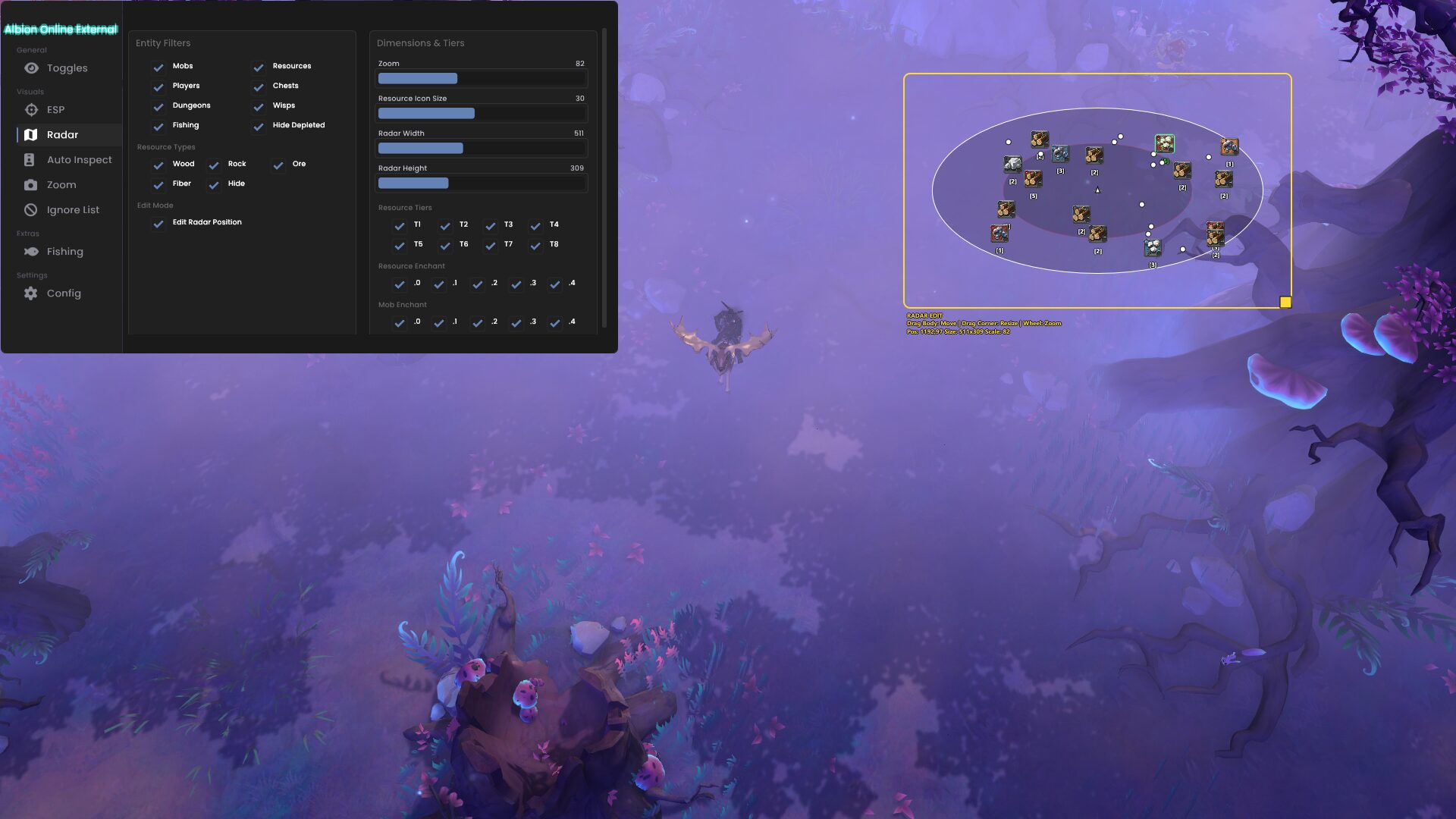
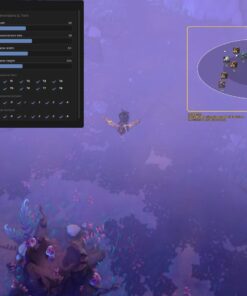
Choose between a transparent screen overlay, a separate mini-radar, or a combination of both.
Overlay and radar features include:
- Transparent in-game ESP overlay
- Directional lines to players and resources
- Off-screen direction indicators
- Customizable mini-radar
- Adjustable radar zoom
- Adjustable radar range
- Resizable radar window
- Draggable radar position
- Player radar markers
- Resource radar markers
- Mob radar markers
- Dungeon radar markers
- Entity distance display
- Pulsing new-entity alerts
- Live spawn notifications
- Individual ESP category toggles
- Maximum display-distance controls
Every major entity category can use its own colors, range settings, icons, and visibility rules.
Target Information & Gear Panel
Inspect nearby targets through a dedicated information panel.
The target panel can display:
- Player name
- Full equipment loadout
- Weapon and armor information
- Equipment item icons
- Health and energy
- Mount status
- Friendly or hostile relationship
- Distance from your character
The panel can be dragged, resized, and positioned anywhere on the screen.
Camera & Visibility Enhancements
Private Radar also includes several camera and environmental tools for improved reconnaissance.
Available camera features include:
- Extended camera zoom
- Camera distance beyond the default game limit
- Adjustable zoom distance
- Freecam mode
- Independent camera movement
- Configurable freecam movement speed
- Map reconnaissance camera
- Atmospheric fog removal
- Improved long-distance visibility
- Quick camera reset hotkey
These options provide a clearer view of the surrounding area and make scouting routes, exits, objectives, and potential threats easier.
Interface & Configuration
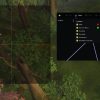
The software includes a clean in-game configuration menu with an interactive overlay editor.
Customization options include:
- Dragging and repositioning overlay elements
- Resizing supported interface panels
- Custom ESP colors
- Custom radar colors
- Adjustable text size
- Adjustable icon size
- Adjustable line thickness
- Configurable overlay opacity
- Individual feature toggles
- Custom global hotkeys
- Quick activation and deactivation hotkeys
- Fishing route control hotkeys
- Automatic configuration saving
- Persistent settings between sessions
- Multiple configuration profiles
You can create separate profiles for gathering, fishing, PvP, dungeon exploration, or general open-world gameplay.
Filters, Relations & Alerts
Control exactly which entities appear and when the software should warn you.
Available filters and alerts include:
- Friendly-player whitelist
- Custom ignore list
- Player name filtering
- Relationship-based filtering
- Resource tier filtering
- Resource enchantment filtering
- Entity type filtering
- Minimum and maximum distance filters
- Custom hostile-player warning range
- Custom mob warning range
- Visual warning notifications
- Sound warning notifications
- Pulsing danger indicators
- New entity spawn alerts
- High-value resource alerts
The extensive filtering system helps prevent screen clutter while keeping important threats and valuable targets visible.
System Requirements & Compatibility
- Operating System: Windows 10 and Windows 11
- Processors: Intel and AMD
- Software Type: External
- Anti-Cheat Compatibility: BattlEye supported
- Game Display: Customizable external overlay
- Windows Builds: Current supported Windows builds
- Configuration: Automatically saved between sessions
- Performance: Optimized for smooth background operation
- Controls: Customizable global hotkeys
Designed for Different Playstyles
Private Radar can be configured for:
- Solo gathering
- Enchanted resource hunting
- Fishing and fishing-route automation
- Open-world scouting
- Hostile-player detection
- Dungeon exploration
- Mob and wisp hunting
- Chest searching
- PvP awareness
- Group reconnaissance
Whether you are gathering alone, searching for valuable nodes, scouting dangerous zones, or running automated fishing routes, the software can be adjusted to display only the information you need.
Recent Updates
July 23, 2026
- Updated for the latest Albion Online game patch
- Compatibility and functionality reviewed for the current game version
June 30, 2026
- Updated for Radiant Wilds Patch 3
- Supported game version: 31.030.1
- Patch release date: June 29, 2026
Important Notice
Game updates, Windows updates, and anti-cheat changes can temporarily affect software availability. Always check the current product status and installation instructions before launching.
No third-party software can guarantee zero account risk. Use all features responsibly and follow the provided setup recommendations.
Stop Playing Blind
Track nearby players, identify valuable resources, monitor dangerous mobs, find dungeon entrances, customize your radar, and automate the complete fishing process from one interface.
Get Private Radar for Albion Online and take control of what happens around you.
| Duration | 7 days, 30 days, 90 days |
|---|
Reviews
There are no reviews yet.