
Capyware WoWS PC – Private World of Warships ESP, Ship Tracking & Artillery Lead Prediction
See beyond the ordinary interface. Track enemy movement. Take control of your naval battles.
Introducing Capyware WoWS PC, our independently developed World of Warships cheat and tactical overlay, built for players who want more than a basic ESP or a cluttered mod menu.
Capyware combines real-time ship visualization, dynamic movement information, advanced artillery lead prediction, and a clean, customizable interface into one continuously evolving software platform.
Unlike generic mod packs filled with redundant features, Capyware focuses on giving you useful battlefield information, responsive visual tracking, and practical controls that work together.
And this is only the beginning.
Supported game: World of Warships PC
License options: 7 Days, 30 Days, 90 Days
Region: Global (NA, EU, ASIA & MORE)
Delivery: Instant license activation through Capyware Hub
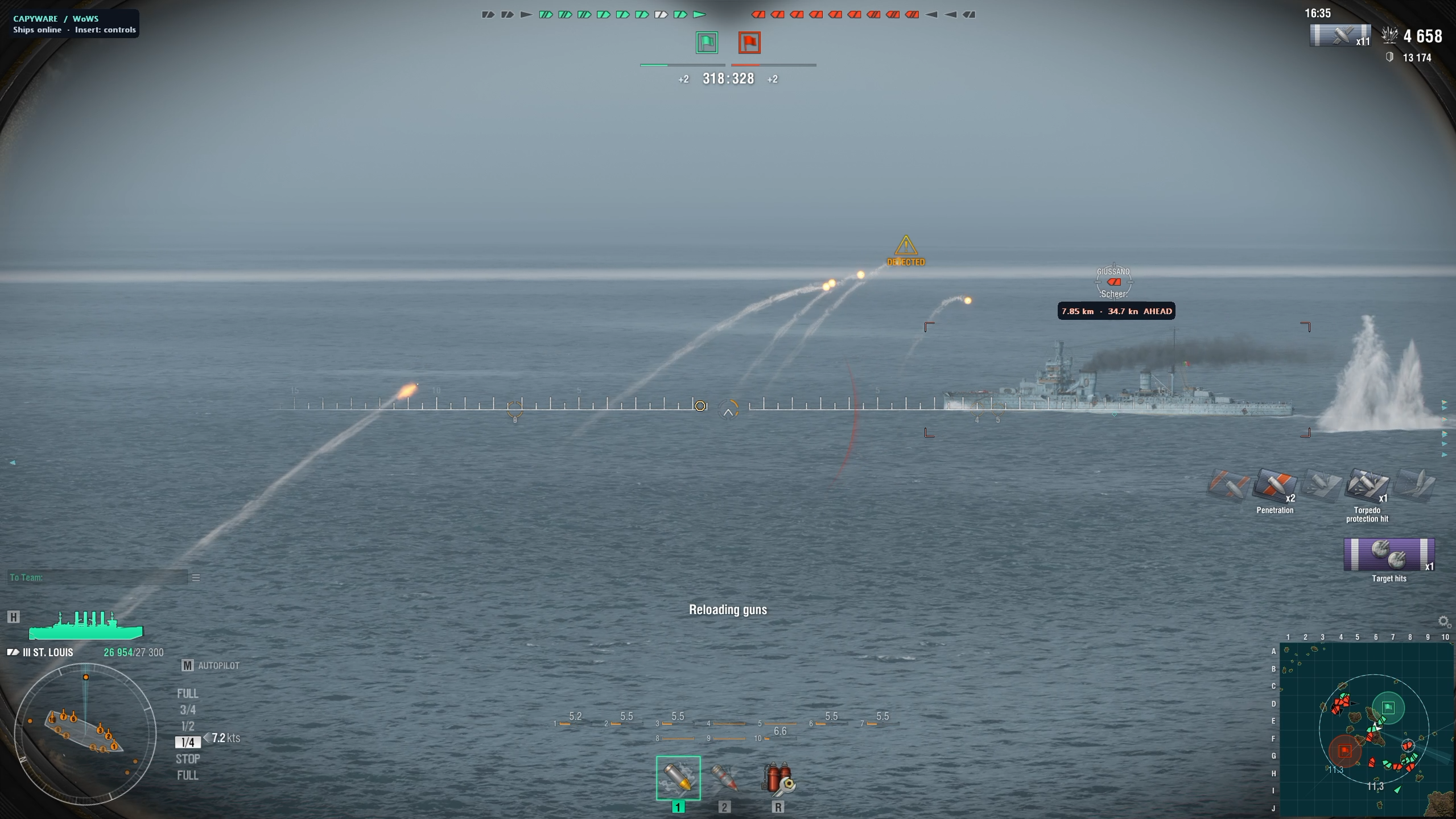
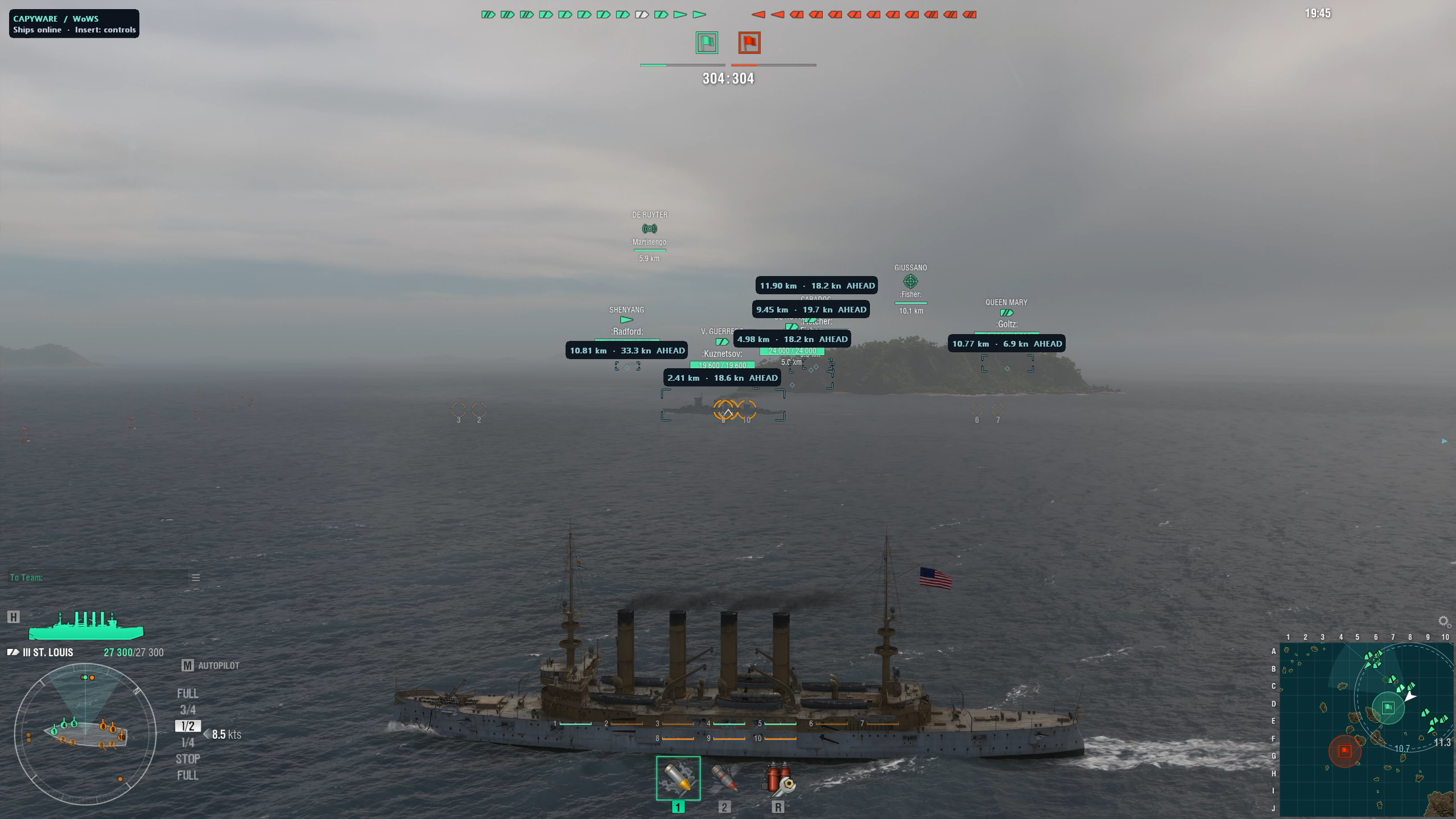
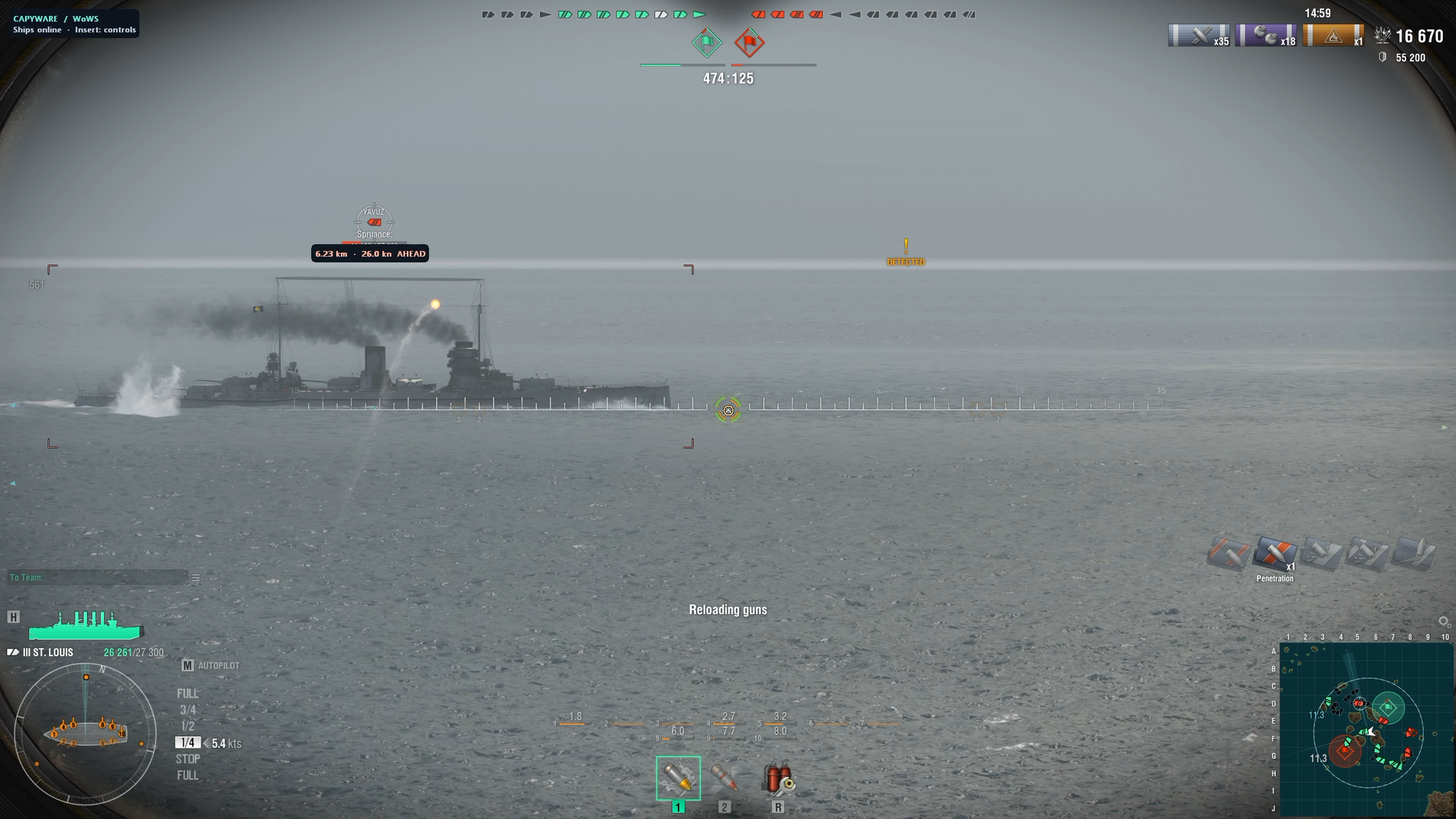
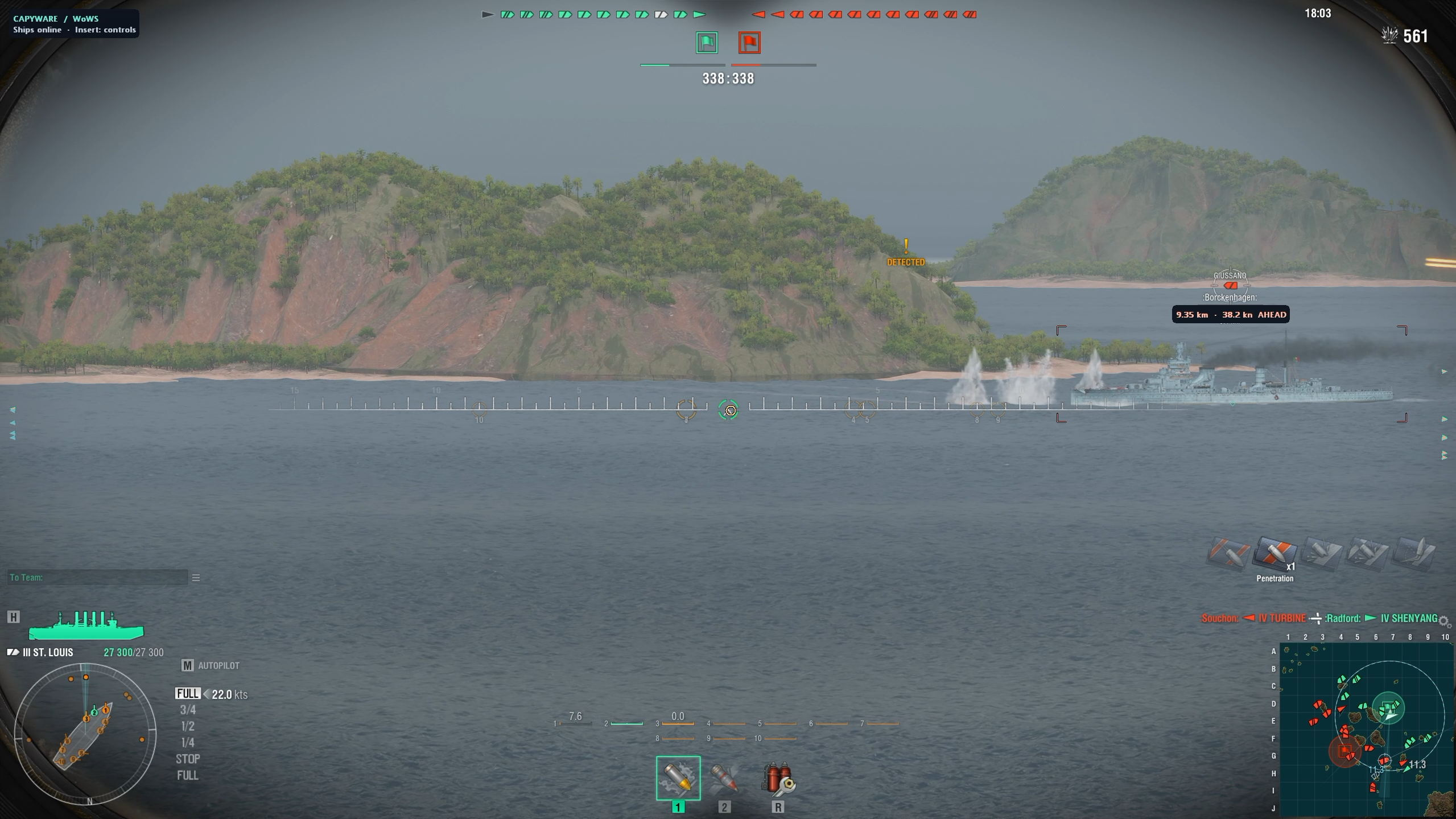
Advanced Ship ESP – Know What’s Happening Around You
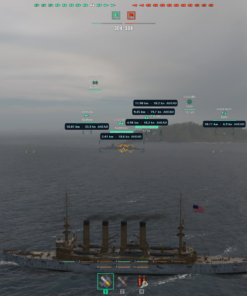
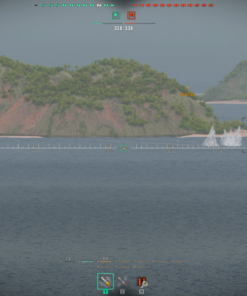
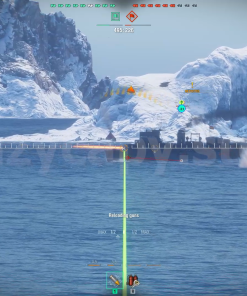
Capyware’s ship ESP provides a configurable visual overlay designed to make enemy tracking clearer and more convenient.
Available ESP features:
- Ship Corner ESP: Clean hull-corner indicators around tracked ships.
- Enemy & Ally Identification: Distinguish different teams using configurable colors.
- Real-Time Ship Markers: Visually identify tracked contacts.
- Off-Screen Indicators: Maintain awareness of contacts outside your current view.
- Dynamic Ship Speed: Display native ship speed in knots when reliable data is available.
- Movement Direction: Identify whether a tracked ship is moving AHEAD or ASTERN.
- Distance Information: Show contact distance in kilometres.
- Optional Ship Names: Enable or disable English ship-name labels.
- Optional Current HP: Display current ship health when needed.
- Contact Prioritization: Prioritize enemy ships and exclude confirmed destroyed contacts.
- Configurable Target Limit: Choose between 1 and 16 displayed contacts.
- Stale Contact Fading: Reduce unwanted persistent indicators when tracking information expires.
The result is a cleaner and more practical tactical view.
Instead of wasting screen space duplicating information already provided by World of Warships, Capyware emphasizes speed, movement, positioning, and target awareness.
Ship names and HP are disabled by default but remain available whenever you want them.
Artillery Lead Prediction – Smarter Aiming Information
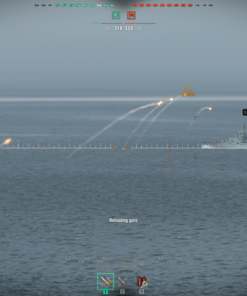
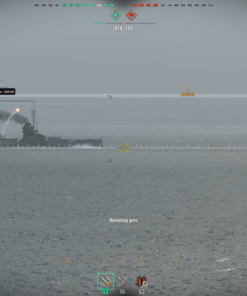
One of Capyware’s main features is its dedicated World of Warships artillery lead indicator.
Rather than displaying a generic fixed aiming marker, the prediction system combines available weapon and target information to calculate a projected aiming position.
The system considers:
- Current ship guns and available muzzle-position information.
- Selected ammunition.
- Native ballistic data.
- Target movement and position.
- Available projectile-flight calculations.
- Target and weapon changes during gameplay.
- Data freshness and prediction validity.
The predicted aiming position is then presented through a customizable visual indicator.
Choose between three lead styles:
- Diamond: Compact, precise-looking prediction marker.
- Ring: Easily recognizable circular aiming reference.
- Cross: Traditional cross-style lead indicator.
Capyware also uses dedicated movement tracking and smoothed lead presentation to help reduce unnecessary visual movement.
Why it matters: moving ships, different ammunition types, and changing weapon conditions require more than a simple static crosshair.
Capyware provides an additional aiming reference based on available live game data.
Prediction is an assistance feature, not a guaranteed hit system. Actual shell-impact accuracy can vary with game conditions and remains subject to further validation.
Clean, Modern & Customizable ESP Interface
A powerful World of Warships mod menu should be easy to use.
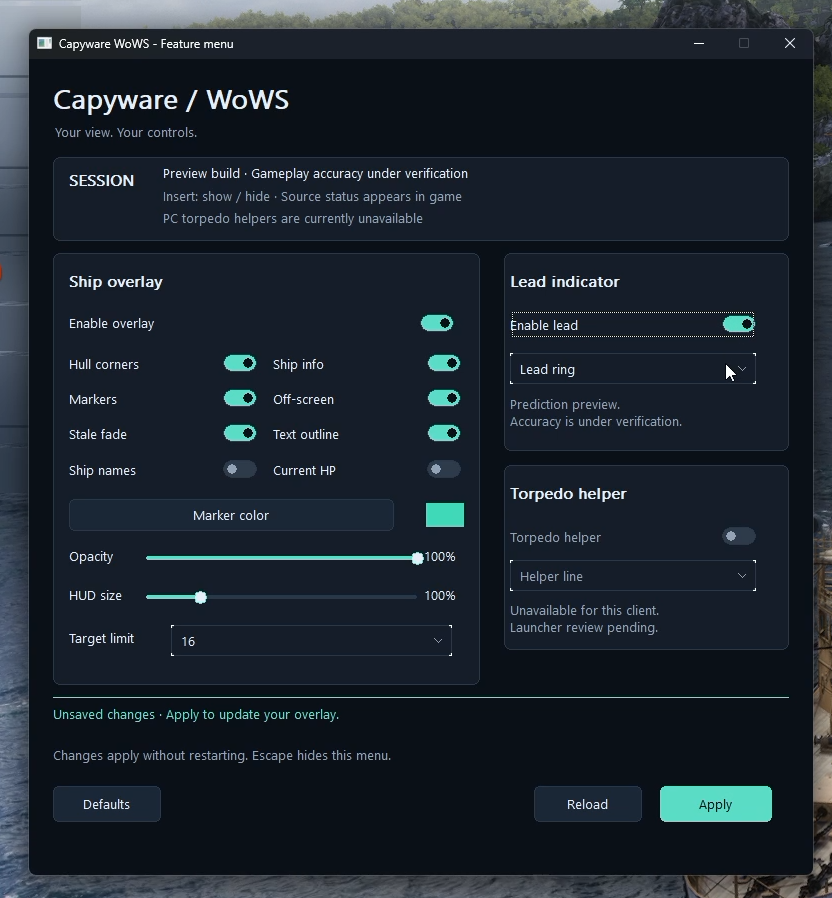
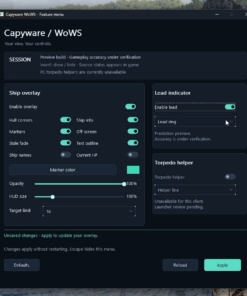
Capyware features a modern dark-themed control panel designed around clarity, responsiveness, and personalization.
Available customization options:
- Individually enable or disable ESP components.
- Customize marker colors.
- Adjust overlay opacity.
- Scale the HUD from 50% to 300%.
- Enable or disable text outlines.
- Configure contact markers and off-screen indicators.
- Adjust the maximum number of displayed contacts.
- Customize the artillery prediction marker.
- Save your preferred settings.
- Restore defaults or reload your configuration.
- Apply changes without restarting the game.
Open the feature menu using Insert or the available tray controls.
No complicated interface filled with hundreds of unnecessary settings. Just the information and controls that matter.
Built for an Evolving Battlefield
Capyware is not a one-release project.
We are actively developing our own software, improving its core systems, expanding the feature set, and refining the user experience through ongoing development and testing.
Our focus includes:
Real-time information: useful movement and targeting data rather than unnecessary visual clutter.
Software quality: testing, controlled releases, signed installation packages, and update validation.
Customization: flexible configurations that let users decide how much information appears on screen.
Long-term development: new features, improved presentation, and compatibility maintenance as supported game versions evolve.
We’re building Capyware as an expanding product ecosystem, not a disposable one-time release.
Upcoming Features & Development Roadmap
Current Capyware WoWS PC version is the foundation. More functionality is planned and being evaluated for future updates.
🚀 Near-Term Development Priorities
- Improved Artillery Prediction: Additional work on targets accelerating, braking, or changing direction.
- Flight-Time Information: Optional projectile-flight-time labels.
- Enhanced Ship Movement Tracking: Heading indicators, directional arrows, and possible turn-rate information.
- Advanced ESP Filters: More control over displayed ships, distance, and team information.
- Custom HUD Layouts: Additional positioning and personalization options.
- Extra Hotkeys: Faster access to frequently used functions.
- Performance & Stability Improvements: Ongoing refinement of overlay responsiveness, visual continuity, and prediction presentation.
🔬 Future Features Under Research
- Tactical Contact Map: An additional visual overview of supported ship contacts.
- Torpedo Prediction Tools: Planned investigation of torpedo lead and launch-cone assistance.
- Advanced Health Information: Maximum HP, percentage-based health information, and optional health bars.
- Additional Artillery Data: More detailed prediction options and weapon-specific information.
- Reload & Consumable Information: Where reliable game-state data can be validated.
- Enhanced Streamer Experience: Research into capture-specific overlay presentation and OBS compatibility.
- Advanced Gameplay Assistance: Exploration of further tactical assistance and potential automation concepts.
These are development goals and research directions, not features included in the current release. Implementation depends on technical feasibility, testing, and compatibility.
Your Feedback Helps Shape Capyware
Want a specific feature? Tell us.
One of the advantages of Capyware being developed by our own team is the ability to improve the product based on real customer feedback.
We welcome suggestions for:
- New ESP information and visualization options.
- Additional artillery prediction features.
- Better interface customization.
- Quality-of-life improvements.
- Performance enhancements.
- New tactical tools and gameplay assistance ideas.
Contact our support team with your feature request.
We review requests and use them to help prioritize future development. Not every requested feature can be guaranteed, but your feedback helps determine what comes next.
You’re not just purchasing access to today’s build. You’re joining a product that we intend to keep improving.
Secure Installation & Easy Updates Through Capyware Hub
Forget complicated manual installations and scattered download files.
Capyware products are distributed through our dedicated Capyware Hub, which provides a centralized system for product access and maintenance.
Capyware Hub includes:
- Product-specific license activation.
- Private authenticated downloads.
- Digitally signed release packages.
- Installation integrity verification.
- Built-in file repair.
- Update delivery.
- Game compatibility checks.
- Centralized access to supported Capyware products.
How to get started:
- Purchase your preferred Capyware WoWS PC license.
- Download Capyware Hub.
- Enter and activate your license key.
- Select World of Warships PC in your product library.
- Install and launch the available release.
Your license duration begins when the key is first successfully activated, not when it is generated.
Capyware WoWS PC vs. Traditional Mod Packs
Not every feature deserves a place in your interface.
Some mod packs compete by adding more and more settings, even when many provide little practical value.
Capyware takes a different approach.
| Traditional Mod Pack Approach | Capyware WoWS PC |
|---|---|
| Large, crowded feature menus | Focused, customizable interface |
| Repeated basic ship information | Dynamic speed, movement, and distance |
| Generic-looking aiming aids | Weapon-aware artillery prediction |
| Fixed visual configurations | Adjustable colors, opacity, scale, and markers |
| Manual installation workflows | Signed installation and repair through Capyware Hub |
| Unclear development direction | Published current features and future roadmap |
| Limited visibility into feature priorities | Customer suggestions welcomed |
Our philosophy is simple: useful features, thoughtful design, continuous improvement.
Choose Your Capyware License
| License Duration | Price |
|---|---|
| 7 Days | $14.99 USD |
| 30 Days | $34.99 USD |
| 90 Days | $79.99 USD |
All plans provide access to the available Capyware WoWS PC features for the purchased duration.
The longer the plan, the lower the effective daily price.
Frequently Asked Questions
Is Capyware WoWS PC compatible with World of Warships Legends?
No. This product is designed for the original World of Warships PC client. World of Warships Legends has a separate Capyware product.
Does Capyware include ship ESP?
Yes. It provides hull-corner ESP, ship markers, team identification, off-screen indicators, and additional dynamic information such as speed and movement state when available.
Does it have artillery prediction?
Yes. Capyware includes a lead indicator based on available weapon, ballistic, and target-motion data. It is intended as an additional aiming reference, not a guarantee of hits.
Can I customize the ESP?
Yes. You can adjust colors, transparency, size, contact limits, displayed labels, and individual visualization options.
Can I request new features?
Absolutely. We welcome customer feedback and suggestions for future updates.
Will new features be added?
We plan to continue developing Capyware WoWS PC with additional tactical information, interface improvements, and gameplay assistance features. Future functionality is subject to testing and feasibility.
How do I receive the software?
You activate your purchased license using Capyware Hub, then download and install the product through your authorized account.
Is Capyware guaranteed to be undetected?
No software can guarantee permanent non-detection or immunity from game penalties. Game updates and enforcement systems may affect compatibility and account risk. Capyware does not guarantee protection against suspensions or bans.
Take Your World of Warships Experience Further
Capyware WoWS PC brings together real-time ship ESP, dynamic movement tracking, artillery lead prediction, and a modern customizable HUD in one independently developed product.
This is our first public PC release, and we have plans to expand it with more tools, deeper customization, and continued refinements.
Start with the features available today. Follow the project as it evolves. Tell us what you’d like to see next.
Choose your license and get started with Capyware WoWS PC.
Capyware is an independent third-party software project and is not affiliated with or endorsed by Wargaming. Use of unauthorized modifications may violate game rules and result in account penalties. Feature availability and compatibility may change with game updates.
| Duration | 7 days, 30 days, 90 days |
|---|

Reviews
There are no reviews yet.