





Obsidian Private DayZ Cheat with Built-In HWID Spoofer
Surviving in DayZ requires awareness, accuracy, and the ability to react before your opponents. Obsidian for DayZ is a private game enhancement developed for players who want advanced combat assistance, detailed ESP information, world item tracking, and additional visual settings in one convenient package.
The software includes a powerful aimbot, player and zombie ESP, weapon and item tracking, vehicle information, map locations, night vision, custom time settings, and a built-in HWID spoofer.
Obsidian supports both Intel and AMD systems and is designed to work with multiple DayZ display modes.
Why Choose Obsidian for DayZ?
Obsidian combines combat assistance, visual information, world awareness, and hardware protection features inside a single DayZ tool.
It can help you:
- Detect nearby players and zombies
- Track weapons, ammunition, food, medical supplies, and vehicle parts
- View player health, equipment, distance, and items held
- Locate vehicles, animals, cities, military areas, and other points of interest
- Improve targeting with configurable aimbot settings
- Gain better visibility during nighttime gameplay
- Reduce the effect of grass on your visibility
- Protect your original hardware identifiers with the integrated HWID spoofer
Whether you primarily play PvP, explore high-risk military locations, collect valuable loot, or travel across Chernarus and Livonia, Obsidian provides the information needed to make faster decisions.
What You Receive After Purchase
After completing your order, you will receive everything required to begin the installation process:
- Your personal Obsidian license key
- A secure software download link
- Detailed installation instructions
- Access to available setup documentation
- Built-in HWID spoofer functionality
Please follow the provided instructions carefully before launching the software.
System Requirements and Compatibility
Supported Operating Systems
- Windows 10
- Windows 11
- Supported builds: Windows 1909 through Windows 22H2
Processor Support
- Intel processors
- AMD processors
Supported Display Modes
- Fullscreen
- Borderless
- Windowed
Additional Information
- Built-in HWID spoofer
- Compatible with common DayZ display configurations
- Administrative access may be required during installation
- Windows and game compatibility can change following major updates
Always check the current product status and compatibility information before purchasing.
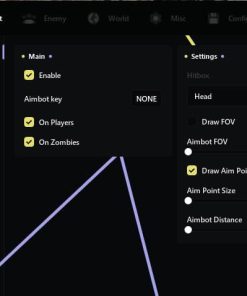
Advanced DayZ Aimbot
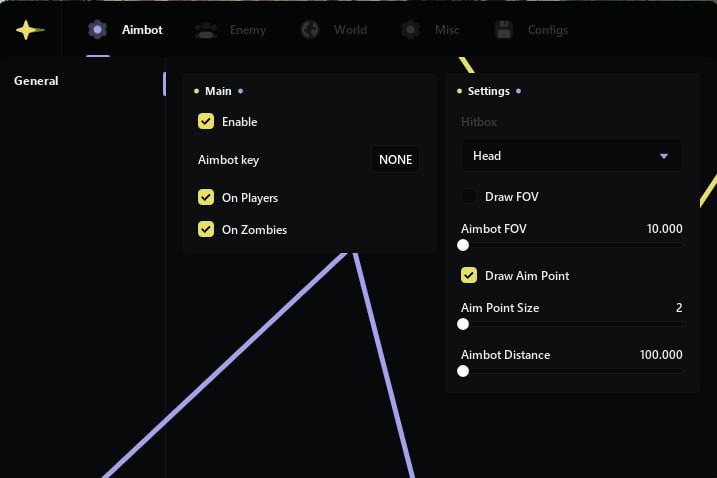
The Obsidian aimbot provides configurable targeting assistance for encounters involving both players and infected.
Instead of relying on a single fixed configuration, you can adjust the aimbot according to your preferred playstyle.
Aimbot Features
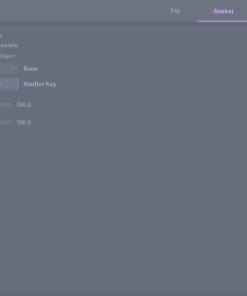
- Enable or disable the aimbot
- Configurable activation key
- Target enemy players
- Target zombies
- Adjustable aiming area
- Multiple selectable hitboxes
- Field of view visualization
- Aim point visualization
Available Hitboxes
- Head
- Neck
- Chest
The configurable field of view allows you to control how targets are selected around the center of your screen. A smaller FOV can provide more controlled targeting, while a wider FOV offers faster target acquisition.
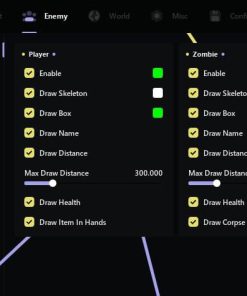
Player ESP
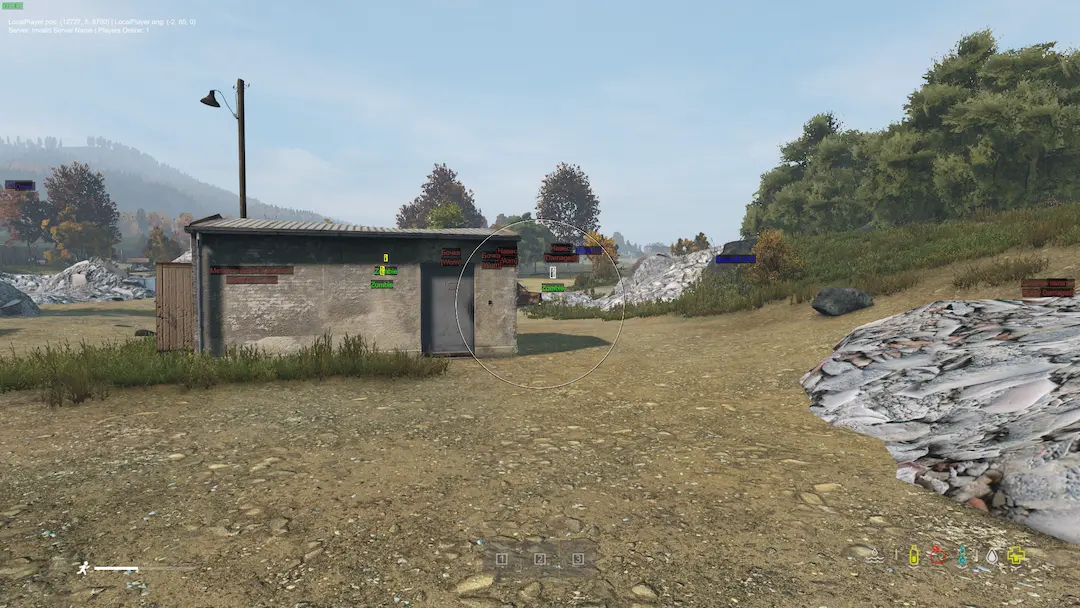
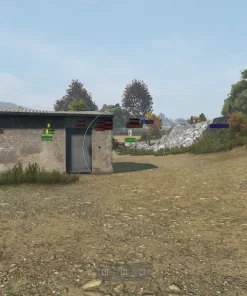
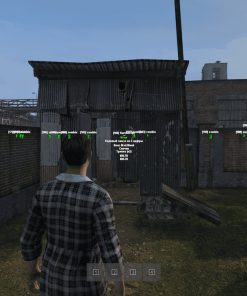
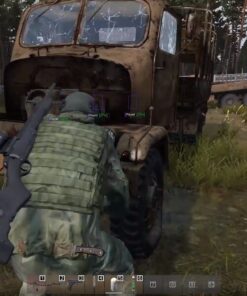
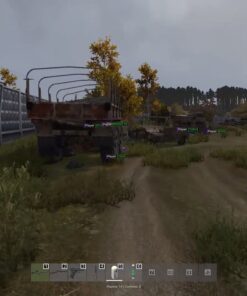
The player ESP system provides important information about nearby survivors. This can help you identify potential threats before entering buildings, crossing open areas, approaching military zones, or engaging in combat.
Player ESP Features
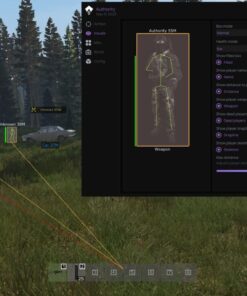
- Enable player ESP
- Player boxes
- Player skeletons
- Player names
- Distance display
- Health information
- Items currently held
- Equipment information
- Corpse information
Player ESP can be especially useful when exploring dangerous locations where opponents may be hiding behind buildings, trees, walls, or terrain.
Zombie ESP
Obsidian can also display information about infected entities located in the surrounding area.
Zombie ESP Features
- Enable zombie ESP
- Zombie boxes
- Zombie skeletons
- Distance information
- Health information
- Improved awareness around infected areas
This makes it easier to understand how many infected are nearby before entering cities, villages, medical zones, or military compounds.
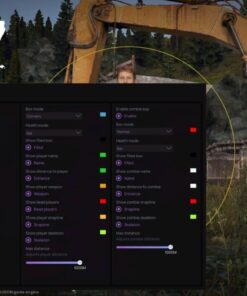
DayZ Item ESP
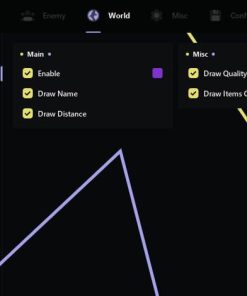
Finding essential equipment is a major part of DayZ. Obsidian includes an extensive item ESP system that can display different categories of loot and important world objects.
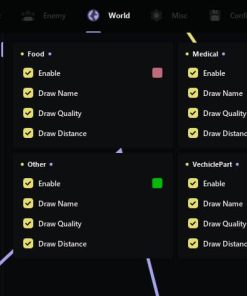
Food and Medical Items
Track survival supplies such as:
- Food
- Drinks
- Medical equipment
- Healing items
- Other essential consumables
Available information may include:
- Item name
- Item quality
- Distance from your character
Vehicle Parts
Locate useful components required for repairing and operating vehicles.
The ESP can display:
- Part name
- Item condition
- Distance
- Additional available information
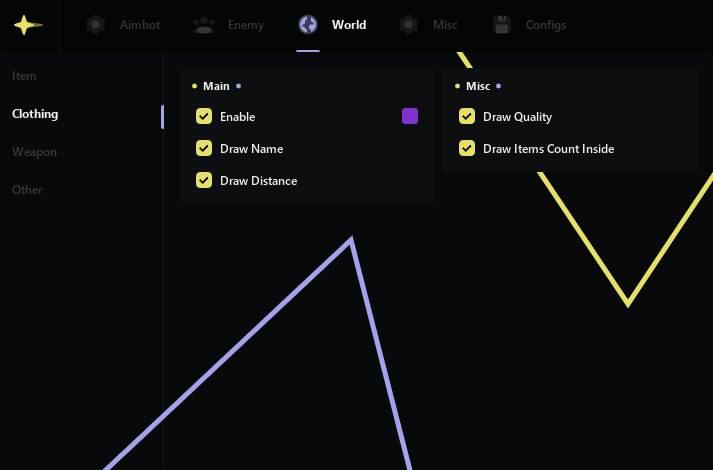
Clothing and Containers
Obsidian can display clothing and storage items located in the world.
Available information includes:
- Clothing name
- Distance
- Item quality
- Quantity of items inside containers
This helps reduce the amount of time spent manually searching every building and container.
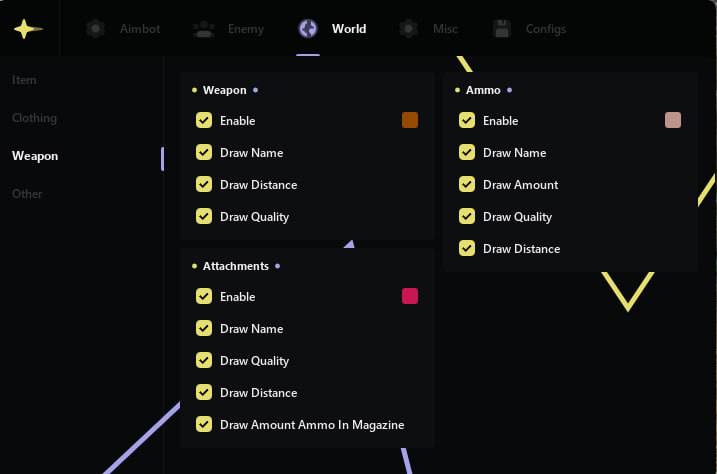
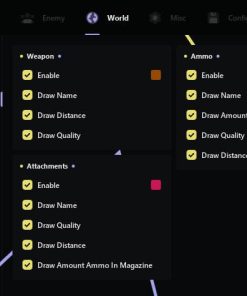
Weapon, Ammunition, and Attachment ESP
Quickly identify combat equipment located nearby.
Supported Equipment Categories
- Firearms
- Melee weapons
- Ammunition
- Magazines
- Weapon attachments
- Related combat equipment
Displayed Information
- Item name
- Distance
- Quality or condition
- Quantity
- Magazine information
- Attachment information
Weapon ESP can help you prioritize valuable equipment without checking every individual loot location.
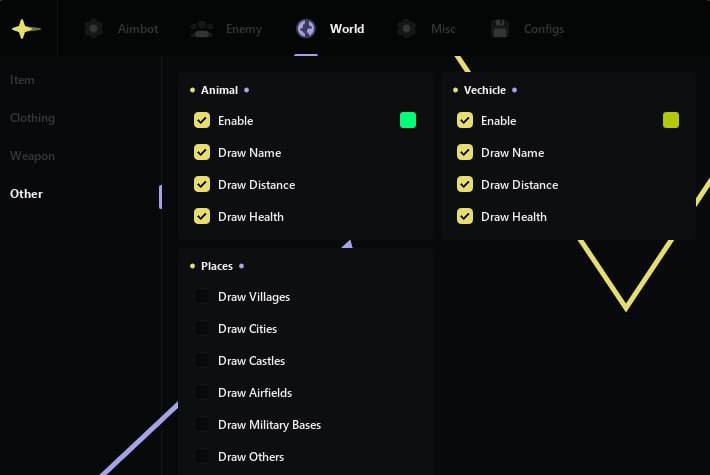
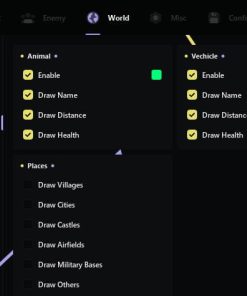
Vehicle and Animal ESP
Obsidian includes visual tracking for other important DayZ entities.
Vehicle ESP
- Vehicle name
- Vehicle health
- Vehicle distance
- Improved vehicle location awareness
Animal ESP
- Animal name
- Animal health
- Animal distance
These features can help when searching for transportation, hunting for food, or exploring less populated areas of the map.
Map Locations and Points of Interest
The map point system displays important locations across the DayZ world.
Available Map Points
- Villages
- Cities
- Castles
- Airfields
- Military bases
- Military zones
- Other important points of interest
This feature can make navigation easier and help you plan routes between loot areas, safe locations, cities, and high-value military zones.
Additional Visual and World Features
Obsidian includes several miscellaneous options designed to improve visibility and control over the game environment.
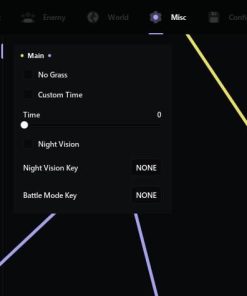
No Grass
The No Grass option reduces or removes grass from your view, making it easier to notice players, infected, animals, dropped equipment, and other objects near the ground.
Custom Time
Adjust the displayed in-game time according to your preference.
This can provide improved visibility during darker periods without changing the actual server time for other players.
Night Vision
The night vision feature improves visibility during nighttime gameplay and in dark environments.
It can be useful when traveling, looting, or engaging opponents at night without relying entirely on traditional light sources.
Built-In HWID Spoofer
Obsidian includes an integrated HWID spoofer designed to mask supported hardware identifiers.
Hardware bans may prevent a user from returning to a game even after creating a new account. The built-in spoofer provides an additional layer of hardware privacy by changing or masking supported system identifiers during use.
HWID Spoofer Benefits
- Included with the Obsidian DayZ software
- No separate spoofer purchase required
- Designed for convenient setup
- Masks supported hardware identifiers
- Useful for users affected by compatible hardware-based restrictions
The spoofer must be used according to the supplied instructions. Compatibility can depend on your Windows version, hardware configuration, and current game or anti-cheat updates.
No software can guarantee permanent protection against every future detection method or system update.
Installation Process
The exact setup instructions will be included with your purchase.
The general installation process may include:
- Download the supplied files.
- Read the complete setup instructions.
- Configure Windows according to the documentation.
- Launch the Obsidian loader as administrator.
- Enter your personal license key.
- Activate the built-in HWID spoofer when required.
- Start DayZ according to the specified launch order.
- Open and configure the software menu.
Do not skip installation steps or change the recommended launch order. Incorrect setup can prevent the loader or game from starting properly.
Important Recommendations Before Launching
For the smoothest installation experience:
- Install all available Windows updates supported by the software
- Update required system drivers
- Close unnecessary background applications
- Disable conflicting overlays when instructed
- Run the loader with administrator privileges
- Do not share your license key
- Do not upload the software files to public services
- Follow the supplied launch order exactly
- Check the current software status before activation
Private DayZ Software for Chernarus and Livonia
Obsidian is suitable for players exploring the dangerous environments of Chernarus and Livonia.
Its combination of player ESP, infected ESP, loot tracking, vehicle information, map locations, configurable targeting, visibility settings, and integrated hardware protection creates a comprehensive package for different DayZ playstyles.
The software can assist with:
- PvP encounters
- Loot collection
- Military area exploration
- Vehicle searches
- Nighttime navigation
- Zombie awareness
- Weapon and ammunition searches
- Long-distance map travel
- High-risk survival situations
Why Purchase from CrazyCapyStore?
CrazyCapyStore provides access to private game software, clear product information, installation documentation, and customer support.
Store Benefits
- Fast digital delivery
- Secure checkout process
- Detailed installation instructions
- Customer support
- Regular product status information
- Multiple subscription options
- Carefully selected game software
- Support with common installation issues
Our goal is to make the purchasing and setup process as straightforward as possible.
Frequently Asked Questions
Does Obsidian include an HWID spoofer?
Yes. Obsidian includes a built-in HWID spoofer. You do not need to purchase a separate supported spoofer for the standard setup.
Does the aimbot work against both players and zombies?
Yes. The targeting system includes options for both enemy players and zombies.
Can I select different aimbot hitboxes?
Yes. Available targeting areas include the head, neck, and chest.
Does Obsidian show weapons and ammunition?
Yes. The item ESP can display weapons, magazines, ammunition, attachments, names, distance, condition, and quantity information.
Can I see vehicles and animals?
Yes. Vehicle and animal ESP options can display their names, health, and distance.
Does the software include night vision?
Yes. Obsidian includes a night vision option for improved visibility in dark environments.
Can I remove grass?
Yes. The No Grass feature provides a clearer view of nearby terrain and objects.
Does Obsidian work on Intel and AMD computers?
Yes. Both Intel and AMD processors are supported according to the listed system requirements.
Is Windows 11 supported?
Yes. Supported Windows 11 builds are included within the compatibility range listed above. Compatibility should always be checked before purchasing because major Windows updates can affect software operation.
Will I receive the product immediately?
Digital delivery is provided after successful payment and order processing. Your order will include the license key, download information, and available installation instructions.
Can the software remain undetected forever?
No provider can guarantee permanent undetected status. Game updates, anti-cheat changes, Windows updates, and user behavior can all affect software status. Always check the current status before launching.
Get Obsidian for DayZ
Upgrade your DayZ experience with advanced targeting assistance, detailed player and zombie ESP, comprehensive item tracking, vehicle information, map points, night vision, custom time controls, No Grass, and an integrated HWID spoofer.
Choose your preferred license duration, complete the checkout process, follow the provided installation instructions, and begin using Obsidian Private DayZ Software.
| Duration | 1 day, 7 days, 30 days |
|---|

Reviews
There are no reviews yet.