
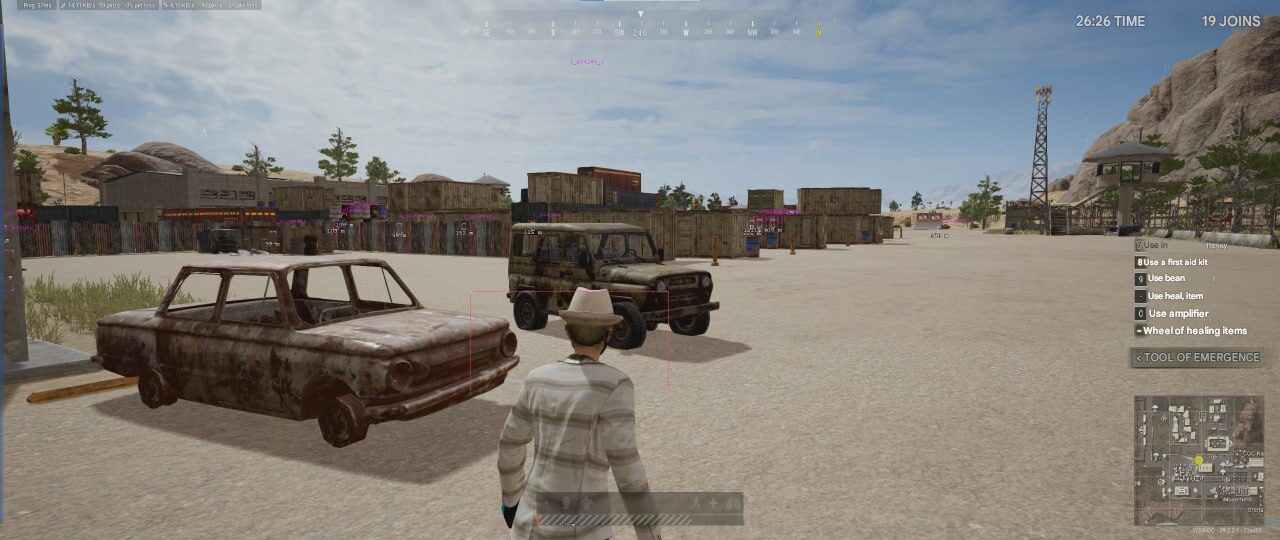
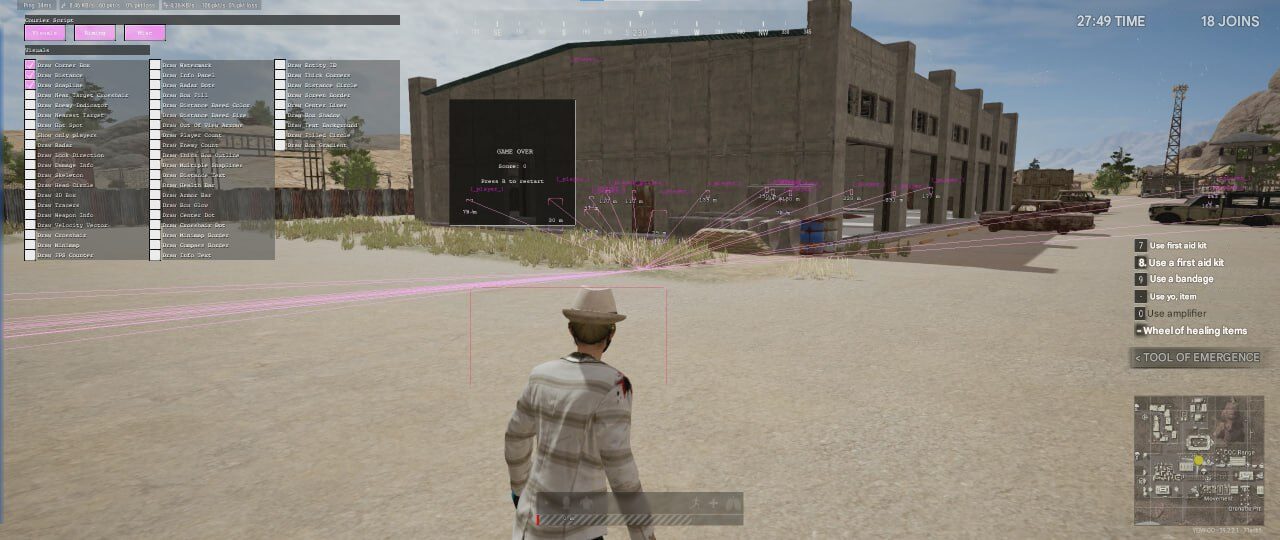
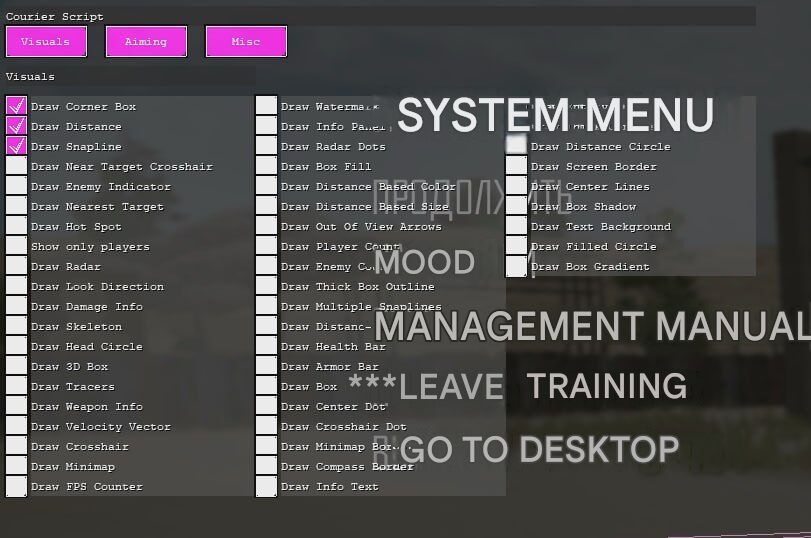
CourierScript PUBG Cheat
CourierScript PUBG is a private software package for the Steam version of PUBG, combining detailed player visuals, radar, minimap, customizable interface elements, and configurable aiming assistance.
The software is designed for users who want extensive on-screen information, flexible visual settings, straightforward activation, and reliable customer support.
Instant automatic delivery after payment, setup instructions, and 24/7 support are included.
Main Features
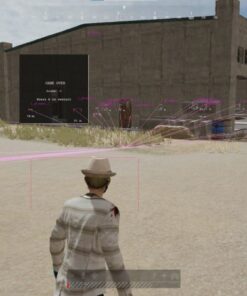
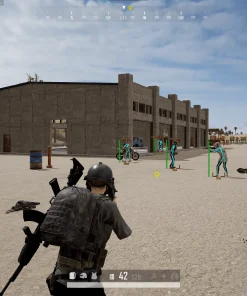
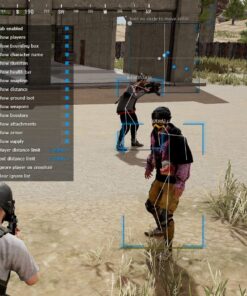
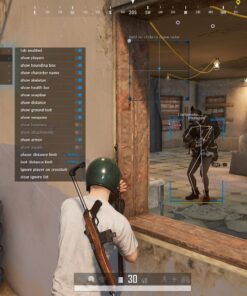
Advanced Player Visuals
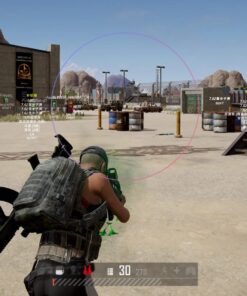
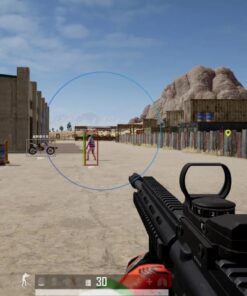
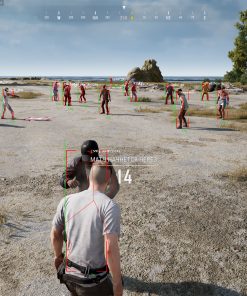
CourierScript PUBG provides detailed information about detected players and their current status.
- Corner Box
- 3D Box
- Skeleton
- Head Circle
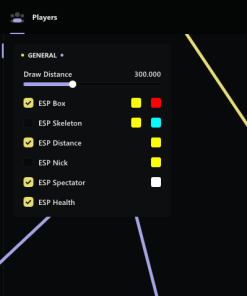
- Health Bar
- Armor Bar
- Player Distance
- Distance Text
- Weapon Information
- Damage Information
- Entity ID
- Player Count
- Enemy Count
- Show Players Only
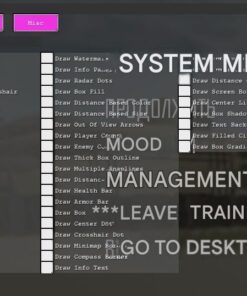
Each visual element can be enabled or disabled separately, allowing you to create either a clean setup or a complete information layout.
Customizable Box ESP
Choose from multiple box styles and visual effects.
- Corner Box
- 3D Box
- Box Fill
- Box Gradient
- Box Glow
- Box Shadow
- Thick Box Outline
- Thick Corners
- Distance-Based Color
- Distance-Based Size
- Text Background
The available customization options make it easy to adjust the interface for different resolutions, environments, and personal preferences.
Target Position and Direction
CourierScript PUBG includes multiple tools for tracking target position, movement, and direction.
- Enemy Indicator
- Nearest Target Display
- Near-Target Crosshair
- Out-of-View Arrows
- Look Direction
- Velocity Vector
- Hot Spot Display
- Snaplines
- Multiple Snaplines
- Tracers
- Center Lines
- Distance Circle
These features provide additional positional information about nearby and off-screen players.
Radar and Minimap
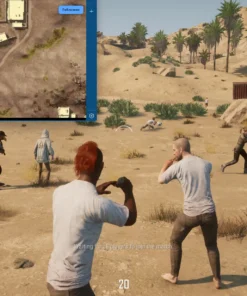
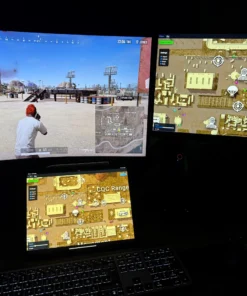
Monitor the surrounding area using the integrated positional tools.
- Built-in Radar
- Radar Dots
- Minimap
- Minimap Border
- Compass Border
- Player and enemy counters
- Configurable interface placement
Radar and minimap elements can be used alongside the main visuals or as a cleaner alternative to a heavily detailed overlay.
Aiming Assistance
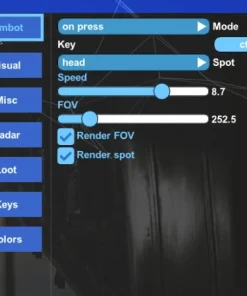
CourierScript PUBG includes configurable aiming support with several prediction options.
Aim Assist
The Aim Assist section provides compatible targeting assistance that can be configured according to the user’s preferred setup.
Basic Prediction
Basic Prediction estimates target movement using straightforward movement information.
This option may be suitable for users who prefer a simpler targeting configuration.
Advanced Prediction
Advanced Prediction uses additional target information to improve supported movement calculations.
It is designed for more dynamic situations where player movement changes frequently.
Velocity Prediction
Velocity Prediction considers the detected movement speed and direction of the selected target.
This can provide additional targeting information when players are running, changing direction, or moving at different speeds.
Recoil Compensation
Recoil Compensation provides supported assistance for weapon recoil behavior.
Available behavior may depend on the selected weapon, current game version, and CourierScript configuration.
Crosshair and Center-Screen Options
Customize the center of the screen with several available elements.
- Custom Crosshair
- Crosshair Dot
- Center Dot
- Near-Target Crosshair
- Filled Circle
- Center Lines
- Screen Border
These options can be combined with aiming assistance or used independently as visual references.
Interface and Information Tools
CourierScript PUBG includes additional interface elements for monitoring software and game information.
- FPS Counter
- Watermark
- Information Panel
- Information Text
- Screen Border
- Text Background
- Player Count
- Enemy Count
- Distance-Based Visual Settings
Disable unnecessary elements to keep the interface clean and focused.
Why Choose CourierScript PUBG?
- Private PUBG software
- Extensive visual customization
- Player health, armor, weapon, and distance information
- Radar and minimap functionality
- Target movement and direction indicators
- Configurable aiming assistance
- Basic, advanced, and velocity prediction
- Recoil compensation
- Clean and adjustable interface
- Intel and AMD processor support
- Instant automatic delivery
- Setup instructions included
- 24/7 customer support
- Multiple subscription durations
CourierScript PUBG gives users the flexibility to create a minimal visual setup or enable a complete information and aiming package.
Complete Feature Overview
Player Information
- Draw Corner Box
- Draw Distance
- Draw Skeleton
- Draw Head Circle
- Draw 3D Box
- Draw Weapon Information
- Draw Damage Information
- Draw Health Bar
- Draw Armor Bar
- Draw Entity ID
- Draw Player Count
- Draw Enemy Count
- Show Only Players
Position and Movement
- Draw Snapline
- Draw Multiple Snaplines
- Draw Enemy Indicator
- Draw Nearest Target
- Draw Look Direction
- Draw Velocity Vector
- Draw Tracers
- Draw Out-of-View Arrows
- Draw Center Lines
- Draw Distance Circle
- Draw Hot Spot
Boxes and Highlighting
- Draw Box Fill
- Draw Box Gradient
- Draw Box Glow
- Draw Box Shadow
- Draw Thick Box Outline
- Draw Thick Corners
- Draw Distance-Based Color
- Draw Distance-Based Size
- Draw Text Background
Radar and Interface
- Draw Radar
- Draw Radar Dots
- Draw Minimap
- Draw Minimap Border
- Draw Compass Border
- Draw Information Panel
- Draw Information Text
- Draw FPS Counter
- Draw Watermark
- Draw Screen Border
Crosshair Options
- Draw Crosshair
- Draw Crosshair Dot
- Draw Center Dot
- Draw Near-Target Crosshair
- Draw Filled Circle
Aiming Features
- Aim Assist
- Basic Prediction
- Advanced Prediction
- Velocity Prediction
- Recoil Compensation
System Requirements
- Game: PUBG
- Game Version: Steam
- Operating System: Windows 10 or Windows 11 x64
- Processor: Intel or AMD
- Anti-Cheat: BattlEye
- Display Mode: Windowed Borderless / Frameless
- Administrator Access: May be required
Security software may flag third-party applications. Only use files obtained from the official download provided with your order, and review all setup instructions carefully.
Compatibility may depend on the current Windows build, PUBG update, BattlEye version, and CourierScript software status.
What You Receive
After completing your purchase, you receive:
- CourierScript PUBG license access
- Current software download
- Installation instructions
- Activation information
- Player visual features
- Radar and minimap functionality
- Aiming assistance
- Prediction settings
- Recoil compensation
- Configuration options
- Customer support
- Instant automatic delivery
The subscription period begins according to the activation conditions provided with the product.
Setup Information
Before launching CourierScript PUBG:
- Confirm that PUBG is installed through Steam
- Check that your Windows version is supported
- Set PUBG to Windowed Borderless or Frameless mode
- Close conflicting background applications
- Download the latest available CourierScript files
- Run the required applications with administrator access when instructed
- Follow the installation and launch order exactly
- Check the current product status before activating your license
Skipping steps or using outdated files may cause installation, activation, or launch problems.
Important Information
CourierScript PUBG may currently be listed by the provider as undetected, but no third-party software can guarantee permanent undetected status.
Compatibility and security status may change following updates to PUBG, Windows, BattlEye, or the software itself. Always check the latest product status before purchasing, activating, or launching.
Using third-party software may violate the game’s terms and can result in account restrictions or permanent bans. Use the product at your own risk.
Frequently Asked Questions
Which version of PUBG is supported?
CourierScript PUBG is designed for the Steam version of the game.
What information can the visuals display?
The software can display boxes, skeletons, health, armor, distance, weapons, movement direction, damage information, and additional player details.
Does CourierScript PUBG include radar?
Yes. It includes a built-in radar, radar dots, and minimap functionality.
Does it include Aim Assist?
Yes. CourierScript PUBG includes configurable aiming assistance.
What prediction options are available?
The listed options include Basic Prediction, Advanced Prediction, and Velocity Prediction.
Is recoil compensation included?
Yes. Recoil Compensation is included for supported weapon behavior.
Can I customize the visuals?
Yes. Boxes, lines, radar elements, crosshair settings, colors, sizes, and information panels can be configured independently.
Does it support Intel and AMD processors?
Yes. Compatible Intel and AMD processors are supported.
Does it support Windows 11?
Yes. Supported 64-bit versions of Windows 10 and Windows 11 are compatible.
Which display mode should I use?
Use Windowed Borderless or Frameless mode.
Is delivery automatic?
Yes. License access and setup information are delivered automatically after payment.
Is customer support included?
Yes. Customer support is available 24/7 for installation and activation questions.
Is permanent undetected status guaranteed?
No. PUBG, BattlEye, and Windows receive regular updates, so permanent undetected status cannot be guaranteed.
Buy CourierScript PUBG
Choose your preferred subscription duration, complete the payment, and receive your CourierScript PUBG access automatically.
Get a complete PUBG package with advanced player visuals, radar, minimap, Aim Assist, multiple prediction systems, recoil compensation, extensive customization, instant delivery, and 24/7 customer support.
| Duration | 1 day, 7 days, 30 days |
|---|
Reviews
There are no reviews yet.