

Capyware Garry’s Mod Cheat – The Ultimate All-in-One GMod Experience
Take complete control of your Garry’s Mod gameplay with Capyware, a premium GMod cheat built for players who demand powerful features, smooth performance, deep customization, and effortless setup.
Capyware combines an advanced aimbot, player ESP, entity ESP, radar, triggerbot, movement assistance, combat tools, game-mode support, and dozens of additional features inside the polished Capyware Deck interface.
Whether you play DarkRP, TTT, Murder, Prop Hunt, Sandbox, or another popular Garry’s Mod mode, Capyware gives you the information and precision needed to stay ahead.
Why Choose Capyware?
- Advanced all-in-one Garry’s Mod cheat
- Supports both 32-bit and x86-64 Garry’s Mod
- Compatible with Windows 10 and Windows 11
- Built for discreet and reliable operation
- Works across all major Garry’s Mod game modes
- Automatic game architecture detection
- Powerful features with extensive customization
- Fast profile switching for different servers and playstyles
- Secure installation and automatic updates through Capyware Hub
- Clean, modern, and easy-to-use in-game menu
- Regular improvements and compatibility updates
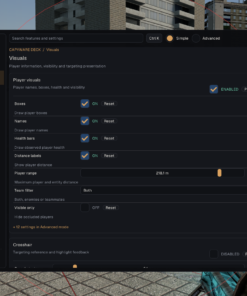
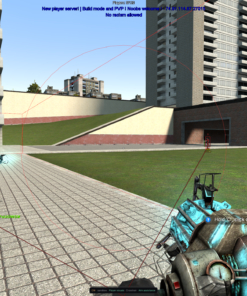
Advanced Player ESP
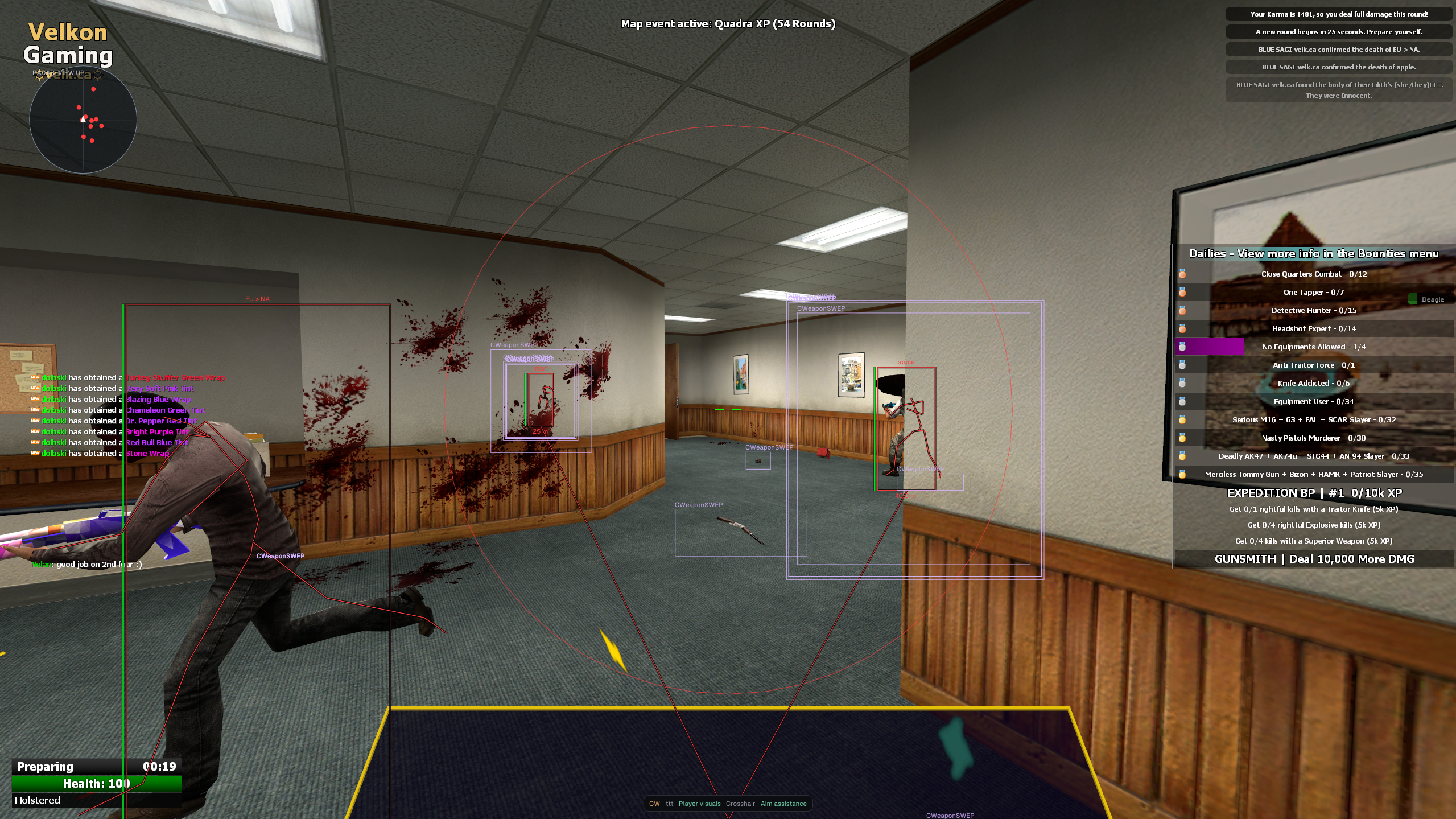
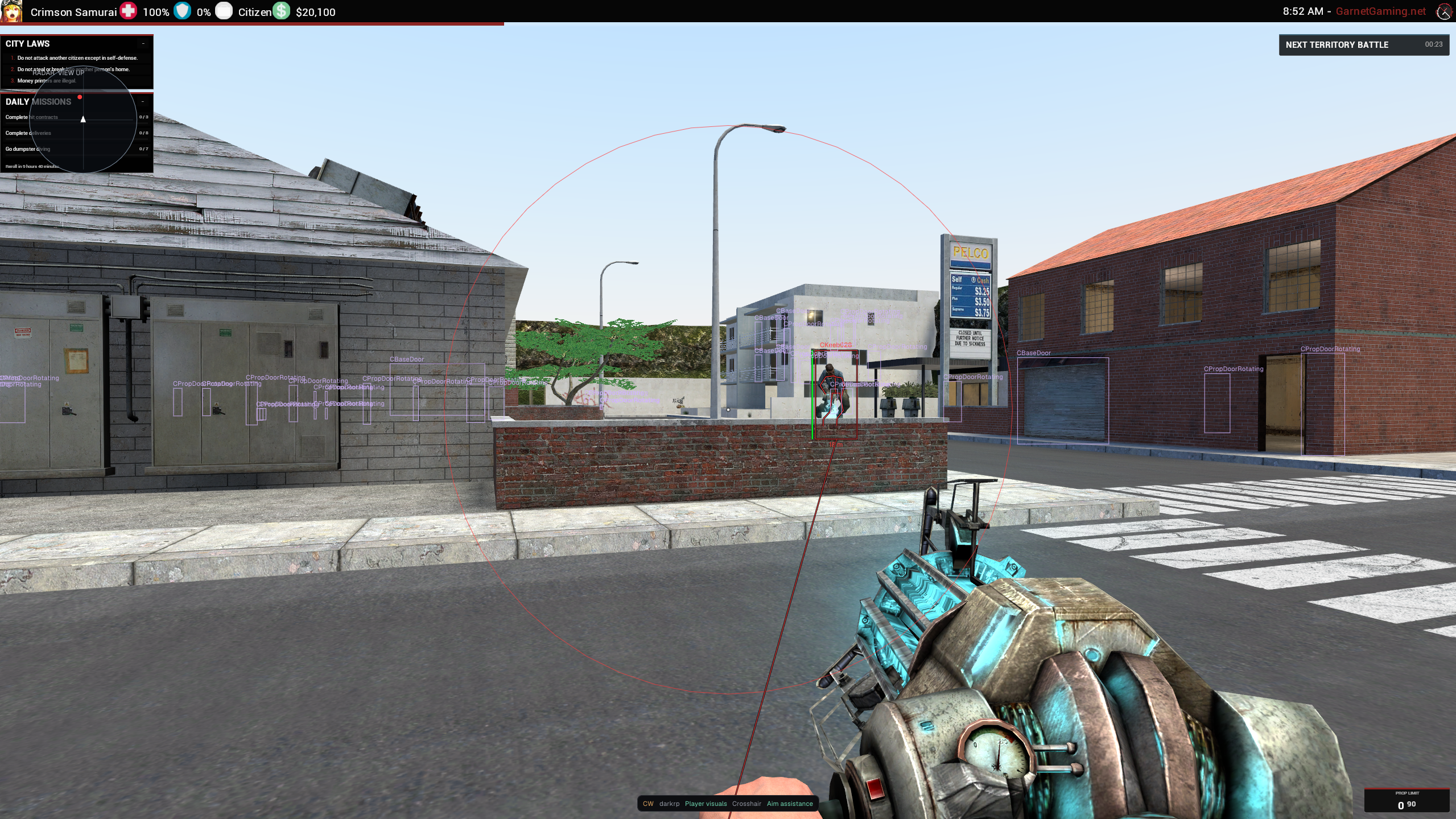
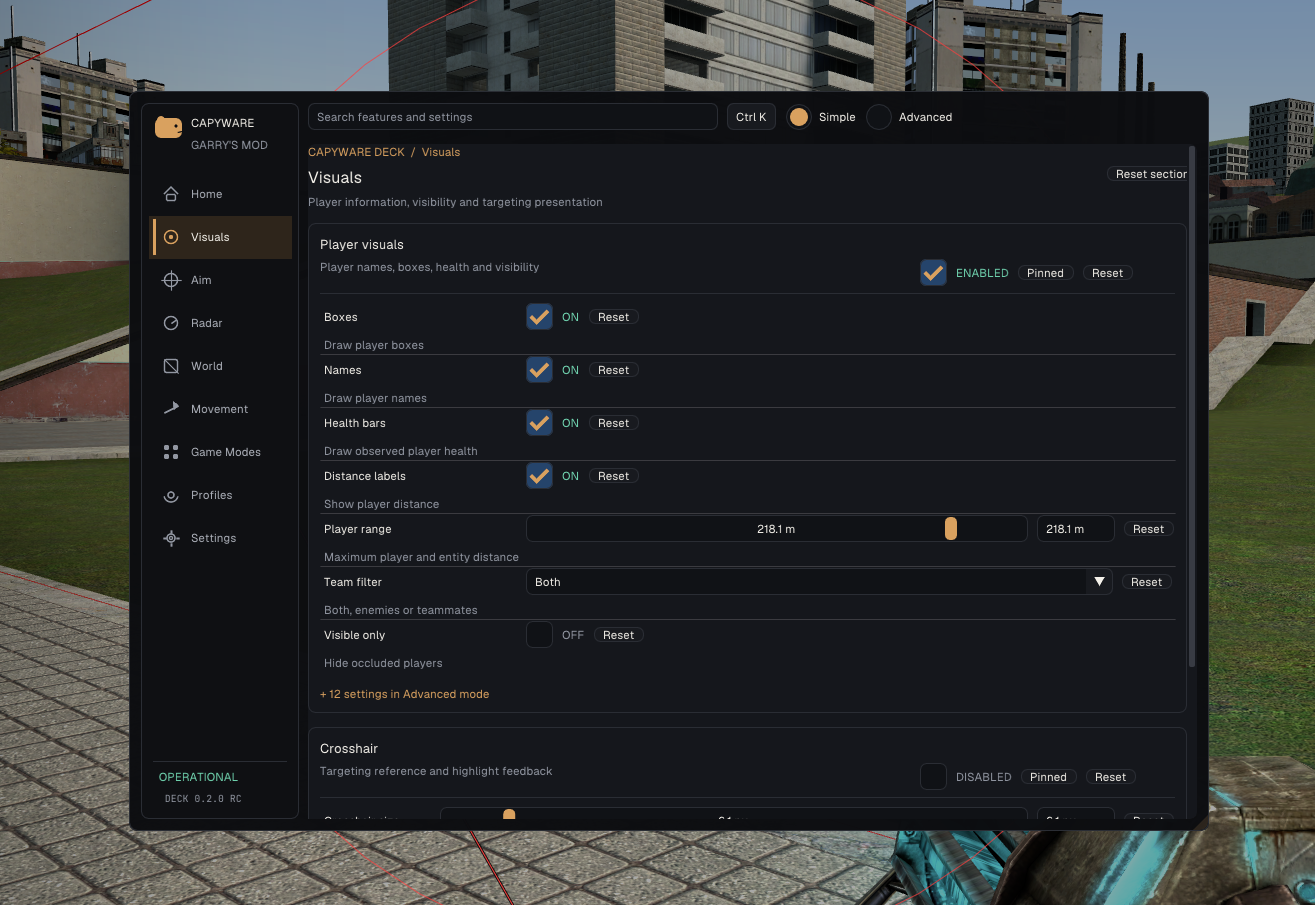
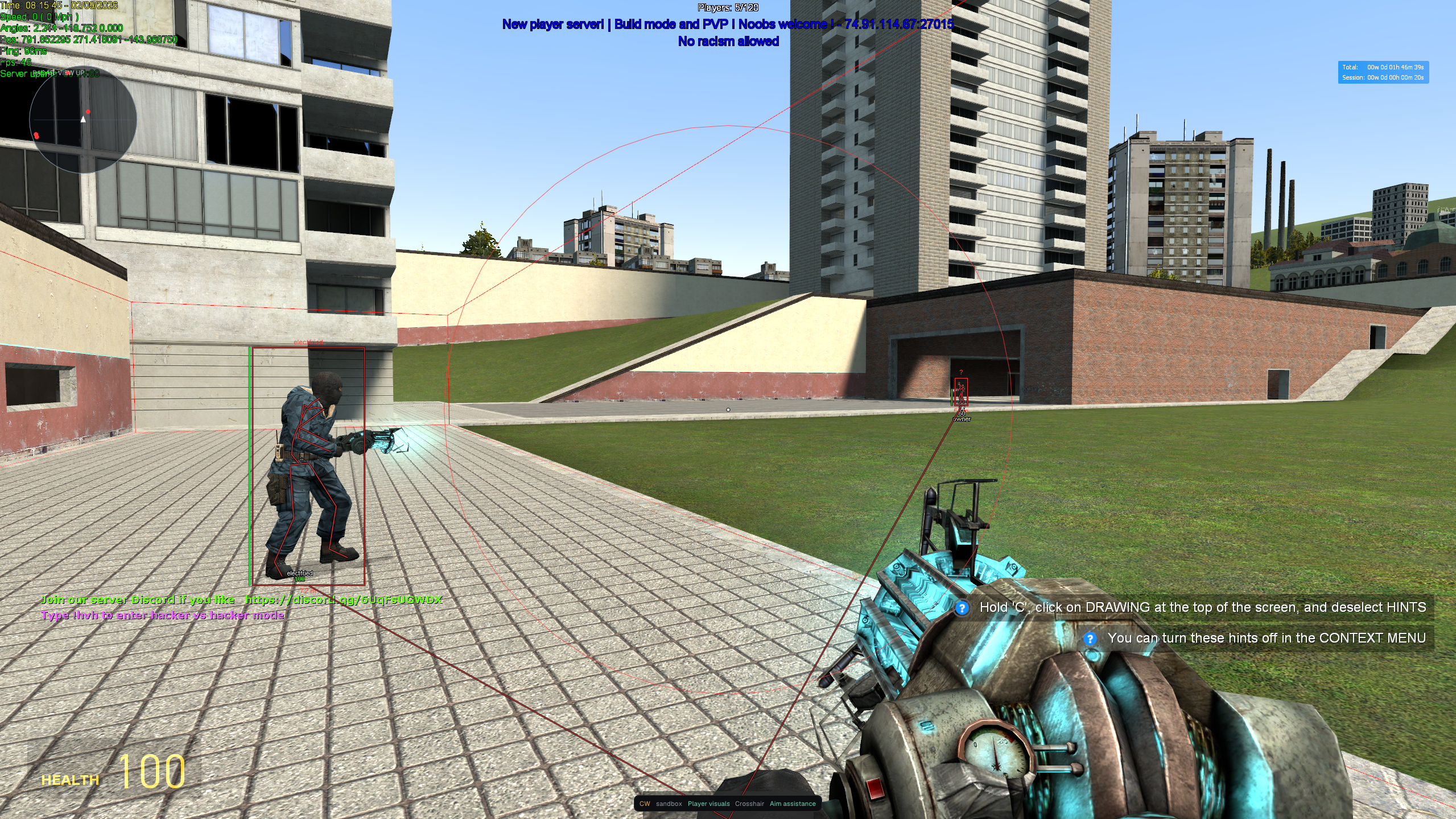
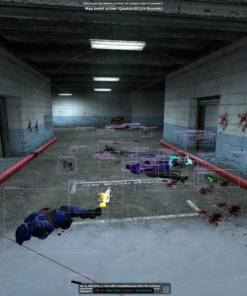
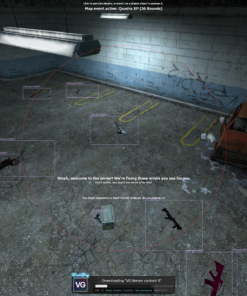
See exactly what is happening around you with fully customizable player visuals. Capyware delivers clear information without covering your entire screen with unnecessary clutter.
Player ESP features include:
- Full, corner, and bracket-style boxes
- Player names
- Health bars
- Current weapon display
- Distance indicators
- Skeleton ESP
- Snaplines
- Enemy-only and teammate-only filters
- Separate enemy and teammate colors
- Visible-only mode
- Visibility checks
- Separate colors for visible and hidden players
- Adjustable ESP distance
- Custom box thickness, padding, and outlines
Every visual element can be configured individually, allowing you to create anything from a minimal legitimate-looking setup to a complete information-focused ESP configuration.
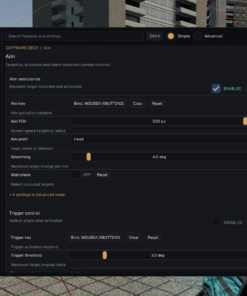
Powerful Customizable Aimbot
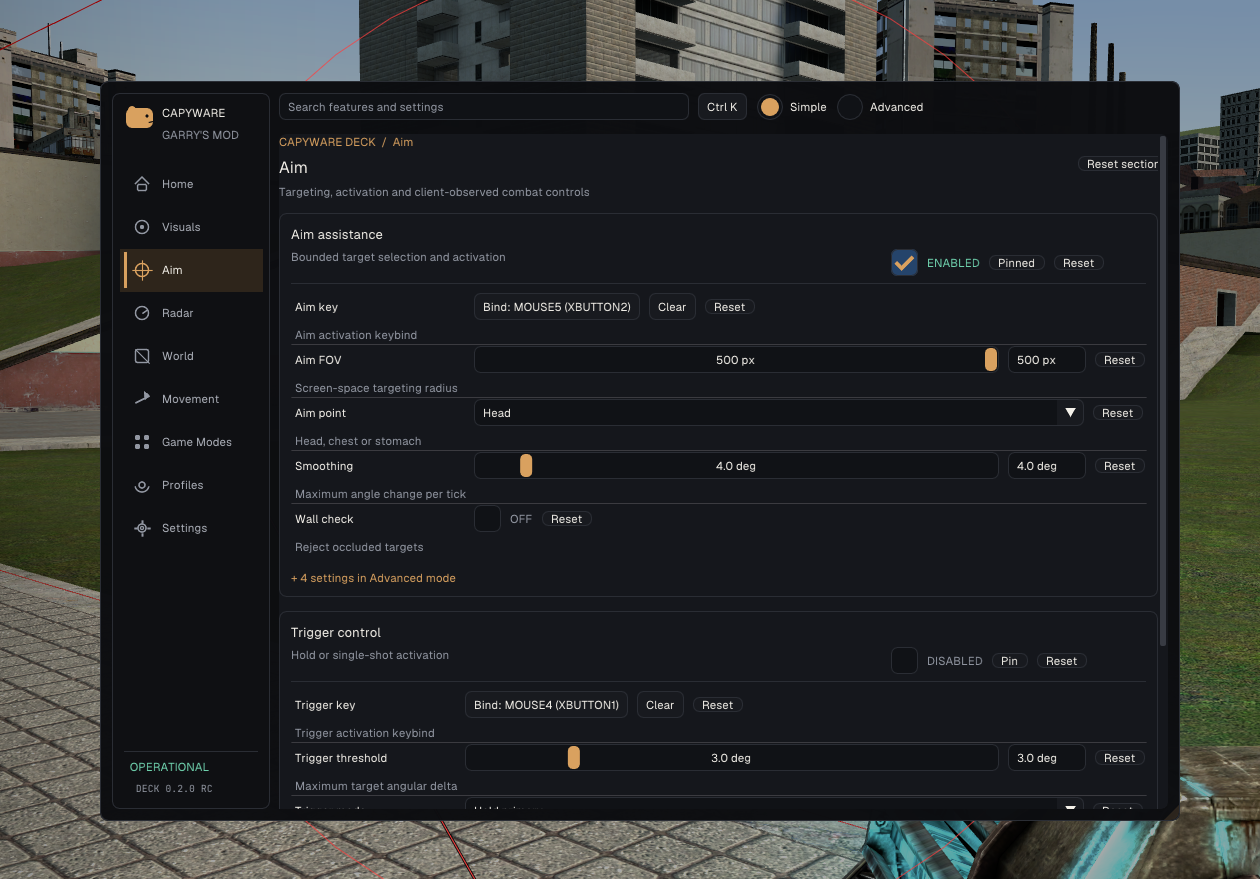
Capyware’s aim assistance is designed to give you greater accuracy while keeping you in control of how strongly it affects your aim.
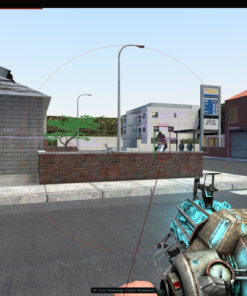
Choose your preferred activation key, targeting area, field of view, smoothing level, prediction settings, and visibility requirements.
Aimbot features include:
- Fully configurable activation key
- Head, chest, or stomach targeting
- Adjustable aim FOV
- Smooth aim movement
- Wall and visibility checks
- Optional on-screen FOV circle
- Target velocity prediction
- Adjustable prediction time
- Dry-run testing mode
- Extensive targeting customization
Aim assistance is disabled by default and only activates after you configure it, preventing unwanted movement when launching Capyware for the first time.
Triggerbot
React instantly when an enemy enters your crosshair. Capyware’s triggerbot can automatically fire based on your selected activation key and target-angle settings.
- Custom activation key
- Adjustable target threshold
- Hold-to-fire mode
- Single-shot mode
- Configurable shot cooldown
- Disabled by default for complete user control
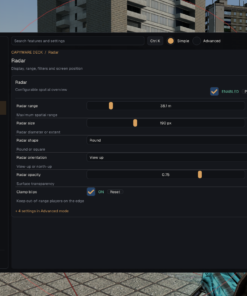
Fully Customizable Radar
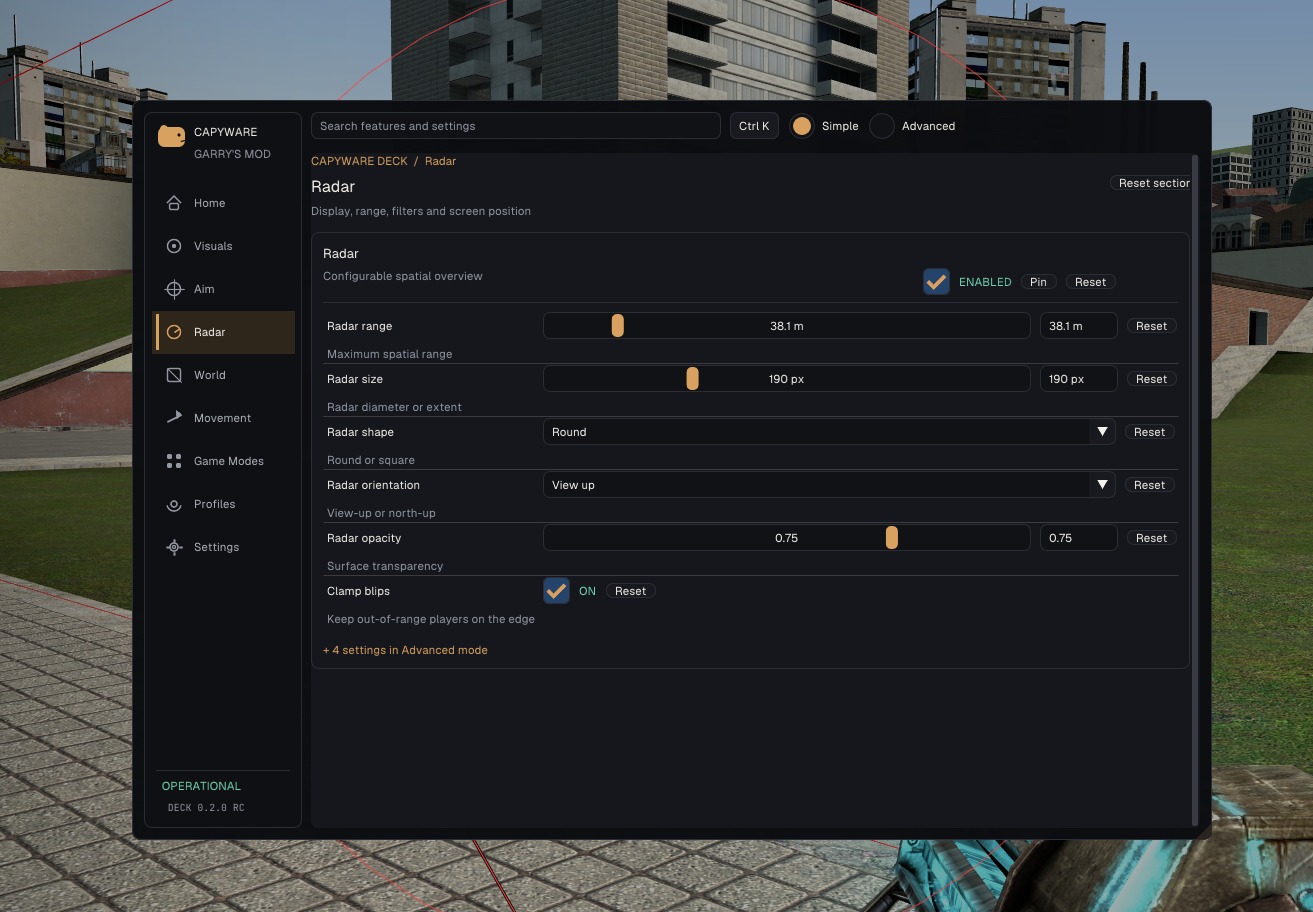
Track nearby players using a separate radar that can be positioned and configured anywhere on your screen.
- Round or square radar styles
- View-up or north-up orientation
- Adjustable position and size
- Custom detection range
- Adjustable opacity
- Custom player-blip size
- Optional player-name labels
- Edge indicators for players outside the selected range
The radar is ideal for keeping track of nearby activity without constantly turning around or filling your screen with ESP elements.
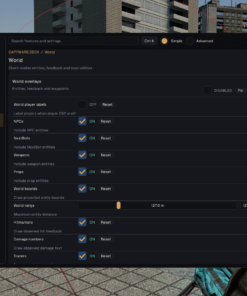
World and Entity ESP
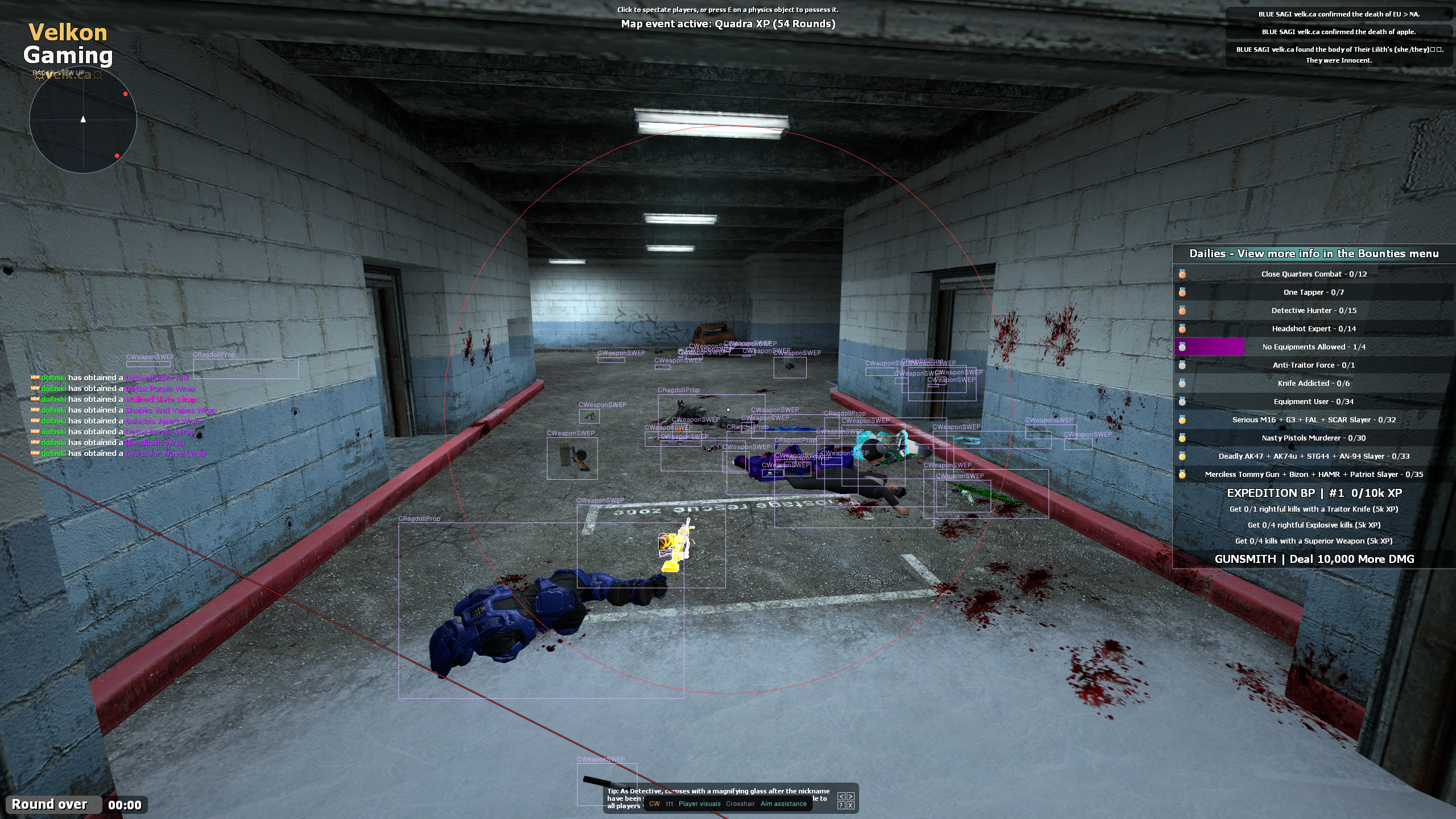
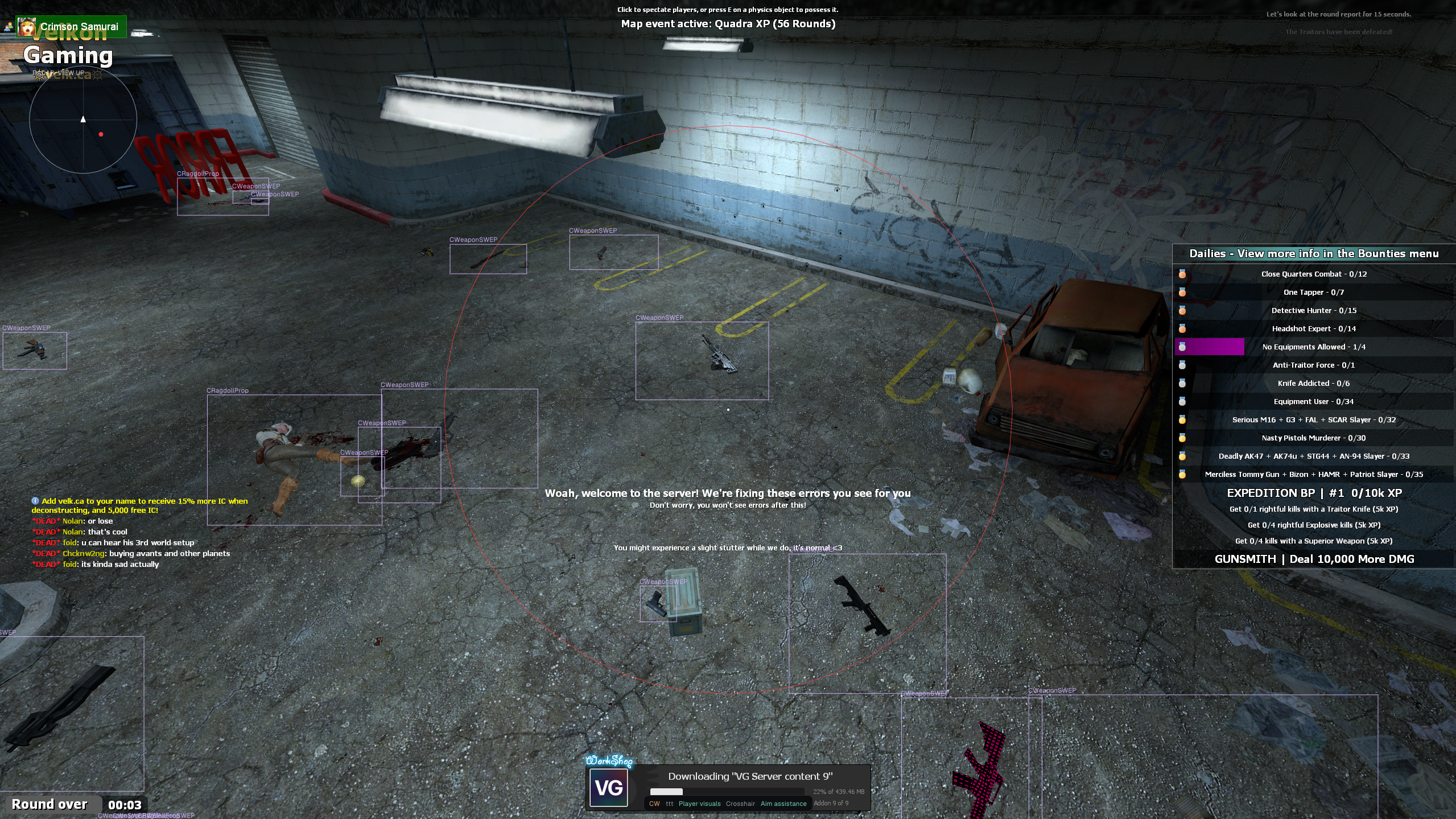
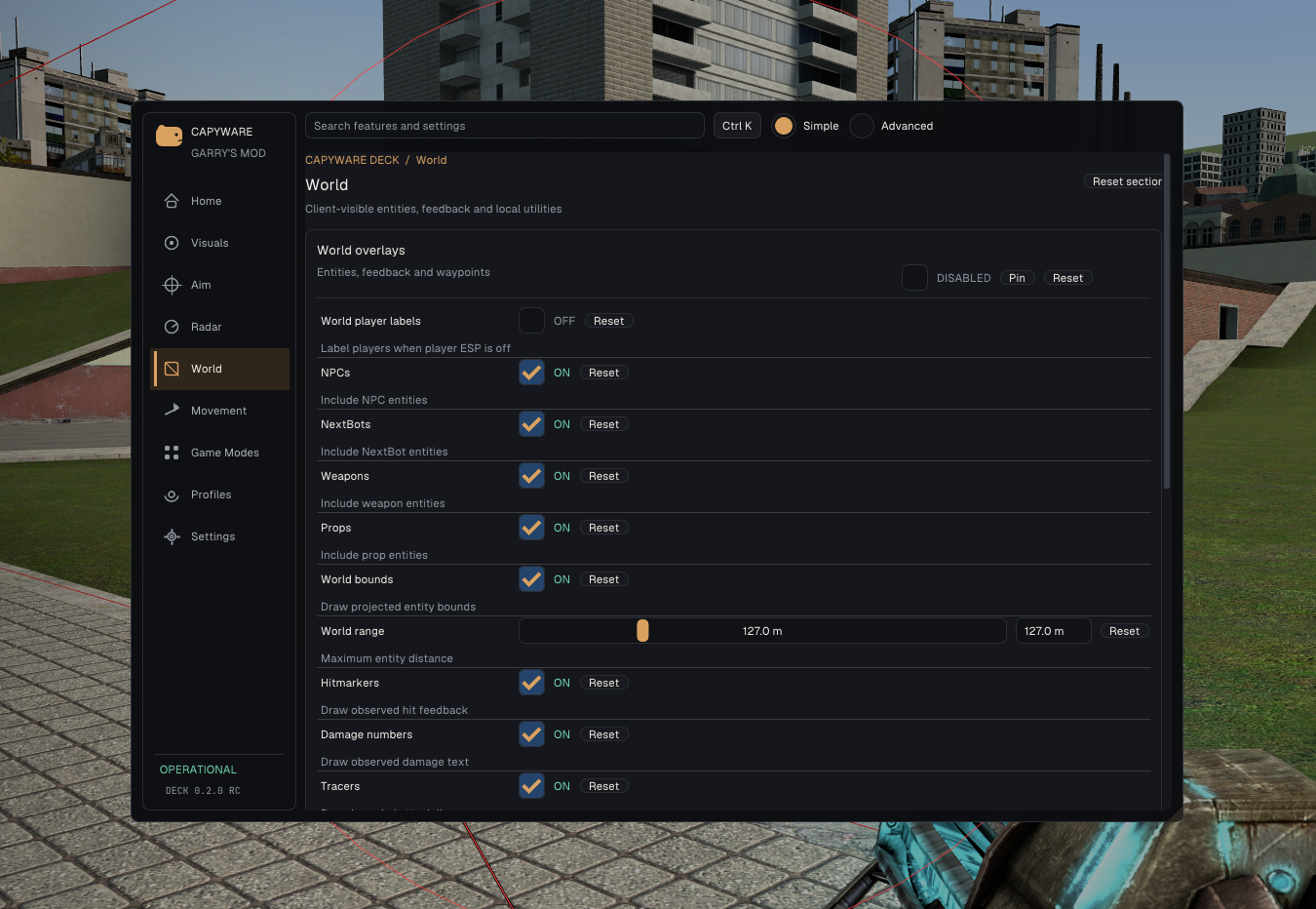
Capyware goes far beyond basic player ESP. Its world overlay system can identify and display many different types of objects and entities around the map.
Supported world information includes:
- NPCs
- NextBots
- Weapons
- Props
- Vehicles
- Scripted entities
- Custom entity classes
- Projected entity bounds
- Player labels
- Hitmarkers
- Damage numbers
- Attack tracers
- Spectator list
- Saved world waypoints
Custom entity filters allow you to target specific class names, making Capyware especially useful on heavily modified servers with unique items, weapons, printers, shipments, or other entities.
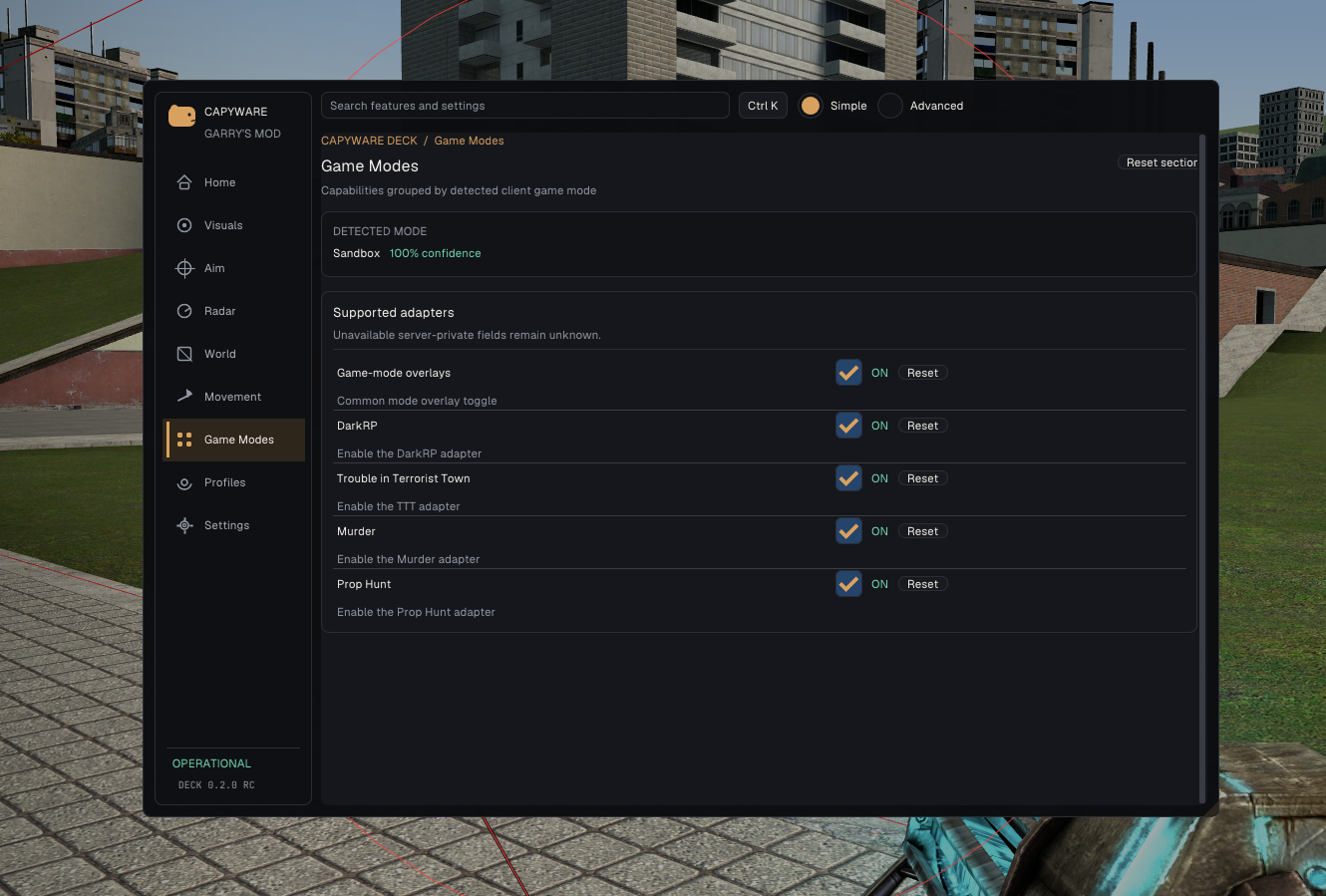
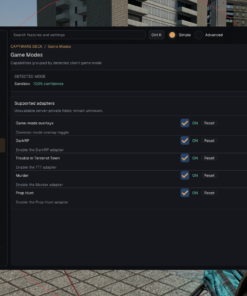
Built for Popular Garry’s Mod Game Modes
Capyware automatically analyzes the active game mode and enables the appropriate client-visible information and overlays.
Optimized game-mode support includes:
- DarkRP
- Trouble in Terrorist Town
- Murder
- Prop Hunt
- Sandbox
DarkRP Features
On supported DarkRP servers, Capyware can display available information such as:
- RP names
- Player jobs
- Wallet values
- Wanted status
- Gun-license status
- Money entities
- Shipments
- Printers
- DarkRP weapons and entities
- Player, weapon, and entity counts
TTT, Murder and Prop Hunt
Capyware provides useful round context, player and prop information, model bounds, weapons, bodies, clues, and other client-visible game-mode data where available.
Combat Lab
Combat Lab gives advanced players detailed visual feedback and diagnostics for aiming, weapons, projectiles, and previous engagements.
- Hitbox-anchor visualization
- Multipoint aim-position visualization
- Adjustable multipoint radius
- Hitscan prediction
- Last-shot diagnostics
- Recoil and punch-angle analysis
- Historical player-position ghosts
- Projectile-path prediction
- Adjustable projectile speed and gravity
These tools make it easier to understand weapon behavior, optimize settings, and create precise configurations for different servers and weapons.
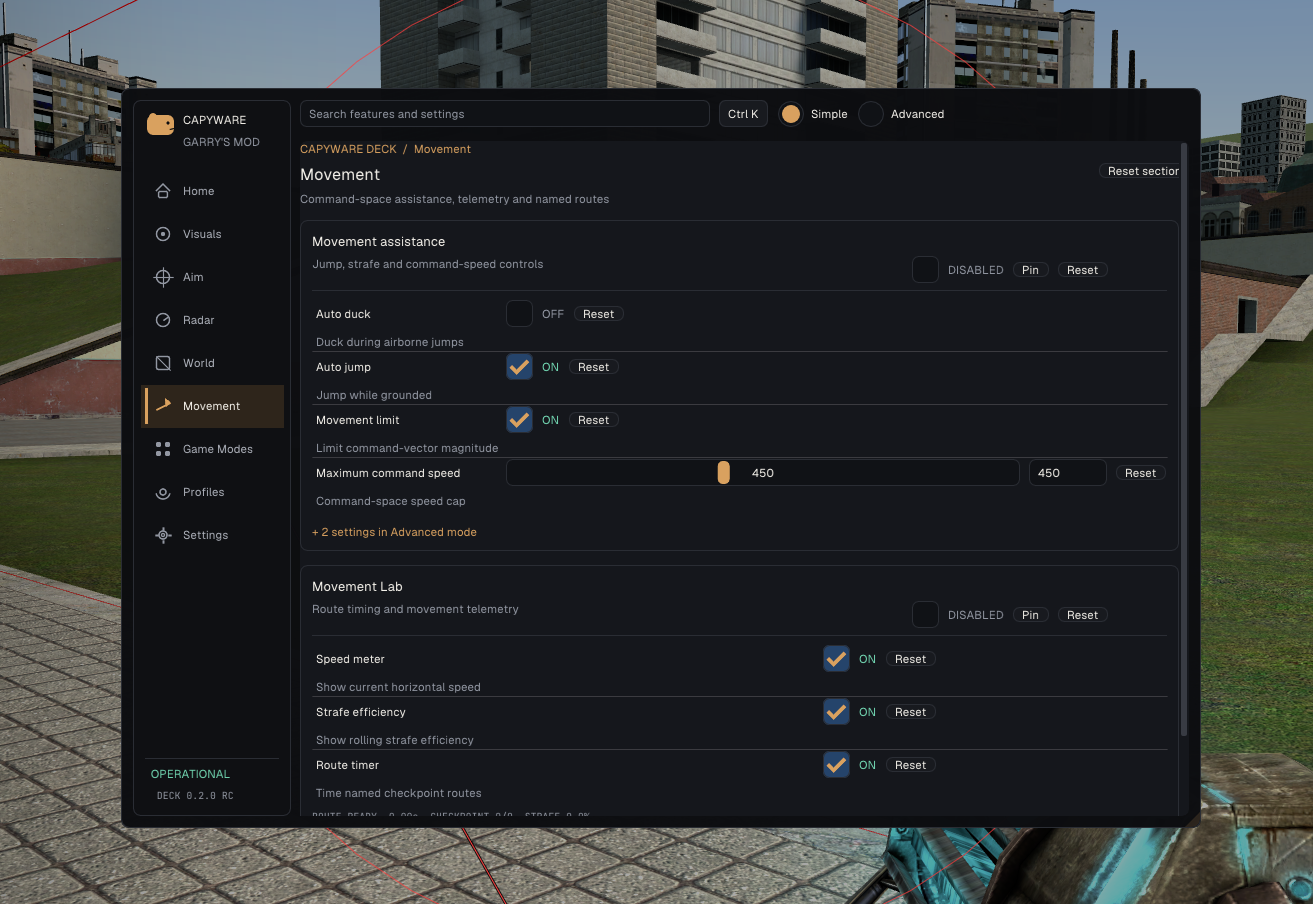
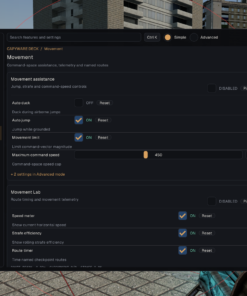
Movement Assistance
Move around maps more efficiently with configurable movement features.
- Automatic jumping
- Automatic airborne ducking
- Edge jump
- Automatic strafing
- Fast-stop assistance
- Adjustable command-speed limits
- Current horizontal speed display
- Rolling strafe-efficiency meter
Capyware also includes checkpoint and route-timing tools with support for up to 32 checkpoints, making it useful for movement practice and timed routes.
Custom Crosshair
Replace the standard crosshair with a fully configurable alternative:
- Adjustable size
- Custom centre gap
- Adjustable thickness
- Custom colors
- Target-proximity highlighting
- Separate target-highlight color
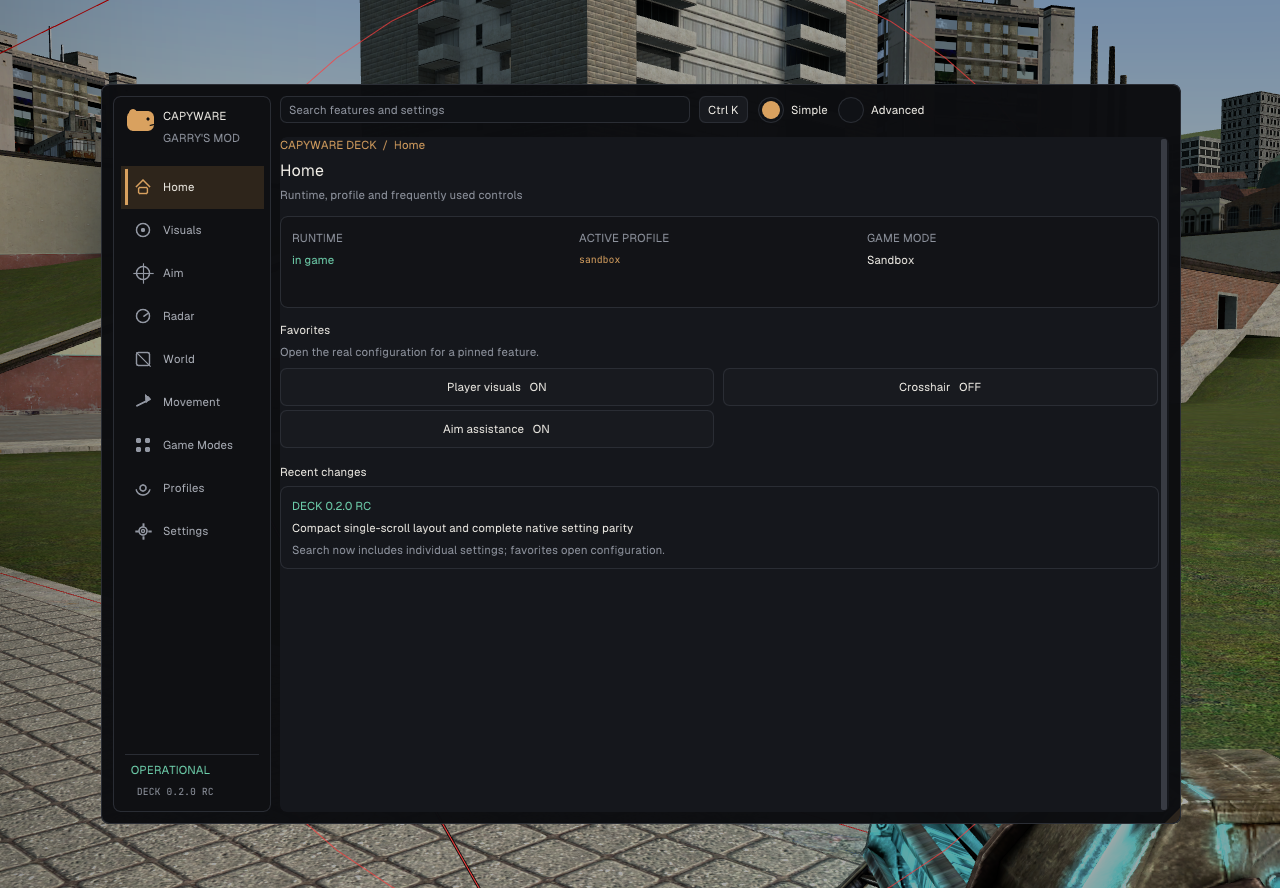
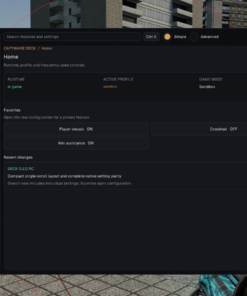
Capyware Deck – Premium In-Game Interface
Press Insert to instantly open or close Capyware Deck.
The interface has been designed to make hundreds of settings easy to understand and configure, even for new users.
- Modern multi-page menu
- Simple and Advanced modes
- Global feature search
- Ctrl+K command palette
- Favorite features
- Compact CapyDock favorites bar
- Explanations for individual settings
- Keyboard navigation
- Adjustable interface scaling
- Individual setting, feature, and section resets
- Current profile and game-mode status
Instead of forcing you to navigate through a confusing list of checkboxes, Capyware organizes every feature into clear categories such as Visuals, Aim, Radar, World, Movement, Game Modes, Profiles, and Settings.
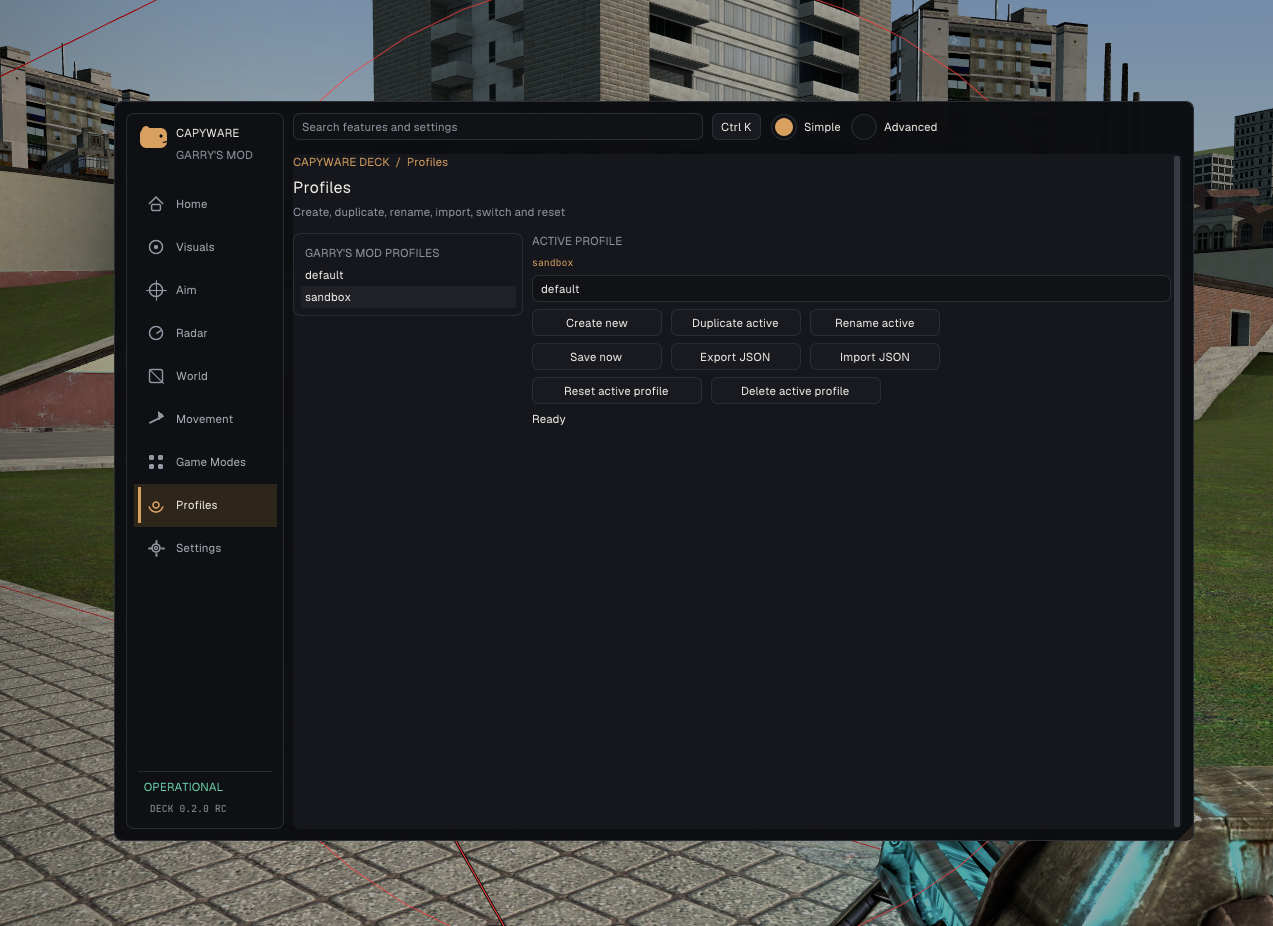
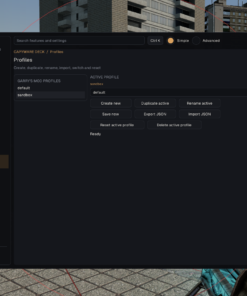
Profiles for Every Server and Playstyle
Create separate configurations for different servers, game modes, weapons, or playstyles.
- Create unlimited named profiles
- Switch profiles without restarting
- Duplicate and rename profiles
- Automatic or manual saving
- Import and export profiles
- Reset individual features or complete sections
- Secure local profile storage
You can maintain a subtle configuration for serious servers, a visual-heavy setup for Sandbox, and specialized profiles for DarkRP, TTT, or movement modes.
Automatic Installation Through Capyware Hub
Capyware Hub handles the entire installation and launch process for you.
Simply activate your license, install Capyware, launch Garry’s Mod, and press the launch button. The Hub automatically detects whether you are running standard 32-bit Garry’s Mod or the x86-64 branch and selects the correct verified version.
- Secure license activation
- Automatic Win32 and x64 detection
- Install, update, repair, and launch controls
- Automatic update checks
- File-integrity verification
- Clear download progress
- Automatic repair of missing or damaged files
- Protected product downloads
- Verified release rollback if an update cannot be completed
- Eligible 24-hour offline access to the last verified version
There is no need to manually download DLL files, search for a compatible injector, install Workshop addons, or modify your Garry’s Mod folders.
Built for Discreet and Reliable Operation
Capyware is developed with security, discretion, and stability as major priorities. Every official release is distributed through Capyware Hub and verified before installation.
The cheat is designed for broad compatibility across Garry’s Mod servers and game modes, with updates delivered automatically whenever improvements or compatibility changes are released.
Because servers may use their own custom anti-cheat systems and can change them at any time, customers should always check the latest product status before launching.
Compatibility
- Windows 11 – recommended
- Windows 10 22H2 – supported
- Standard 32-bit Garry’s Mod
- Garry’s Mod x86-64 branch
- Borderless-windowed mode recommended
- No Lua addon required
- No Workshop subscription required
- No server-side installation required
- No manual injector selection required
Get Capyware Today
Experience Garry’s Mod with more information, better accuracy, complete situational awareness, and total control over your configuration.
From customizable ESP and aim assistance to radar, movement tools, world information, Combat Lab, game-mode integration, and automatic updates, Capyware delivers everything you need in one premium Garry’s Mod cheat.
Choose your license, activate it through Capyware Hub, and unlock the next generation of GMod cheating.
| Duration | 1 day, 7 days, 30 days, 90 days, Lifetime |
|---|
Reviews
There are no reviews yet.