
Arcane Counter-Strike 2 Cheat with Aimbot, Triggerbot, Player ESP and Radar
Arcane Counter-Strike 2 Cheat is a configurable software package for the Steam version of CS2, combining Aimbot, Triggerbot, detailed Player ESP, dropped-item visualization, Radar, recoil control and additional combat utilities inside one organized interface.
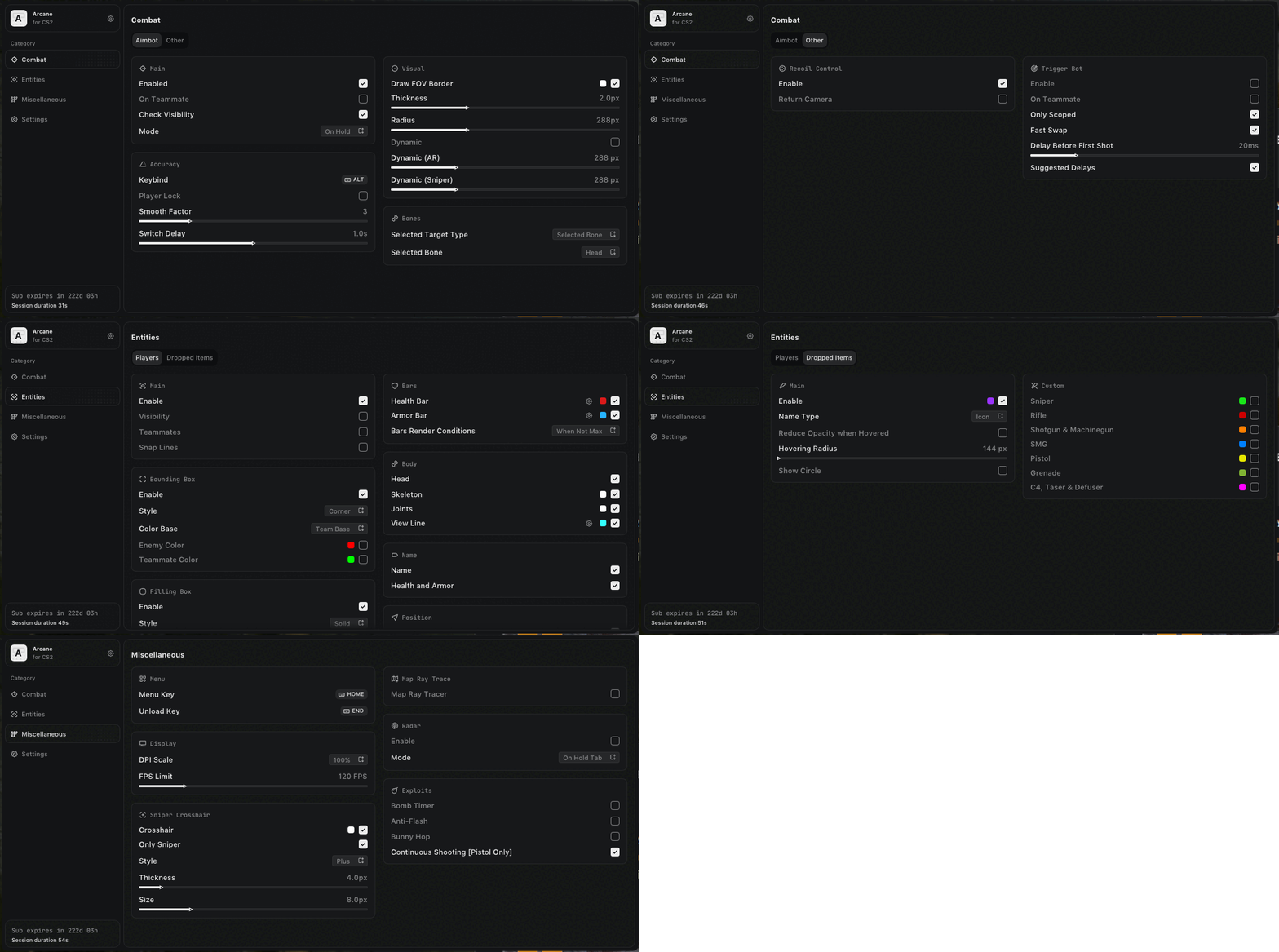
Designed for users who want extensive control over targeting behavior and on-screen information, Arcane allows nearly every important feature to be adjusted individually. You can configure Aimbot smoothness, target bones, FOV size, Triggerbot delays, Player ESP elements, dropped-item categories, Radar behavior and separate visual styles.
Arcane supports compatible Intel and AMD processors, works with NVIDIA and AMD graphics cards, and is designed for supported 64-bit editions of Windows 10 and Windows 11.
Why Choose Arcane for Counter-Strike 2?
Counter-Strike 2 rewards accurate aim, fast reactions, positional awareness and careful control of weapons and utility.
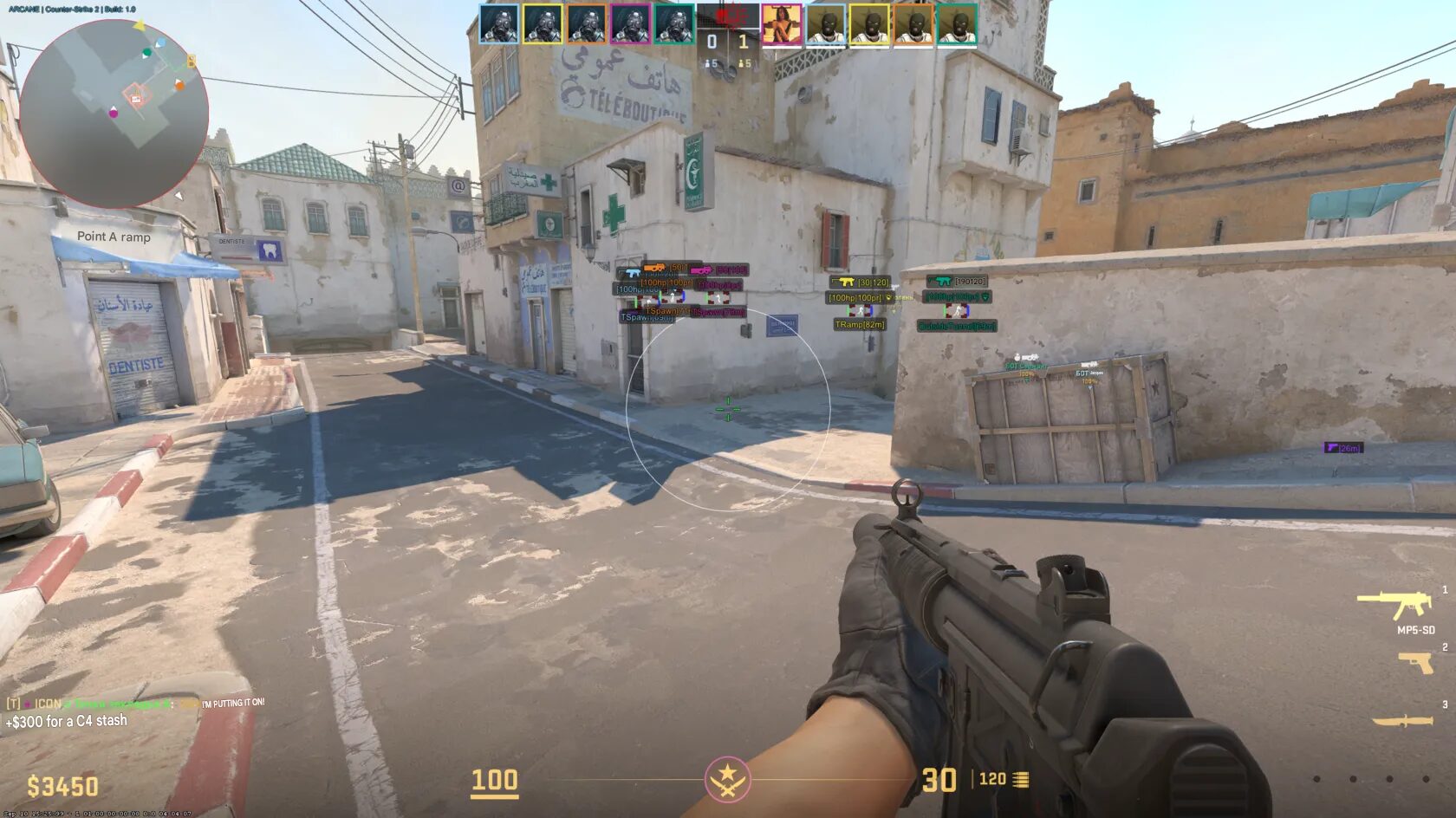
Arcane is built around these core elements. Its Aimbot provides configurable targeting assistance, while the Triggerbot offers separate firing controls with adjustable timing. Player ESP displays detailed information about detected players, including health, armor, weapons, ammunition, distance and visibility.
Additional features such as Radar, Bomb Timer, Anti-Flash, Bunny Hop, Recoil Control and Dropped Item ESP provide a broader set of tools for different matches and weapon types.
Main Advantages
- Advanced CS2 Aimbot with smoothness, target locking and visibility checks.
- Dynamic weapon settings for rifles and sniper rifles.
- Configurable Triggerbot with firing delays and scoped-only activation.
- Detailed Player ESP with boxes, skeletons, health, armor and weapon information.
- Dropped Item ESP with text or icon display.
- Separate item filters for rifles, snipers, pistols, grenades and other equipment.
- Built-in Radar with Hold Tab and Always modes.
- Recoil Control for supported weapon behavior.
- Bomb Timer for additional round information.
- Anti-Flash for supported flash-effect reduction.
- Bunny Hop and pistol continuous-fire features.
- Configuration sharing through unique keys.
- Compatible with Intel and AMD processors.
- Compatible with NVIDIA and AMD graphics cards.
- Supports listed builds of Windows 10 and Windows 11 x64.
- English, Russian and Chinese interface languages.
Arcane Counter-Strike 2 Cheat Features
Arcane includes several major feature categories:
- Aimbot
- Triggerbot
- Player ESP
- Dropped Item ESP
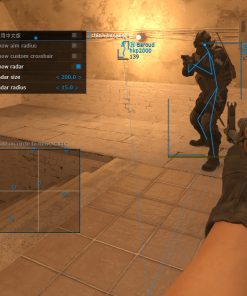
- Radar
- Recoil Control
- Crosshair
- Bomb Timer
- Anti-Flash
- Bunny Hop
- Map Ray Tracer
- Configuration Manager
- Interface and performance settings
Each section can be configured separately, allowing users to create anything from a minimal aiming setup to a detailed information-focused profile.
Advanced Counter-Strike 2 Aimbot
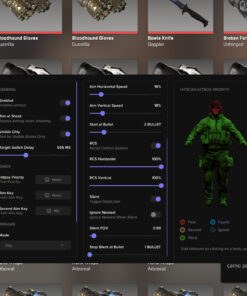
The Arcane Aimbot provides detailed control over target selection and aiming behavior.
Users can decide when the Aimbot activates, whether teammates should be included, how quickly the aim moves, which target bone is preferred and how the active targeting area is displayed.
Core Aimbot Features
- Enable or disable Aimbot.
- Include or exclude teammates.
- Enable Visibility Check.
- Choose On Hold or Always mode.
- Assign a custom Aimbot key.
- Enable Player Lock.
- Adjust Smooth Factor.
- Configure target-switch delay.
- Display the Aimbot FOV border.
- Adjust FOV thickness.
- Adjust FOV radius.
- Enable dynamic settings for rifles.
- Enable dynamic settings for sniper rifles.
- Choose Selected Bone or Closest Bone mode.
- Select Head, Neck, Chest or Stomach.
Aimbot Activation Modes
Arcane supports two primary Aimbot activation styles.
On Hold Mode
The Aimbot activates only while the assigned key is held.
This provides direct control over when the feature is active and makes it easier to switch between regular mouse movement and assisted targeting.
Always Mode
The Aimbot remains active according to the selected FOV, target filters, Visibility Check and distance conditions.
Users can choose the mode that best matches their preferred configuration.
Custom Aimbot Keybind
The Aimbot can be assigned to a supported keyboard or mouse button.
Possible choices may include:
- Mouse side button
- Aim button
- Keyboard key
- Other supported input
A custom keybind allows Arcane to fit more naturally into the user’s existing Counter-Strike 2 control layout.
Teammate Targeting Control
Arcane includes an On Teammate option.
This determines whether teammates may be included in supported target selection.
Users who want enemy-only targeting should ensure that teammate targeting remains disabled.
The option should be reviewed carefully when creating the initial configuration.
Visibility Check
Visibility Check allows the Aimbot to prioritize supported targets that are not blocked by compatible walls, objects or map geometry.
This can reduce unnecessary target selection and provide a more controlled aiming profile.
Visibility Check Benefits
- Prioritize visible opponents.
- Reduce selection through supported obstacles.
- Combine with Player Lock.
- Use together with FOV limits.
- Create a cleaner target-selection setup.
- Match visual visibility information with aiming behavior.
Player Lock
Player Lock helps maintain focus on the currently selected opponent.
This can reduce unwanted switching when several players are located close together inside the active FOV.
Player Lock Can Be Combined With
- Visibility Check
- Smooth Factor
- Switch Delay
- FOV Radius
- Selected Bone
- Closest Bone
- On Hold mode
- Always mode
Player Lock can be useful during situations where several opponents briefly enter the targeting area.
Smooth Factor
Smooth Factor controls how gradually the aim moves toward the selected target.
Higher smoothness creates slower and more progressive movement. Lower smoothness provides faster target acquisition.
Smoothness Can Be Adjusted For
- Rifles
- Sniper rifles
- Pistols
- Different mouse sensitivities
- Close-range combat
- Medium-distance engagements
- More direct aiming behavior
- More gradual target tracking
The ideal value depends on the current weapon, sensitivity, resolution and personal preference.
Target Switch Delay
Switch Delay determines how long Arcane waits before moving from one valid target to another.
A shorter delay allows faster switching. A longer delay can reduce rapid changes between multiple nearby players.
Switch Delay Benefits
- Control target transitions.
- Reduce unwanted switching.
- Adapt behavior for crowded situations.
- Combine with Player Lock.
- Create different profiles for different weapons.
Draw FOV Border
The Draw FOV Border option displays the active targeting area on the screen.
This makes it easier to understand which opponents are currently inside the Aimbot’s selection radius.
FOV Border Settings
- Enable or disable the border.
- Adjust border thickness.
- Adjust FOV radius.
- Use during initial configuration.
- Disable later for a cleaner display.
- Adapt the border to different resolutions.
Adjustable FOV Radius
The FOV Radius controls the size of the active target-selection zone.
Smaller FOV
A smaller targeting area may provide:
- More focused target selection.
- Less switching between nearby enemies.
- A tighter aiming profile.
- Better control around the crosshair.
Larger FOV
A larger targeting area may provide:
- Wider target coverage.
- Faster selection during chaotic fights.
- More flexibility when several opponents appear.
- Support for larger mouse movements.
The selected FOV should be adjusted together with smoothness and target-switch delay.
Dynamic Rifle and Sniper Settings
Arcane includes dynamic Aimbot options for different weapon categories.
Rifle Dynamic Mode
Provides supported behavior designed around rifles and automatic weapons.
Sniper Dynamic Mode
Provides supported behavior designed around sniper rifles and scoped weapons.
These dynamic settings make it possible to create different targeting profiles instead of applying one universal configuration to every weapon.
Target Bone Selection
Arcane supports two bone-selection methods.
Selected Bone
The Aimbot uses one specific body point chosen in the menu.
Closest Bone
The Aimbot selects the supported target point closest to the current crosshair.
These modes provide different levels of control over aiming behavior.
Available Target Bones
Arcane allows users to select from supported body areas including:
- Head
- Neck
- Chest
- Stomach
The chosen bone can be combined with FOV, smoothness, Visibility Check and Player Lock.
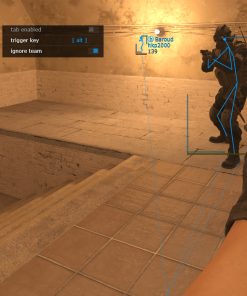
Triggerbot
Arcane includes a customizable Triggerbot for supported automatic firing behavior.
The Triggerbot can be configured separately from the Aimbot, allowing users to control its activation conditions and timing.
Triggerbot Features
- Enable or disable Triggerbot.
- Include or exclude teammates.
- Activate only while scoped.
- Enable Fast Swap.
- Adjust delay before the first shot.
- Use the suggested delay value.
Triggerbot Teammate Control
The On Teammate option controls whether supported teammate entities may activate the Triggerbot.
Users who want enemy-only firing behavior should keep this setting disabled.
Only Scoped Mode
Only Scoped restricts Triggerbot activation to supported scoped conditions.
This can be useful for sniper rifles and other weapons where activation should occur only while aiming through the scope.
Fast Swap
Fast Swap provides supported weapon-switching behavior connected to the Triggerbot configuration.
The exact result may depend on the selected weapon and current Arcane version.
Delay Before First Shot
The first-shot delay controls how long the Triggerbot waits before firing after a valid target is detected.
Shorter Delay
- Faster activation.
- Quicker first shot.
- More immediate response.
Longer Delay
- More controlled timing.
- Reduced instant activation.
- Different behavior for various weapons.
Suggested Triggerbot Delay
Arcane includes a suggested-delay option that provides a recommended timing value.
This can serve as a starting point before users create their own preferred Triggerbot configuration.
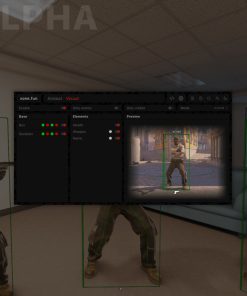
Player ESP
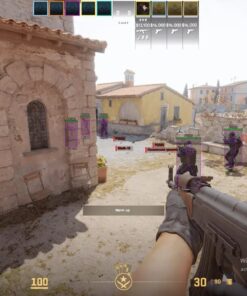
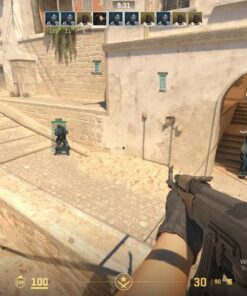
The Arcane Player ESP system displays detailed information about supported detected players.
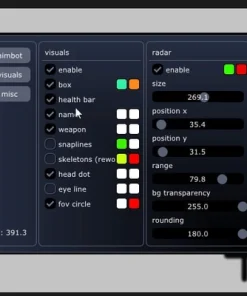
Each visual element can be enabled or adjusted separately.
Player ESP Features
- Standard Box ESP
- Corner Box ESP
- Static Box Fill
- Gradient Box Fill
- Static Health Bar
- Health-Based Health Bar
- Gradient Health Bar
- Static Armor Bar
- Value-Based Armor Bar
- Gradient Armor Bar
- Conditional bar rendering
- Skeleton ESP
- Adjustable skeleton thickness
- Skeleton joints
- View Line
- Nickname
- Health and Armor values
- Position name
- Distance
- Main weapon
- Main weapon ammunition
- Side weapon
- Visibility information
- Teammate display
- Snaplines
Bounding Box ESP
Bounding Box ESP draws a visual frame around supported detected players.
Arcane includes two main box styles.
Standard Box
Displays a complete rectangular frame around the player.
Corner Box
Displays only the corners of the frame for a lighter and less visually dense appearance.
Users can choose the style that best matches their preferred interface.
Filled Box Background
The area inside the Player ESP box can use a supported background fill.
Static Fill
Uses one consistent background style.
Gradient Fill
Uses a gradual visual transition.
A filled box can make detected players easier to distinguish from complex map geometry, smoke, shadows and other visual elements.
Users who prefer a cleaner layout can keep the fill disabled.
Health Bar ESP
Arcane includes multiple Health Bar styles.
Static Health Bar
Uses a consistent visual design.
Health-Based Bar
Changes according to the player’s supported current health value.
Gradient Health Bar
Uses a gradient appearance for health information.
Health bars provide fast visual information about the current condition of detected players.
Armor Bar ESP
The Armor Bar displays supported armor information.
Armor Bar Styles
- Static
- Value Based
- Gradient
Armor information can be displayed separately from health or alongside it.
Bar Render Conditions
Arcane allows users to control when health and armor bars are shown.
Always
The selected bars remain visible at all supported values.
When Not Max
The bars appear only when the player’s supported health or armor value is below maximum.
This can reduce visual clutter while still showing useful damage information.
Skeleton ESP
Skeleton ESP displays the approximate body structure of detected players.
Skeleton Features
- Adjustable thickness.
- Optional joint display.
- Works with Box ESP.
- Works independently.
- Provides additional posture information.
Skeleton thickness can be adjusted for either a more visible or more subtle layout.
Skeleton Joints
The Joints option displays supported connection points on the Skeleton ESP.
This can make the visual body structure easier to interpret.
Users can enable joints together with the skeleton or disable them for a cleaner presentation.
View Line
View Line shows the supported direction in which a detected player is looking.
This can provide additional information about enemy orientation.
View Line Benefits
- Understand player facing direction.
- Identify whether an opponent is looking toward you.
- Use during close-range engagements.
- Combine with Box and Skeleton ESP.
- Receive more positional context.
Player Nickname
Nickname ESP displays the supported player name.
This helps distinguish multiple detected players and identify specific opponents.
Health and Armor Values
Arcane can display numerical or supported text information for:
- Health
- Armor
These values provide more exact information than bars alone.
Position Name
Position Name displays supported location information connected to the detected player.
The exact available position data may depend on the selected map and current Arcane version.
Distance ESP
Distance ESP shows how far away the detected player is.
This can help users:
- Identify close opponents.
- Separate nearby and distant threats.
- Compare player distance with Aimbot FOV.
- Evaluate weapon range.
- Monitor approaching enemies.
Main Weapon ESP
Arcane can display the detected player’s primary weapon.
This provides additional context about the opponent’s likely combat range and equipment.
Ammunition ESP
Ammo ESP displays supported ammunition information for the detected player’s main weapon.
This can provide additional insight into whether the opponent may need to reload or still has available ammunition.
Side Weapon ESP
Side Weapon information displays the player’s supported secondary weapon.
This provides a more complete overview of the opponent’s available equipment.
Visibility Information
Arcane can show supported visibility information through Player ESP.
This may help distinguish visible opponents from players behind supported objects or map geometry.
Visibility information can be used together with the Aimbot Visibility Check.
Teammate ESP
Arcane includes a setting for displaying supported teammates.
Users can keep teammate visuals enabled for team awareness or disable them to focus only on opponents.
Snaplines
Snaplines draw directional lines toward detected players.
These lines can provide a fast visual reference when several opponents are present.
Snaplines can be combined with:
- Boxes
- Skeletons
- Names
- Health and Armor
- Weapon information
- Distance
Dropped Item ESP
Arcane includes a separate visual system for supported dropped weapons, equipment and utility.
Dropped items can be displayed using text or icon-based labels.
Dropped Item ESP Features
- Enable or disable Dropped Item ESP.
- Choose Text or Icon name type.
- Reduce opacity when hovered.
- Adjust the hover radius.
- Display a circle around supported items.
- Configure separate item categories.
Item Name Types
Arcane supports two item-label styles.
Text
Displays the item name using text.
Icon
Displays a supported graphical icon.
Users can choose the style that is easier to read and fits their preferred interface.
Reduce Opacity When Hovered
This feature reduces the opacity of supported item information when the crosshair or cursor is within the configured hovering radius.
This helps prevent item labels from covering important areas of the screen.
Hovering Radius
Controls how close the crosshair must be before the opacity reduction activates.
Item Circle
Arcane can draw a supported circle around dropped items.
This provides an additional visual marker and can make important equipment easier to identify.
Custom Dropped Item Categories
Dropped Item ESP can be configured by category.
Sniper Rifles
Displays supported sniper weapons.
Rifles
Displays supported rifles.
Shotguns and Machine Guns
Displays supported shotguns and machine guns.
SMGs
Displays supported submachine guns.
Pistols
Displays supported pistols.
Grenades
Displays supported grenades and utility.
C4, Taser and Defuser
Displays supported objective and special equipment including:
- C4
- Taser
- Defuse Kit
Each category can be enabled or disabled according to the preferred configuration.
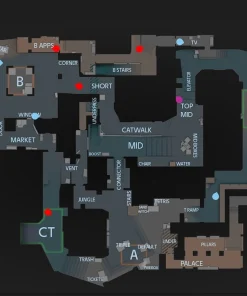
Radar
Arcane includes a built-in Radar for additional positional awareness.
Radar Modes
- On Hold Tab
- Always
On Hold Tab Radar
The Radar appears while the assigned supported Tab behavior is active.
This can help keep the interface cleaner when permanent Radar display is not required.
Always-On Radar
The Radar remains visible continuously according to the current settings.
This provides constant positional information during supported matches.
Recoil Control
Arcane includes Recoil Control for supported weapon behavior.
This feature is designed to assist with recoil compensation and can be used alongside the Aimbot or independently.
Recoil Control Benefits
- Reduce supported recoil movement.
- Improve control during automatic fire.
- Use with rifle configurations.
- Combine with Crosshair settings.
- Save preferences inside Configs.
The exact effect may depend on the weapon and current Arcane version.
Custom Crosshair
Arcane includes a configurable Crosshair system.
Crosshair Features
- Sniper-only option.
- Multiple supported styles.
- Adjustable thickness.
- Adjustable size.
Sniper-Only Crosshair
The Sniper-only option displays the custom Crosshair only for supported sniper weapons.
This can provide an additional aiming reference when the normal game interface does not display the preferred crosshair.
Crosshair Style
Users can select from available Crosshair styles.
The exact styles may vary depending on the current Arcane version.
Crosshair Thickness and Size
Both thickness and overall Crosshair size can be adjusted.
This allows the Crosshair to fit different resolutions, sensitivities and personal preferences.
Map Ray Tracer
Arcane includes a Map Ray Tracer with a map-selection option.
This feature provides supported map-based tracing or visualization functionality according to the selected map.
Map Ray Tracer Features
- Select the current map.
- Activate supported ray-tracing information.
- Use map-specific configuration.
- Combine with visual awareness tools.
The exact behavior may depend on the selected map and current Arcane build.
Bomb Timer
Bomb Timer displays supported information about the active C4 countdown.
This can help users understand how much time remains before detonation.
Bomb Timer Benefits
- Monitor the planted bomb.
- Receive additional round information.
- Assist with retake timing.
- Help evaluate whether defusing remains possible.
- Use alongside Radar and Player ESP.
Anti-Flash
Anti-Flash reduces or removes supported flash effects.
This can provide clearer visibility after a flashbang is triggered.
The exact effect may depend on the current game and Arcane version.
Bunny Hop
Arcane includes Bunny Hop support for automated or assisted jumping behavior.
This feature can make repeated supported jumps easier to perform.
Compatibility and behavior may change after Counter-Strike 2 updates.
Continuous Shooting for Pistols
Continuous Shooting provides supported repeated-fire behavior for pistols.
Continuous Shooting Information
- Designed for supported pistol weapons.
- Allows repeated firing while the selected input remains active.
- Does not apply to every weapon category.
- Can be combined with Crosshair and Recoil settings.
Configuration Manager
Arcane includes an advanced configuration-management system.
Configuration Features
- Create
- Get Shared
- Launch
- Save
- Edit Name
- Share
- Remove
Create Configuration
The Create option generates a new profile for the current Arcane settings.
Possible profiles may include:
- Rifle Aimbot Config
- Sniper Config
- Pistol Config
- Minimal ESP Config
- Full Information Config
- Triggerbot Config
- Radar Config
- Competitive Match Config
Get Shared Configuration
The Get Shared option allows users to load a compatible configuration from another person through a unique key.
This makes it possible to receive a friend’s configuration without rebuilding every value manually.
Launch Configuration
Launch activates the selected configuration and applies its saved settings.
Save Configuration
Save stores the current Aimbot, Triggerbot, ESP, Dropped Item, Radar and Misc settings.
Edit Configuration Name
Users can rename saved configurations to keep multiple profiles organized.
Share Configuration
The Share option creates a supported unique key that can be provided to another user.
The recipient can then use the Get Shared function to access the configuration.
Remove Configuration
Remove permanently deletes the selected saved profile from the Arcane configuration list.
Menu Keybind
Arcane allows users to assign a custom key for opening and closing the menu.
The selected key should be easy to access without conflicting with regular Counter-Strike 2 controls.
Unload Keybind
The Unload Key completely unloads the supported Arcane interface and active components.
Unload Key Benefits
- Quickly disable the software.
- Remove active visual features.
- Close the Arcane menu.
- Avoid disabling every feature manually.
- Maintain direct emergency control.
The Unload Key should be assigned carefully to avoid accidental activation.
DPI Scale
DPI Scale adjusts the size of the Arcane interface.
This is useful for different monitor resolutions and Windows scaling settings.
DPI Scale Benefits
- Increase menu size on high-resolution displays.
- Reduce menu size when more space is needed.
- Improve text readability.
- Adapt to Windows display scaling.
- Create a more comfortable interface layout.
VSync
Arcane includes a VSync setting for supported interface and rendering behavior.
The option may help coordinate visual output with the monitor refresh cycle.
The preferred setting depends on the current hardware, monitor and game configuration.
Interface Themes
Arcane includes two interface themes:
- Murky
- Sunny
Murky provides a darker menu appearance, while Sunny offers a brighter visual style.
Watermark
The Watermark option controls the supported Arcane watermark display.
The watermark may include software or status information depending on the current version.
Language Support
The Arcane menu supports:
- English
- Russian
- Chinese
Users can choose the preferred interface language through the Settings section.
Steam Version Support
Arcane is designed for the Steam version of Counter-Strike 2.
Other launch methods should not be assumed to work unless they are specifically added to the current compatibility information.
Before purchasing, confirm that Counter-Strike 2 is installed and launched through Steam.
Supported Game Modes
Arcane supports:
- Windowed mode
- Borderless mode
Exclusive Fullscreen is not currently listed as supported.
Recommended Display Setup
- Launch Counter-Strike 2 through Steam.
- Open the video settings.
- Select Windowed or Borderless mode.
- Apply the settings.
- Restart the game when required.
- Follow the current Arcane launch instructions.
Intel and AMD Processor Support
Arcane supports compatible processors from both major manufacturers.
- Intel
- AMD
The system must still meet the remaining Windows, graphics and software requirements.
NVIDIA and AMD Graphics Card Support
Arcane supports compatible graphics cards from:
- NVIDIA
- AMD
Other GPU manufacturers should not be assumed to be supported unless they are added to the current product information.
Windows Compatibility
Arcane supports 64-bit editions of Windows 10 and Windows 11.
Supported Builds
- Windows 10 version 1903 and newer.
- Supported Windows 11 builds.
- Compatibility through the latest currently supported build.
Compatibility may change after Counter-Strike 2, Windows or protection updates.
Always verify the current product status before purchasing or launching the software.
Video and Screenshot Visibility
Arcane Counter-Strike 2 does not include video or screenshot invisibility.
Supported software visuals may appear in recordings, screenshots, streams and screen-sharing sessions.
Capture Protection Status
- Video invisibility: Not included
- Screenshot protection: Not included
- Stream Bypass: Not included
- Screen-sharing protection: Not guaranteed
Do not assume that the Aimbot FOV, ESP, Radar, Crosshair or menu will remain hidden during capture.
Product Compatibility
- Game: Counter-Strike 2
- Game Version: Steam
- Software: Arcane Counter-Strike 2 Cheat
- Processors: Intel and AMD
- Graphics Cards: NVIDIA and AMD
- Operating Systems: Windows 10 and Windows 11 x64
- Supported Builds: Version 1903 through the latest supported build
- Game Modes: Windowed and Borderless
- Aimbot: Included
- Triggerbot: Included
- Player ESP: Included
- Dropped Item ESP: Included
- Radar: Included
- Recoil Control: Included
- Crosshair: Included
- Bomb Timer: Included
- Anti-Flash: Included
- Bunny Hop: Included
- Configuration Sharing: Included
- Stream Bypass: Not included
- Screenshot Protection: Not included
- Languages: English, Russian and Chinese
System Requirements
Before purchasing Arcane Counter-Strike 2 Cheat, make sure the computer meets the current requirements.
- Steam version of Counter-Strike 2.
- Compatible Intel or AMD processor.
- Compatible NVIDIA or AMD graphics card.
- Supported 64-bit edition of Windows 10 or Windows 11.
- Windows build 1903 or newer.
- Windowed or Borderless game mode.
- Stable internet connection.
- Working Counter-Strike 2 installation.
- Administrator access may be required.
- Current supported graphics and system drivers.
- Latest available Arcane software version.
- Conflicting overlays or background applications may need to be closed.
- Installation instructions must be followed in the correct order.
Important Setup Information
For the best installation experience:
- Confirm that Counter-Strike 2 is installed through Steam.
- Verify that your Windows build is supported.
- Confirm that the processor is Intel or AMD.
- Confirm that the graphics card is NVIDIA or AMD.
- Set Counter-Strike 2 to Windowed or Borderless mode.
- Download the latest available Arcane files.
- Close conflicting software when required.
- Follow the provided launch order.
- Enter the license information when requested.
- Configure the Aimbot FOV and Smooth Factor.
- Select the preferred target-bone mode.
- Configure Triggerbot timing.
- Select Player ESP elements.
- Configure Dropped Item categories.
- Choose Radar behavior.
- Save the preferred configuration.
- Check the current product status before every launch.
Skipping setup steps or using outdated files may cause launch or compatibility problems.
What You Receive After Purchase
After completing the order, you receive the available Arcane product access and current setup information.
- Arcane Counter-Strike 2 license.
- Download access.
- Installation instructions.
- Advanced Aimbot.
- Triggerbot.
- Player ESP.
- Dropped Item ESP.
- Radar.
- Recoil Control.
- Custom Crosshair.
- Bomb Timer.
- Anti-Flash.
- Bunny Hop.
- Map Ray Tracer.
- Configuration Manager.
- Shared Config support.
- Product support.
Video and screenshot invisibility are not included.
Frequently Asked Questions
Does Arcane include an Aimbot?
Yes. Arcane includes a configurable Aimbot with Visibility Check, On Hold and Always modes, Player Lock, Smooth Factor, FOV and bone selection.
Can I choose which target bone the Aimbot uses?
Yes. Arcane supports Selected Bone and Closest Bone modes with Head, Neck, Chest and Stomach options.
Does Arcane include Dynamic Aimbot settings?
Yes. Dynamic modes are listed for rifles and sniper rifles.
Can the Aimbot work only while I hold a key?
Yes. On Hold mode activates the feature through the selected keybind.
Does Arcane include Triggerbot?
Yes. Triggerbot includes teammate filtering, scoped-only activation, Fast Swap and adjustable first-shot delay.
What can Player ESP display?
Player ESP can display boxes, skeletons, health, armor, nickname, position, distance, weapons, ammunition, visibility and Snaplines.
Can I choose different Box ESP styles?
Yes. Arcane includes standard Box and Corner Box styles.
Can Health and Armor bars use different styles?
Yes. Static, value-based and gradient styles are available according to the selected bar type.
Does Arcane display dropped weapons?
Yes. Dropped Item ESP supports text or icon labels and separate weapon and equipment categories.
Which dropped-item categories are supported?
Supported categories include sniper rifles, rifles, shotguns, machine guns, SMGs, pistols, grenades, C4, Taser and Defuse Kit.
Does Arcane include Radar?
Yes. Radar can operate while holding Tab or remain active continuously.
Does it include Recoil Control?
Yes. Recoil Control is included for supported weapon behavior.
Does it have a custom Crosshair?
Yes. The Crosshair includes sniper-only mode, style, thickness and size controls.
Does Arcane include a Bomb Timer?
Yes. Bomb Timer is included for supported C4 countdown information.
Is Anti-Flash included?
Yes. Anti-Flash is listed among the additional features.
Does Arcane include Bunny Hop?
Yes. Bunny Hop support is included.
Can pistols fire continuously?
Arcane includes Continuous Shooting for supported pistol weapons.
Can I share my configuration with a friend?
Yes. Shared configurations can be accessed through a unique key.
Which languages are supported?
The Arcane interface supports English, Russian and Chinese.
Does Arcane support Intel processors?
Yes. Compatible Intel processors are supported.
Does Arcane support AMD processors?
Yes. Compatible AMD processors are supported.
Which graphics cards are supported?
Compatible NVIDIA and AMD graphics cards are supported.
Does it work on Windows 11?
Yes. Supported 64-bit Windows 11 builds are compatible according to the current product status.
Does Arcane work in exclusive Fullscreen mode?
The currently listed supported modes are Windowed and Borderless.
Is Stream Bypass included?
No. Video and screenshot invisibility are not included.
Will Arcane visuals appear in recordings or screenshots?
They may appear. Capture protection is not supported.
Is permanent undetected status guaranteed?
No third-party software can guarantee permanent undetected status. Counter-Strike 2, Windows and protection updates may affect compatibility at any time. Always verify the current product status before use.
Buy Arcane Counter-Strike 2 Cheat
Arcane Counter-Strike 2 Cheat is a complete option for users looking for a CS2 cheat with Aimbot, Triggerbot, detailed Player ESP, Dropped Item ESP, Radar, Recoil Control, Bomb Timer, Anti-Flash and Bunny Hop.
Its extensive customization options make it possible to create separate profiles for rifles, sniper rifles, pistols and different visual layouts. The shared Config system also allows supported settings to be exchanged through a unique key.
Before purchasing, confirm that you use the Steam version of Counter-Strike 2, a compatible Intel or AMD processor, an NVIDIA or AMD graphics card, a supported 64-bit Windows build and Windowed or Borderless mode.
Choose your preferred license duration, complete the order and follow the included setup instructions to begin using Arcane Counter-Strike 2 Cheat from CrazyCapyStore.
| Duration | 1 day, 30 days, 60 days, 120 days |
|---|

Reviews
There are no reviews yet.