
Cloud for Call of Duty: Mobile iOS Cheat
Advanced CODM Enhancement Software for iPhone and iPad
Cloud CODM iOS is a cloud-managed enhancement solution developed for Call of Duty: Mobile players on iPhone and iPad. It combines real-time visual information, configurable aim assistance, movement modifications, and weapon enhancements in one streamlined package.
Designed specifically for iOS and iPadOS, Cloud provides a convenient installation process without requiring a jailbreak. Depending on the currently available distribution method, the software can be installed through TestFlight or as an IPA file using GBox, ESign, or a computer-based sideloading solution.
The interface is built to remain responsive and easy to configure during gameplay. Individual functions can be adjusted according to your preferred playstyle, whether you primarily play Multiplayer or Battle Royale.
Why Choose Cloud CODM iOS?
Cloud is designed for players who want a complete CODM enhancement package with flexible configuration and straightforward installation.
- Developed specifically for iPhone and iPad
- No jailbreak required
- Cloud-managed access and build distribution
- Support for Multiplayer and Battle Royale
- Configurable combat and movement features
- Multiple installation methods
- Optimized interface and responsive controls
- Ongoing compatibility updates and technical support
Visual Intelligence
ESP
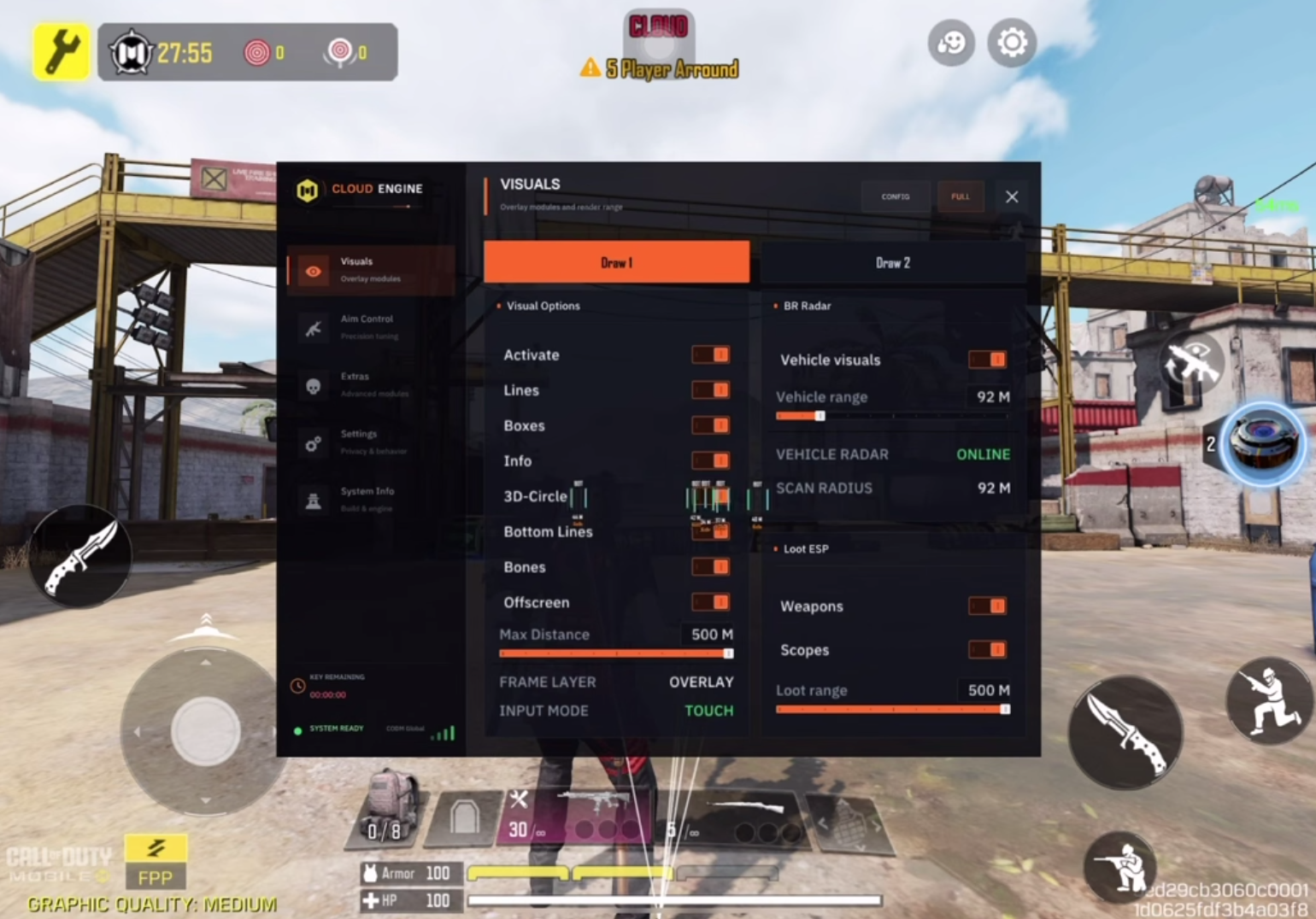
The integrated ESP system provides additional real-time information about the battlefield by displaying relevant entities and positions directly on your screen.
ESP can help you identify enemy locations, locate important objects, maintain awareness of nearby threats, and make faster tactical decisions. This is especially useful for tracking rotations in Battle Royale or anticipating enemy movement in close-range Multiplayer engagements.
The visual overlay is designed to provide useful information without unnecessarily obstructing the game interface.
Aim Assistance
Aimbot
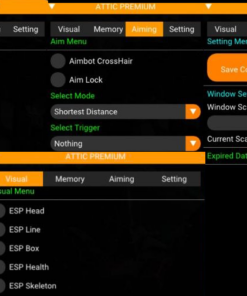
The configurable Aimbot assists with target acquisition and tracking. It can compensate for enemy movement and help maintain more consistent accuracy during close-, medium-, and long-range engagements.
Settings can be adjusted to create either stronger target assistance or smoother, more controlled aiming behavior depending on your preferred weapon and playstyle.
Aim Lock
Aim Lock helps maintain focus on the selected target during movement, recoil, and fast combat situations. It reduces unwanted aim drift and improves shot consistency when an opponent changes direction.
Aim Lock can be combined with the primary aiming system for more reliable target tracking.
Movement Enhancements
Speed Hack
Speed Hack modifies character movement speed, allowing you to rotate between positions, reach objectives, flank opponents, or escape dangerous situations more quickly.
The movement value can be configured according to the situation instead of relying on one fixed speed.
Long Slide
Long Slide increases sliding distance and provides additional mobility during aggressive pushes or defensive repositioning.
It is particularly effective for:
- Entering or leaving cover
- Avoiding incoming fire
- Crossing exposed areas
- Challenging enemies in close-range combat
- Moving through compact Multiplayer maps
Jump Hack
Jump Hack enhances standard jumping capabilities, allowing for higher or longer jumps. It can be used to overcome obstacles, access elevated positions, and approach opponents from unexpected angles.
Fast Parachute
Fast Parachute accelerates descent during Battle Royale deployment. This can help you land earlier, secure equipment faster, and establish control over contested locations before nearby opponents.
Weapon and Ballistic Enhancements
Fast Bullets
Fast Bullets increases projectile velocity and reduces the delay between firing and impact. This is particularly useful when engaging moving enemies or fighting across longer distances.
Instant Hit
Instant Hit minimizes projectile travel time, making shots register more quickly after firing. It can improve weapon responsiveness and reduce the need for excessive target leading.
Magic Bullet
Magic Bullet provides advanced projectile assistance designed to improve hit registration against difficult or partially concealed targets.
This feature is intended for situations where ordinary line-of-fire accuracy may be limited by movement, positioning, or environmental cover.
Fast Sniper
Fast Sniper reduces delays associated with sniper weapon handling, allowing for quicker follow-up actions during long-range engagements.
Fast Scope
Fast Scope accelerates the transition into Aim Down Sight mode. It is especially effective with sniper rifles and other weapons that normally have slower scope animations.
Fast Scope and Fast Sniper can be used together to create a significantly faster and more responsive sniping setup.
Supported Game Modes
Cloud CODM iOS can be configured for the primary Call of Duty: Mobile game modes, including:
- Multiplayer
- Battle Royale
- Ranked matches
- Public matches
- Limited-time modes, where supported by the current build
Feature availability may vary between game modes and can change following major CODM updates.
Installation
Cloud CODM iOS supports several installation methods.
Available Methods
- TestFlight Installation
Install the available build through Apple TestFlight when a compatible slot and version are provided. - IPA Installation with GBox
Sign and install the IPA file directly on your iPhone or iPad using GBox. - IPA Installation with ESign
Import and sign the provided IPA file using ESign and a compatible iOS signing certificate. - Computer Installation
Install the IPA through a supported sideloading application on a Windows PC or Mac.
A complete installation guide is provided after purchase. The currently recommended method may depend on your iOS version, device, certificate availability, and the latest CODM build.
System Requirements
- Compatible iPhone or iPad
- Supported version of iOS or iPadOS
- Stable internet connection
- Call of Duty: Mobile installed
- TestFlight access or a compatible IPA signing method
- Sufficient available device storage
Please confirm current device, iOS, and game-version compatibility before purchasing.
Important Information
Call of Duty: Mobile updates can temporarily affect compatibility. If a major game update is released, wait for confirmation that the current Cloud build has been updated before launching it.
The use of third-party game modifications may violate the game’s Terms of Service and can carry a risk of account restrictions. No third-party software can guarantee permanent protection from detection or account penalties. Customers are responsible for how the product is installed and used.
Upgrade Your CODM Experience
Cloud CODM iOS brings visual intelligence, aim assistance, movement controls, and advanced weapon enhancements together in one complete iOS package.
Choose your access period, follow the supplied installation guide, configure the available features, and take greater control over every Call of Duty: Mobile match.
| Duration | 1 day, 7 days, 30 days |
|---|



Reviews
There are no reviews yet.