
Xernel AION 2 Cheat – Auto Heal, Auto Loot, Quest Helper & Advanced HUD
Xernel AION 2 Cheat is a private, multifunctional PC tool designed to enhance gameplay with intelligent automation, detailed information overlays, quest assistance, and advanced party management features.
Combining Auto Heal, Auto Loot, Resource Gathering, Quest Navigation, Waypoint Tracking, Buff Monitoring, and a Customizable HUD, Xernel provides a comprehensive set of tools for AION 2 players who want more control over their gameplay experience.
Whether you are exploring the open world, completing quests, collecting resources, participating in group activities, or managing healing priorities, Xernel brings essential gameplay utilities into one configurable interface.
Unlike basic AION 2 automation tools focused on a single function, Xernel integrates multiple assistance systems with live game information, customizable panels, and convenient automation controls.
Xernel AION 2 Cheat Features
Auto Heal – Intelligent Healing Automation
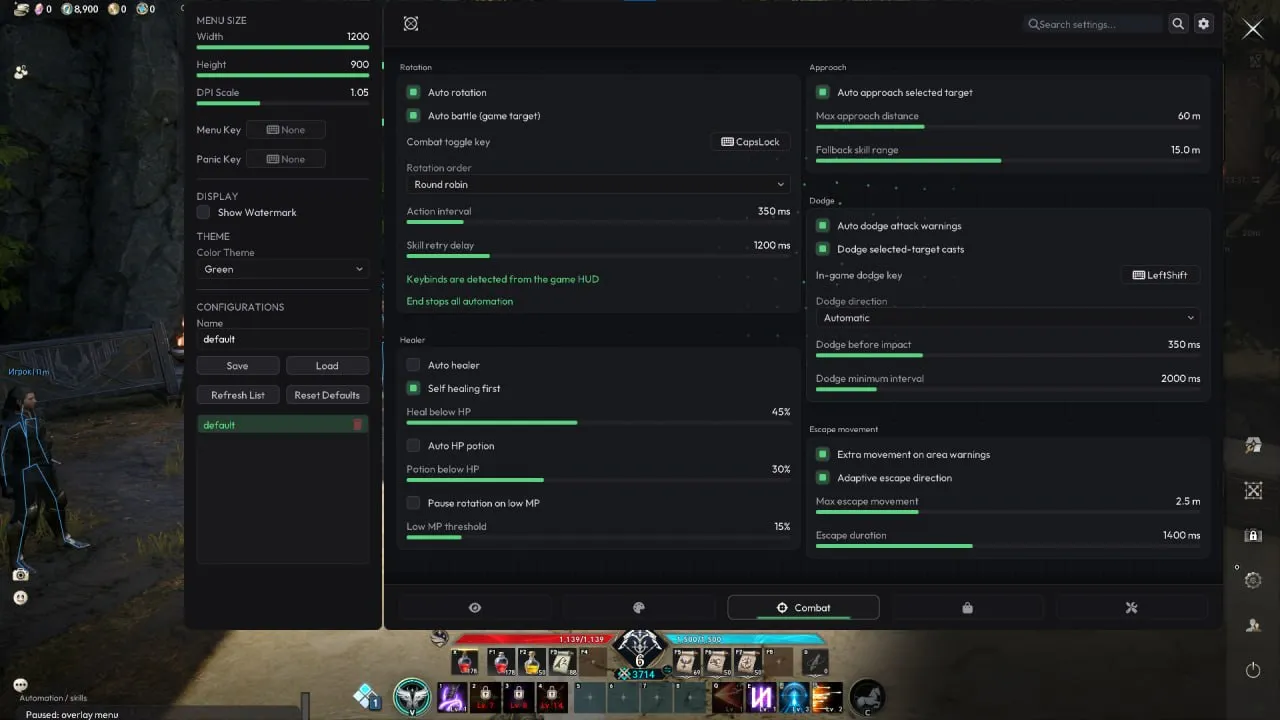
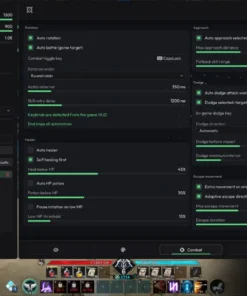
The AION 2 Auto Heal system automates healing actions according to configurable health thresholds. It supports both the local character and selected targets, making it useful for solo gameplay and party support.
- Auto Heal Self: Automatically activate healing when your character reaches a configured HP threshold.
- Auto Heal Target: Apply healing assistance to selected targets using separate health settings.
- Separate HP Thresholds: Configure independent healing conditions for yourself and your target.
- Self-First Priority: Prioritize your character’s survival when necessary.
- Auto HP Potion: Automatically use health potions based on configured conditions.
- Potion Stock & Cooldown Checks: Account for available potions and cooldown status.
- Low MP Protection: Pause the automated rotation when mana becomes insufficient.
These options allow players to configure a healing system that responds to changing combat conditions without requiring constant manual HP monitoring.
Auto Loot, Resource Gathering & World Interaction
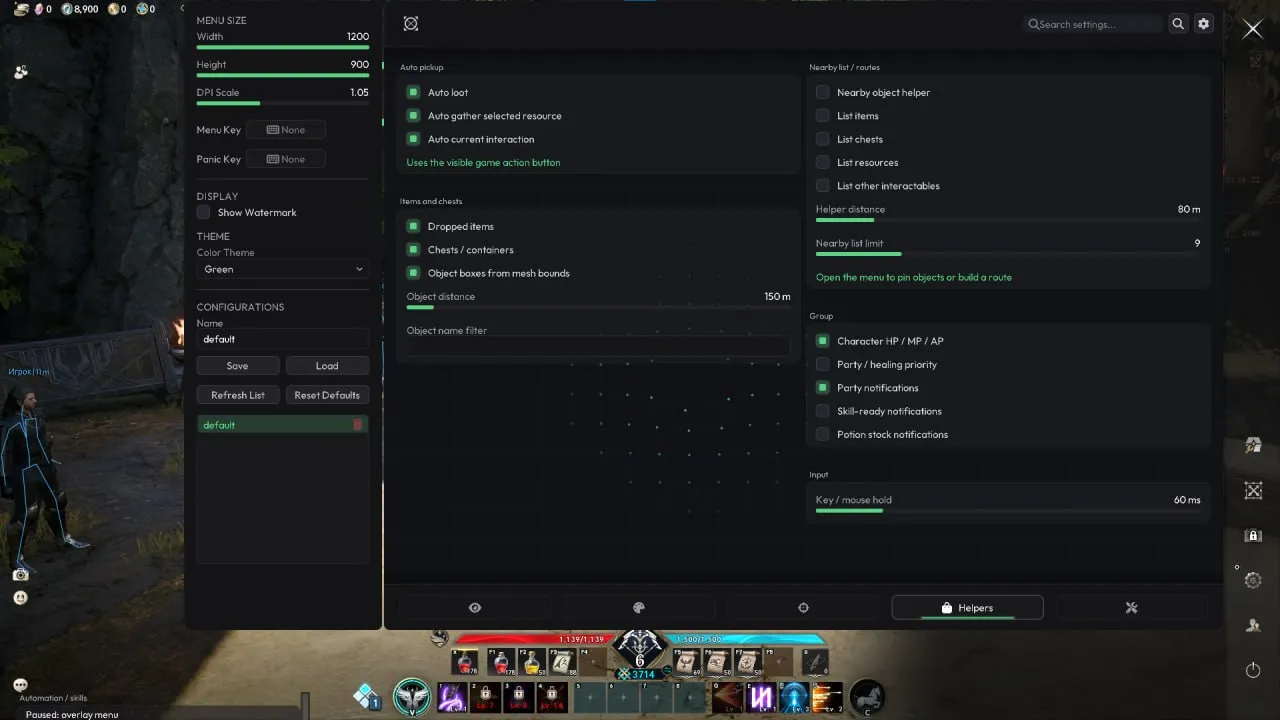
Xernel includes AION 2 Auto Loot and gathering automation designed to simplify repetitive world interactions and item collection.
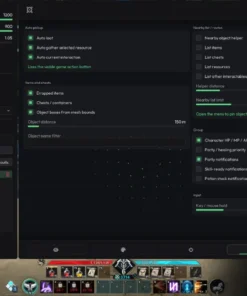
- Auto Loot: Automate available looting actions.
- Auto Gather Resources: Assist with collecting resources from the game world.
- Automatic World Interaction: Interact with supported environmental objects.
- Dropped Item Pickup: Collect nearby dropped items within the configured interaction range.
- Context-Aware Action Detection: Recognize relevant in-game action button prompts.
The interaction system provides practical assistance for exploration, resource collection, and routine gameplay activities.
World Object Tracking, Resource ESP & Waypoint Navigation
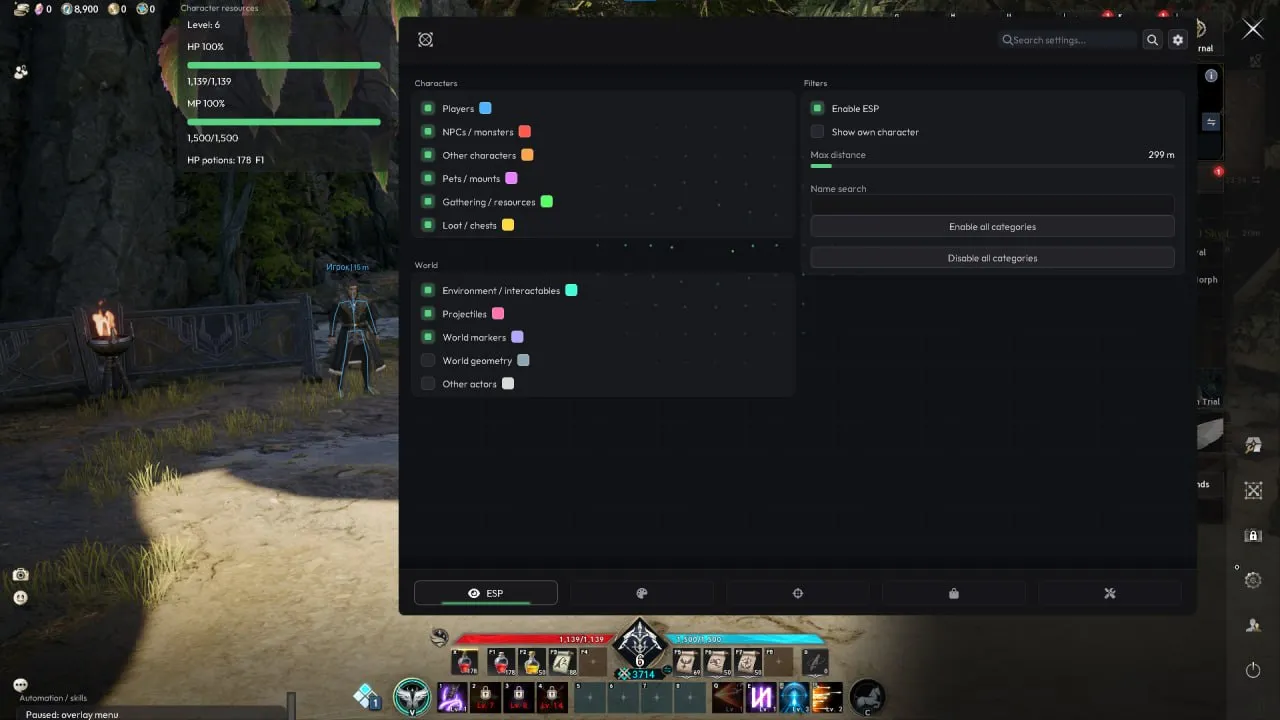
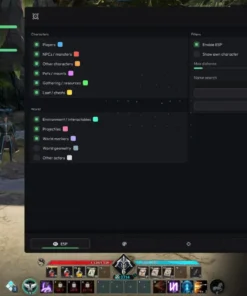
The object tracking system provides additional visibility into nearby items, chests, and resources. Its visual overlays and navigation features help players organize exploration routes and locate relevant world objects.
- Nearby Object List: Display nearby items, chests, and resources.
- Object ESP-Style Boxes: Display object boxes calculated from actual mesh bounds.
- Up to 16 Waypoints: Pin multiple locations for navigation.
- Nearest-Neighbor Routing: Organize waypoint navigation through a nearest-neighbor route system.
- Direction Arrow: Display the direction of the selected waypoint.
- Distance & Elevation: View distance and height differences for navigation targets.
- Name Filtering: Filter displayed objects by name.
- Cyrillic Support: Display supported Cyrillic object names.
For players looking for an AION 2 item and resource ESP utility, these features provide detailed object information alongside customizable navigation tools.
AION 2 Quest Helper & Automated Navigation
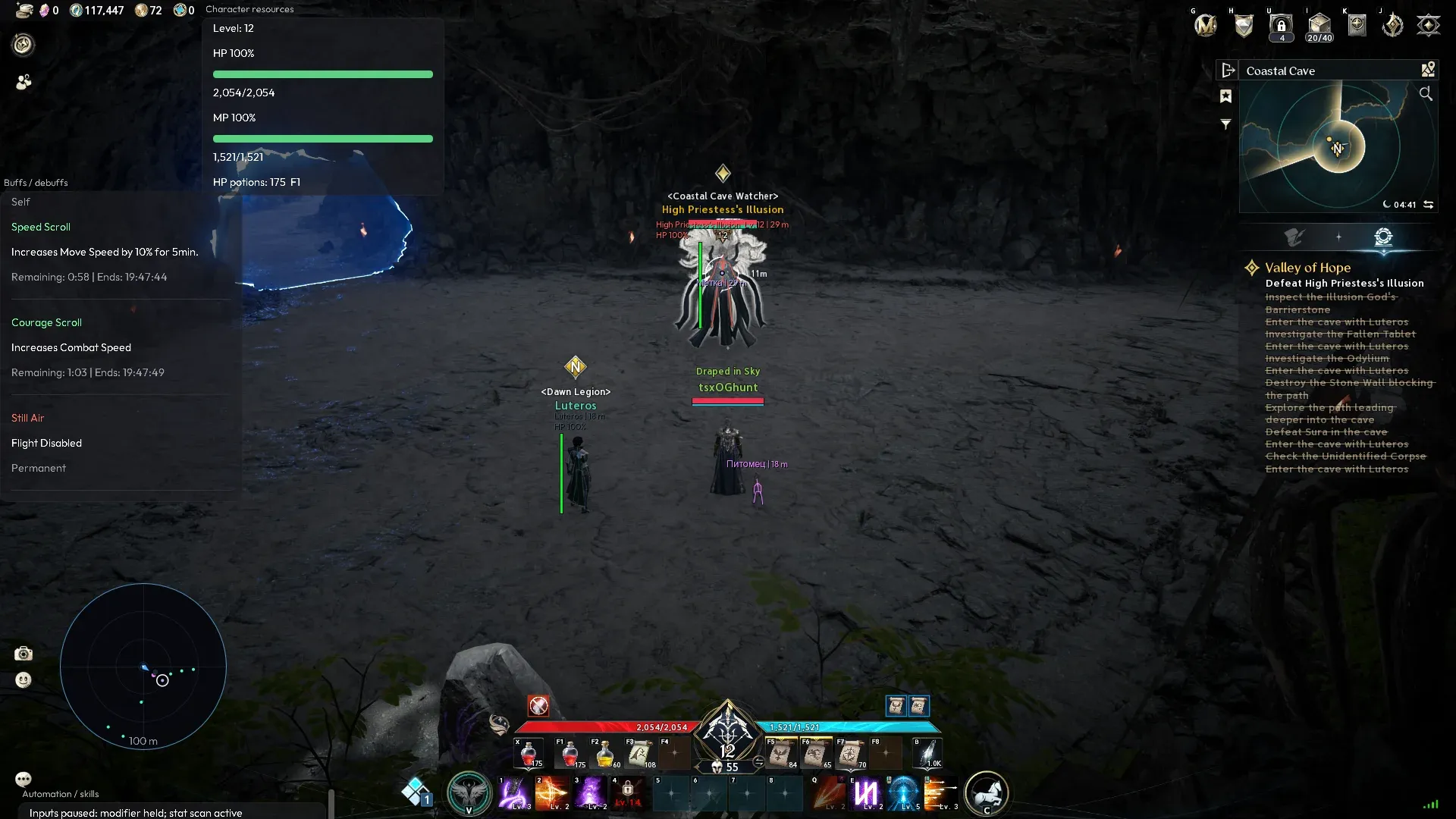
Xernel includes a dedicated AION 2 Quest Helper that brings quest information, objectives, and navigation assistance into an accessible interface.
- Active Quest List: View currently active quests.
- Quest Objectives: Track objectives and relevant quest information.
- Quest Destination Markers: Display world markers for quest destinations.
- One-Key Native Quest Navigation: Activate supported native navigation with a single key.
- Quest Progress Notifications: Receive notifications when quest progress changes.
- Quest Completion Notifications: Get notified when supported quest objectives are completed.
Instead of repeatedly opening the quest interface, players can monitor important objectives and use built-in navigation assistance while exploring the world of AION 2.
Party & Raid Assistant – Group Monitoring Tools
The Party and Raid Assistant provides live information about group members, helping players monitor party conditions and make more informed healing and support decisions.
- Party & Raid HP: Monitor member health values.
- MP & AP Tracking: Display additional resource information for party members.
- Member Status: Identify offline, dead, or out-of-range members.
- Buff & Debuff Tracking: View active effects affecting group members.
- Lowest-HP Heal Recommendation: Highlight the group member most in need of healing.
- Party Notifications: Receive relevant updates about group conditions.
- Skill-Ready Notifications: Get notifications when supported skills become ready.
These features are particularly useful for support-oriented gameplay, organized parties, and raid encounters where monitoring several characters at once can become difficult.
Advanced Buff & Debuff Tracker
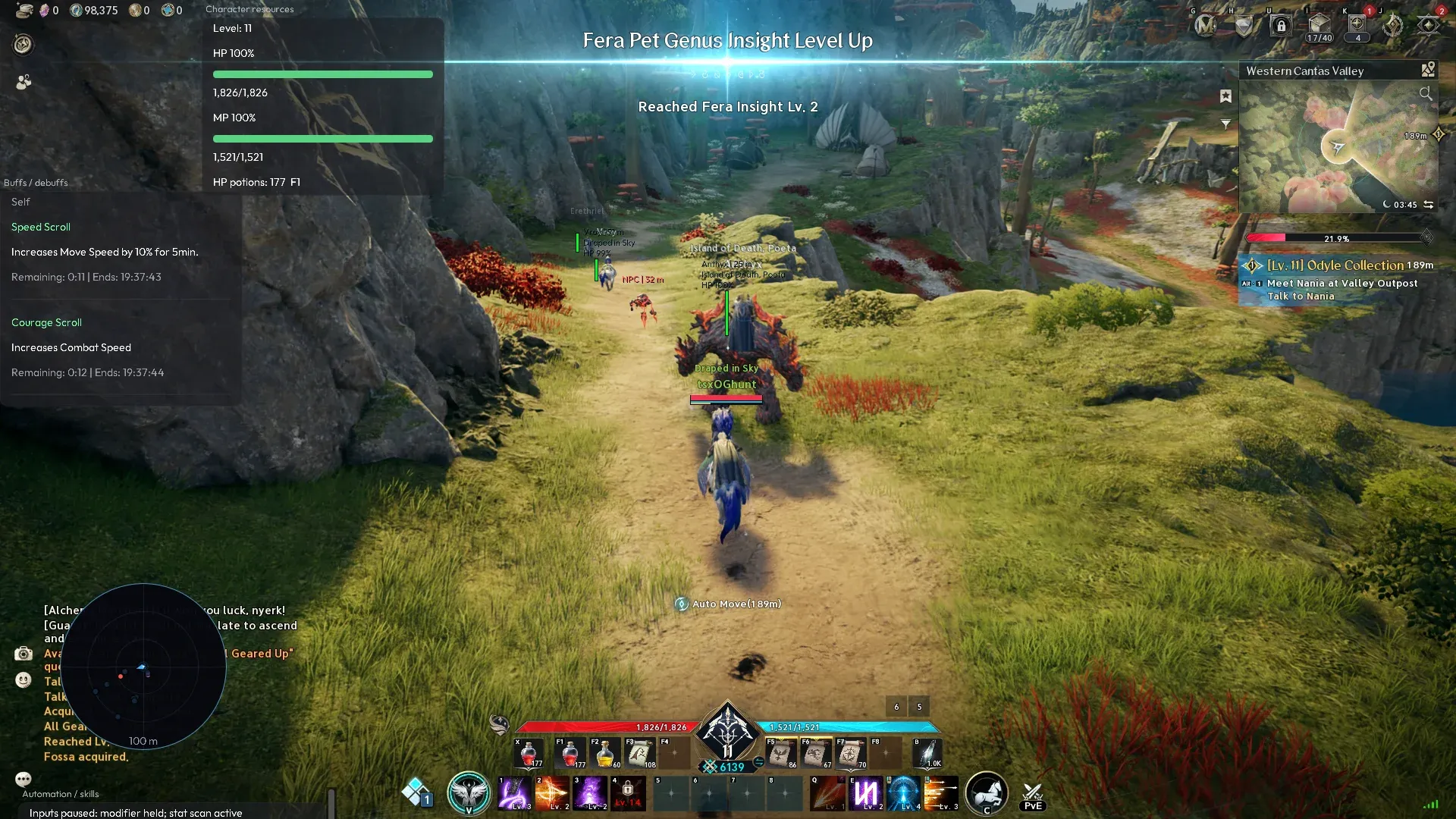
Xernel features dedicated effect panels that provide detailed information about buffs, debuffs, durations, and stack counts.
- Self Effect Panel: Monitor effects affecting your character.
- Target Effect Panel: View effects applied to your current target.
- Party Effect Panel: Inspect buffs and debuffs affecting group members.
- Native Effect Names: Display names using the game’s localization data.
- Live Effect Timers: Track remaining effect durations.
- Local End Time: Display calculated effect expiration times.
- Urgency Sorting: Organize effects based on expiration priority.
- Stack Counts: Monitor effect stacks.
- Permanent Effect Markers: Identify effects without regular expiration timers.
- Tooltip Descriptions: Access additional effect information derived from in-game tooltips.
The expanded effect tracking interface makes it easier to monitor important combat effects and their remaining durations.
Target Information, Boss AoE & Cast Warnings
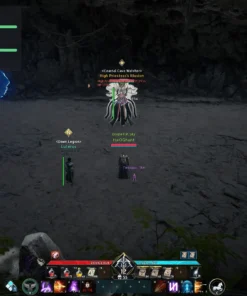
The advanced AION 2 Target Information HUD displays additional information about selected targets and provides warnings for relevant combat events.
- Current Target Card: Dedicated information panel for the selected target.
- Target Name & HP: Display identity and health information.
- Target Level: Show the selected target’s level.
- Guild & Title: Display available guild and title information.
- Native HUD Distance: Show distance information obtained from the game HUD.
- Boss AoE Warnings: Receive warnings for supported boss area-of-effect attacks.
- Target Cast Warnings: Track relevant target casting activity.
- Timer Interpolation: Smooth timer information between native HUD updates.
By combining target details and combat notifications, Xernel provides additional situational information for both solo encounters and group content.
Customizable Visuals & Advanced HUD
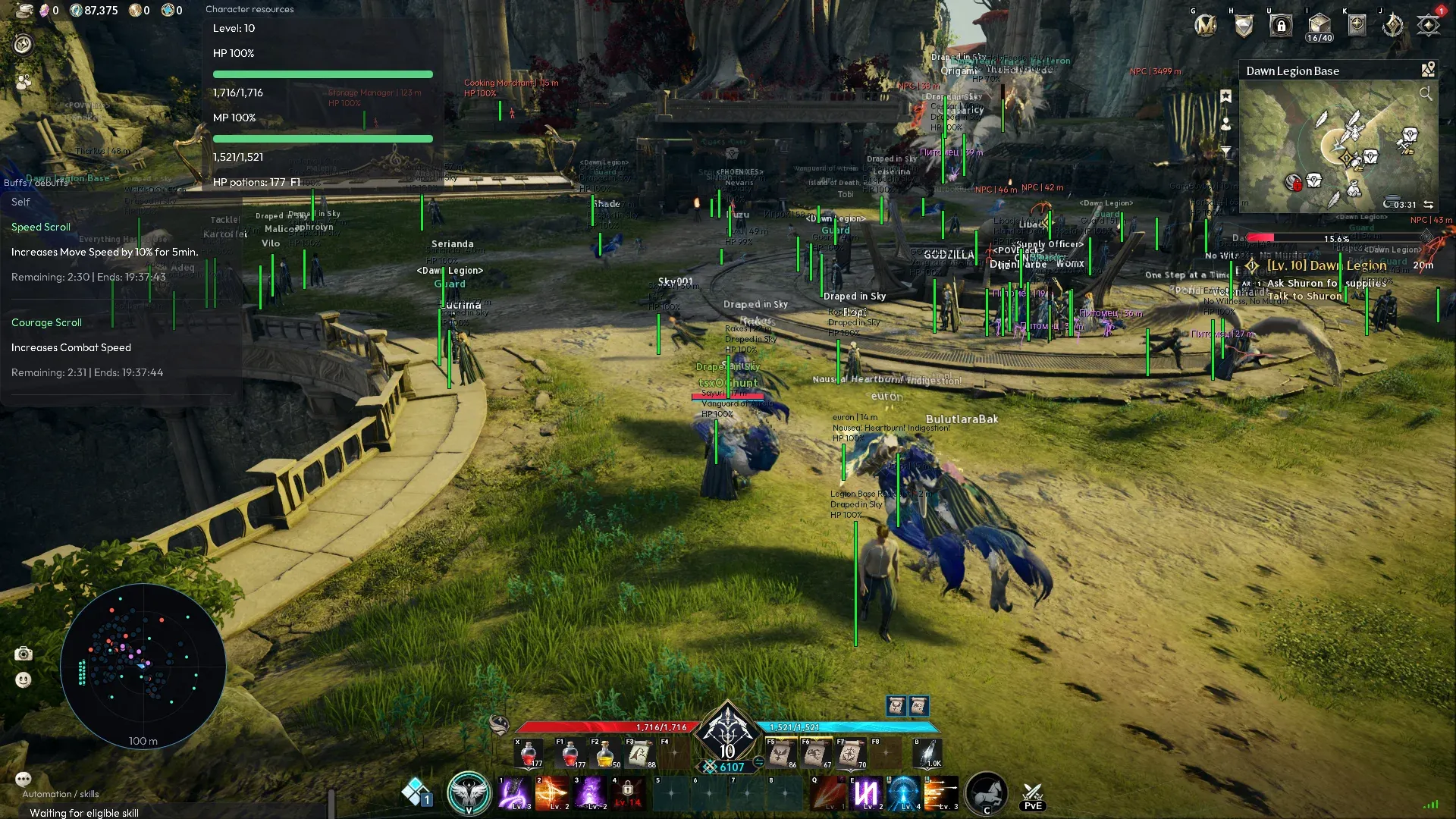
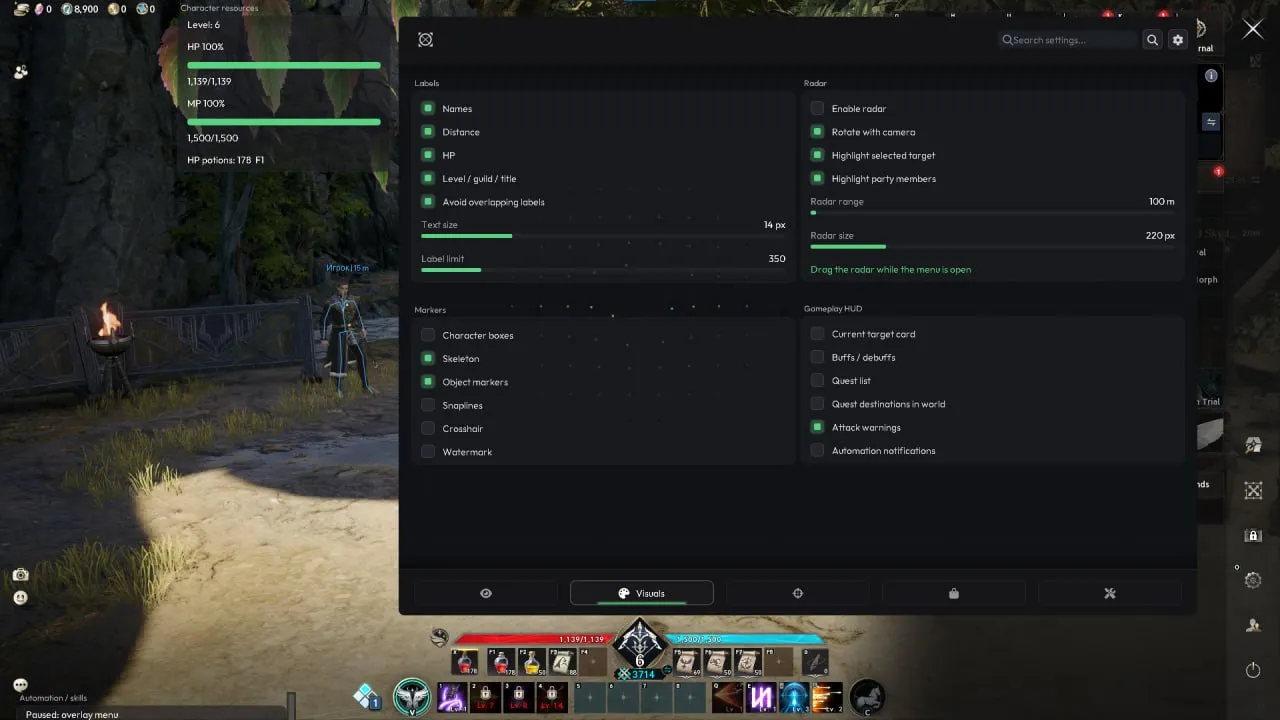
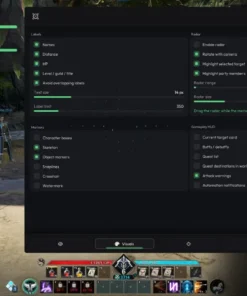
Xernel includes a customizable interface with movable panels, configurable meters, notifications, and multilingual font support.
- Draggable HUD Panels: Reposition information panels according to your preferences.
- Saved Panel Positions: Preserve your preferred interface layout.
- Theme Switcher: Change the appearance of the interface.
- Native Notifications: Display integrated notifications and toast messages.
- Custom HP Meter: Monitor health through an additional interface element.
- Custom MP Meter: Display mana information.
- Custom AP Meter: Track AP values.
- Custom Cast Meter: Display casting information.
- Multilingual Font Support: Supports Cyrillic, Korean, and Chinese characters.
The flexible HUD makes it possible to organize gameplay information around your preferred screen layout.
Automation Controls & Automatic Pause Conditions
To provide better control over automated actions, Xernel includes multiple pause conditions and convenient hotkeys.
- One-Key Combat Toggle: Enable or disable supported combat automation quickly.
- Menu & Dialog Detection: Automatically pause automation when interacting with supported menus or dialogs.
- Chat Detection: Pause relevant automated actions while using in-game chat.
- Focus Loss Protection: Pause automation when the game window loses focus.
- Death Detection: Stop automated actions when the character dies.
- Own Cast Detection: Pause supported automation while your character is casting.
- Scheduled Key Release: Automatically release held keys according to configured conditions.
- Emergency Stop: Press the END key to stop all automation.
These features are designed to improve automation control and reduce unwanted actions during menus, chat interactions, and other gameplay transitions.
Xernel AION 2 System Requirements & Compatibility
Review the following requirements before purchasing Xernel for AION 2.
| Requirement | Compatibility |
|---|---|
| Game | AION 2 |
| Operating System | Windows 10 / Windows 11 |
| Processor | Intel & AMD |
| Supported Display Modes | Windowed / Borderless |
| Included HWID Spoofer | No |
| Stream Bypass | No |
| Interface Font Support | Cyrillic / Korean / Chinese |
Important: Please check the current product status, supported AION 2 game version, and setup instructions before purchasing. Compatibility may change following game updates.
Why Choose Xernel for AION 2?
Xernel brings multiple gameplay assistance features together in one multifunctional tool instead of requiring separate utilities for healing, item tracking, quest information, and interface customization.
- Multifunctional Toolkit: Combines healing assistance, looting, gathering, navigation, and information overlays.
- Solo & Group Utility: Includes features relevant to individual gameplay, parties, and raid groups.
- Detailed Game Information: Monitor targets, buffs, debuffs, party resources, and important combat events.
- Configurable Automation: Adjust healing thresholds, controls, and supported automatic interactions.
- Navigation Assistance: Track quest destinations, nearby resources, and multiple waypoints.
- Flexible Interface: Customize HUD positions, themes, notifications, and meters.
- Convenient Controls: Quickly toggle combat automation or stop all automated actions using the END key.
Whether you are interested in an AION 2 auto-heal assistant, auto-loot tool, quest helper, or customizable information overlay, Xernel offers these capabilities within a unified interface.
Xernel AION 2 Cheat – Frequently Asked Questions
What is Xernel AION 2 Cheat?
Xernel is a private multifunctional AION 2 PC tool that combines automated healing, looting, gathering assistance, quest navigation, party monitoring, buff tracking, target information, and customizable HUD elements.
Does Xernel include an AION 2 bot?
Xernel includes bot-like automation features such as Auto Heal, Auto Loot, automatic gathering, and world interaction assistance. However, the listed functionality should not be confused with a fully unattended leveling or farming bot.
Does Xernel support Auto Heal and Auto HP Potions?
Yes. Xernel supports automated healing for your character and selected targets, separate HP thresholds, self-first priority, automatic HP potion usage, and potion stock and cooldown checks.
Can Xernel help with AION 2 quests?
Yes. The quest helper includes active quest tracking, objective information, destination markers, native quest navigation, and progress and completion notifications.
Does Xernel provide ESP features?
Xernel provides visual object tracking for nearby items, chests, and resources, including object boxes, name filtering, and distance-based navigation information. Its listed features focus on world objects and gameplay information rather than a full player ESP system.
Can Xernel be used for parties and raids?
Yes. Xernel includes party and raid information panels with member HP, MP, AP, status monitoring, buff and debuff tracking, healing recommendations, and notifications.
Does Xernel work on Windows 10 and Windows 11?
Yes. The listed system requirements include Windows 10 and Windows 11, with support for Intel and AMD processors. The supported display modes are Windowed and Borderless.
Does Xernel include a HWID Spoofer or Stream Bypass?
No. Xernel does not include a built-in HWID spoofer or stream bypass functionality.
Is Xernel AION 2 Cheat undetectable?
No third-party gameplay modification or automation tool can guarantee undetectable operation or complete protection against account penalties. Always check the current product status and understand the potential risks before use.
Buy Xernel AION 2 Cheat at CrazyCapyStore
Looking for a private AION 2 cheat with Auto Heal, Auto Loot, Quest Assistance, Resource Tracking, and Advanced HUD features? Xernel combines these tools with customizable automation controls, detailed game information, and party management utilities.
Purchase Xernel AION 2 Cheat from CrazyCapyStore.com and explore its available license options and features.
Before purchasing: Review the current software status, supported game version, system requirements, license duration, and installation instructions to ensure the product meets your needs.
Disclaimer: Xernel is third-party software and is not affiliated with, endorsed by, or officially supported by the developers or publisher of AION 2. Using third-party gameplay automation or modification tools may violate game rules and result in account restrictions.
| Duration | 1 day, 3 days, 7 days, 30 days |
|---|
Reviews
There are no reviews yet.