
CourierScript Arena Breakout Infinite Web Radar
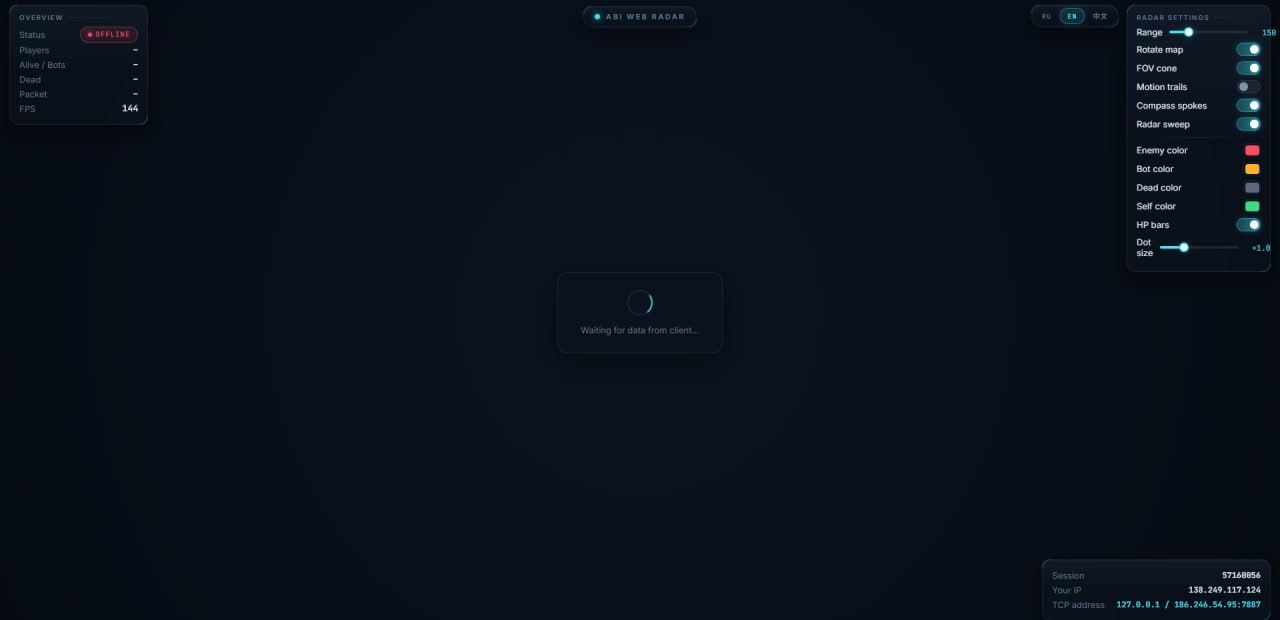
CourierScript Arena Breakout Infinite Web Radar is a browser-based radar solution for Arena Breakout Infinite that gives you a clear real-time overview of players, bots, health information, viewing direction, and movement directly on an interactive map.
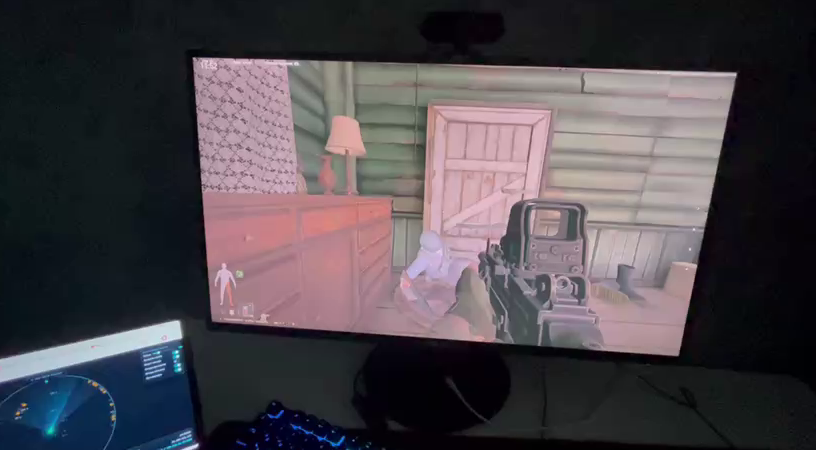
Unlike a traditional on-screen overlay, the ABI Web Radar runs inside your web browser. Open it on a second monitor, another browser window, or even your phone and keep the radar completely separate from your main game screen.
CourierScript is designed for players who want detailed situational information without covering the game itself with unnecessary visual elements.
Arena Breakout Infinite Web Radar
The radar displays important entities directly on the map using different marker types and customizable colors.
Player Positions
Players are displayed as circle markers, making their positions easy to identify at a glance.
Bot Positions
Bots use separate diamond-shaped markers, allowing you to instantly distinguish AI-controlled enemies from real players.
Custom Player Colors
Choose your preferred color for player markers to create a radar layout that is easy for you to read.
Custom Bot Colors
Bot markers have their own independently configurable color.
Dead Player Color
Eliminated entities can be displayed using a separate color, helping you distinguish active targets from dead players.
Health Information
HP Bars
Display player health directly on the radar using integrated HP bars.
This makes it easier to understand the current status of nearby players without relying only on their position.
FOV & Viewing Direction
CourierScript provides additional directional information alongside basic player positions.
Player FOV
See the viewing direction of players directly on the radar.
View Cone
A visual cone shows the direction another player is currently facing.
This gives you considerably more information than a simple position marker alone.
Rotating Radar Map
Enable map rotation so the radar can dynamically follow your current orientation.
This can make navigation more intuitive when using the radar during active gameplay.
Movement Trails
Movement trails show recent player movement, helping you understand where a target has been moving instead of displaying only its current position.
This is particularly useful for tracking movement around buildings, corridors, and other areas of the map.
Use Arena Breakout Infinite Radar on Your Phone
One of the biggest advantages of the CourierScript ABI Web Radar is that it is browser-based.
You can open the radar on a supported phone and use your mobile device as a dedicated radar screen.
This allows you to keep your entire PC display focused on Arena Breakout Infinite.
Second Monitor Support
If you use multiple monitors, simply open CourierScript Web Radar on your second screen.
Your primary monitor remains dedicated to the game while the second monitor provides:
- Player positions
- Bot positions
- HP information
- FOV information
- Viewing direction
- Movement trails
- Complete radar overview
It creates a clean dual-screen setup without placing the radar directly over your game.
Why Choose CourierScript ABI Web Radar?
CourierScript focuses on providing important Arena Breakout Infinite information through a simple browser-based interface.
Key Features
- Real-time player positions
- Separate bot markers
- Custom player colors
- Custom bot colors
- Separate dead-player colors
- Player HP bars
- Player FOV information
- Viewing direction cones
- Rotating radar map
- Movement trails
- Second monitor support
- Phone support
- Browser-based interface
Whether you prefer using a dedicated second monitor or keeping the radar open on your phone, the Arena Breakout Infinite Web Radar gives you flexible control over how and where your radar is displayed.
Browser-Based Arena Breakout Infinite Radar
Because CourierScript uses a web-based radar interface, you do not need to keep another large visual overlay covering your Arena Breakout Infinite screen.
Simply keep the radar accessible through your browser and choose whichever setup works best for you:
PC + Second Monitor
Run Arena Breakout Infinite on your primary monitor and keep the full radar map visible on the second.
PC + Phone
Keep the game on your PC while using your phone as a separate radar display.
PC + Browser Window
Open the radar in another browser window when a second device is not required.
CourierScript Arena Breakout Infinite Radar Features
CourierScript provides the core information expected from an Arena Breakout Infinite Radar while keeping everything organized inside a clean map interface.
Player and bot marker separation makes the map easier to read, while HP bars, FOV cones, movement trails, and customizable colors provide additional information for more detailed tracking.
The result is a flexible ABI Radar that can adapt to different monitor and device setups.
System Requirements
Supported Operating Systems
Windows 10 and Windows 11 up to Windows 11 25H2, inclusive
Software Type
Web Radar
Processor Support
Intel and AMD
Browser Requirement
A modern web browser is required to access the radar interface.
Language
English is fully supported.
BIOS Requirements
No BIOS modifications are required.
No BIOS configuration changes or BIOS-level manipulation are necessary for normal use.
CourierScript Arena Breakout Infinite Web Radar
Get a detailed real-time overview of Arena Breakout Infinite directly from your browser.
Track players, bots, HP, viewing direction, FOV, and movement, customize radar colors, rotate the map, and choose whether to use the radar on your second monitor or phone.
CourierScript ABI Web Radar gives you the information you need while keeping your main game screen clean.
| Duration | 1 day, 3 days |
|---|

Reviews
There are no reviews yet.