

Ghost Bodycam Cheat
Take better control of every firefight with Ghost for Bodycam, a configurable gameplay enhancement tool built around precise targeting, detailed player information, radar awareness, weapon modifications, and an extensive settings system.
Ghost combines combat-focused features with a clean customizable interface, allowing you to adjust targeting behavior, ESP visuals, radar layout, crosshair settings, keybinds, and configuration profiles to match your preferred setup.
Compatibility
- Game: Bodycam
- Client: Steam
- Windows: Windows 10 / Windows 11 – All Versions
- Processors: Intel / AMD
- Graphics Cards: NVIDIA / AMD
- Display Modes: Windowed / Borderless
🎯 Aimbot
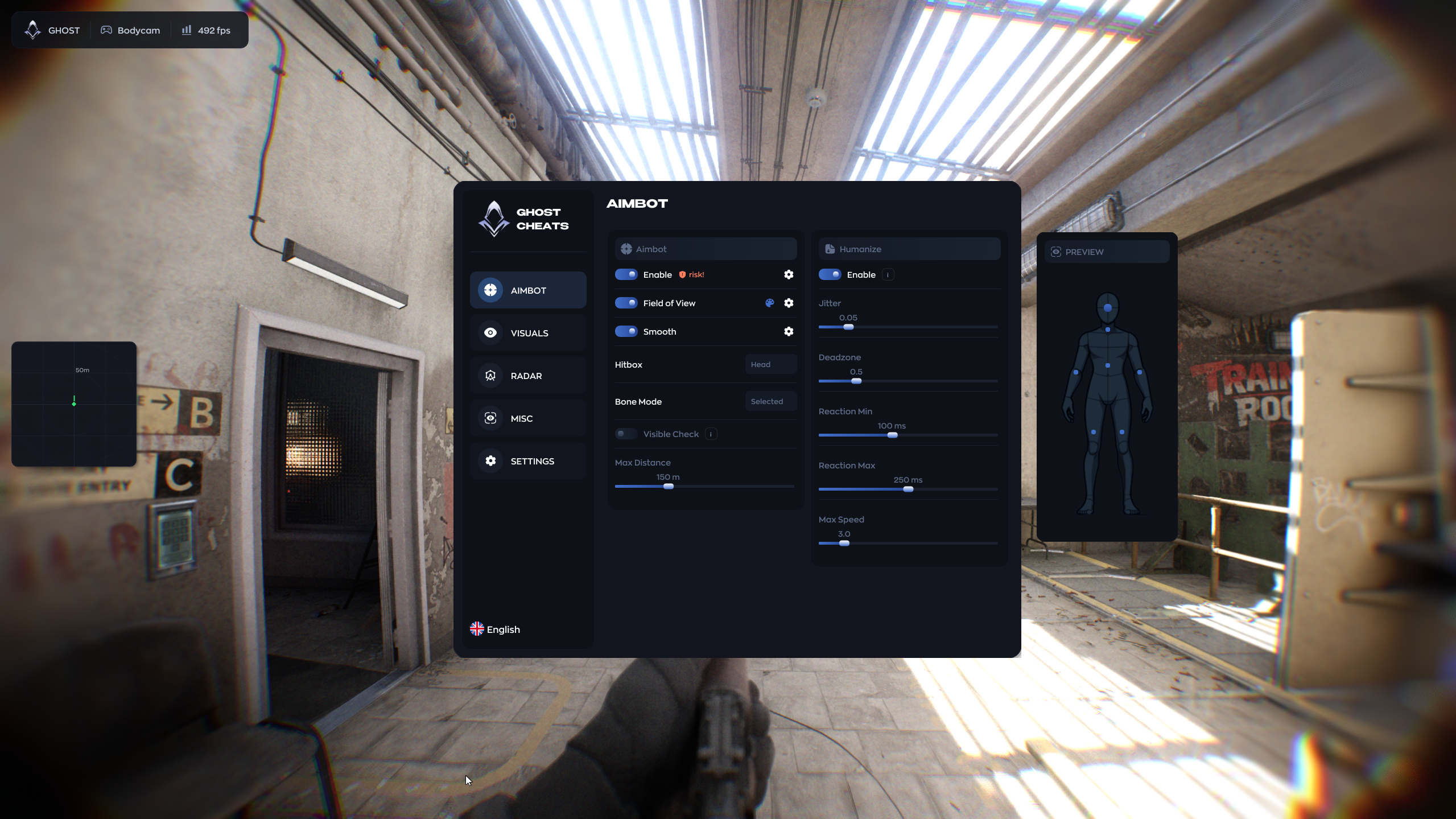
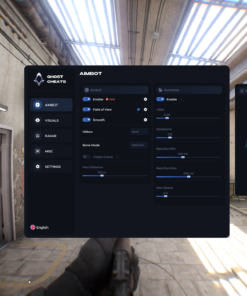
The integrated aiming system provides configurable target selection and aiming behavior.
Aimbot Features
- Enable / Disable Aimbot
- Adjustable Field of View
- FOV Range: 20–360
- Show FOV Circle
- Adjustable Maximum Distance
- Distance Range: 1–500 meters
- Adjustable Smoothness
- Smooth Range: 1–20
- Visible Check
Hitbox Selection
Choose which body area should be prioritized:
- Head
- Neck
- Body
- Arms
- Legs
Bone Mode
Select how targeting bones are chosen:
- Selected Bone
- Closest Bone
Visibility Check
When enabled, targeting is limited to visible players.
Important: Aimbot functionality may carry a higher detection risk compared with visual-only features. Use third-party software at your own discretion.
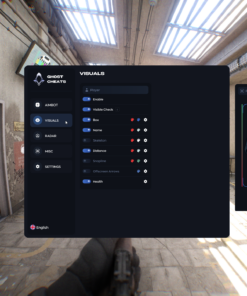
👁️ Player ESP
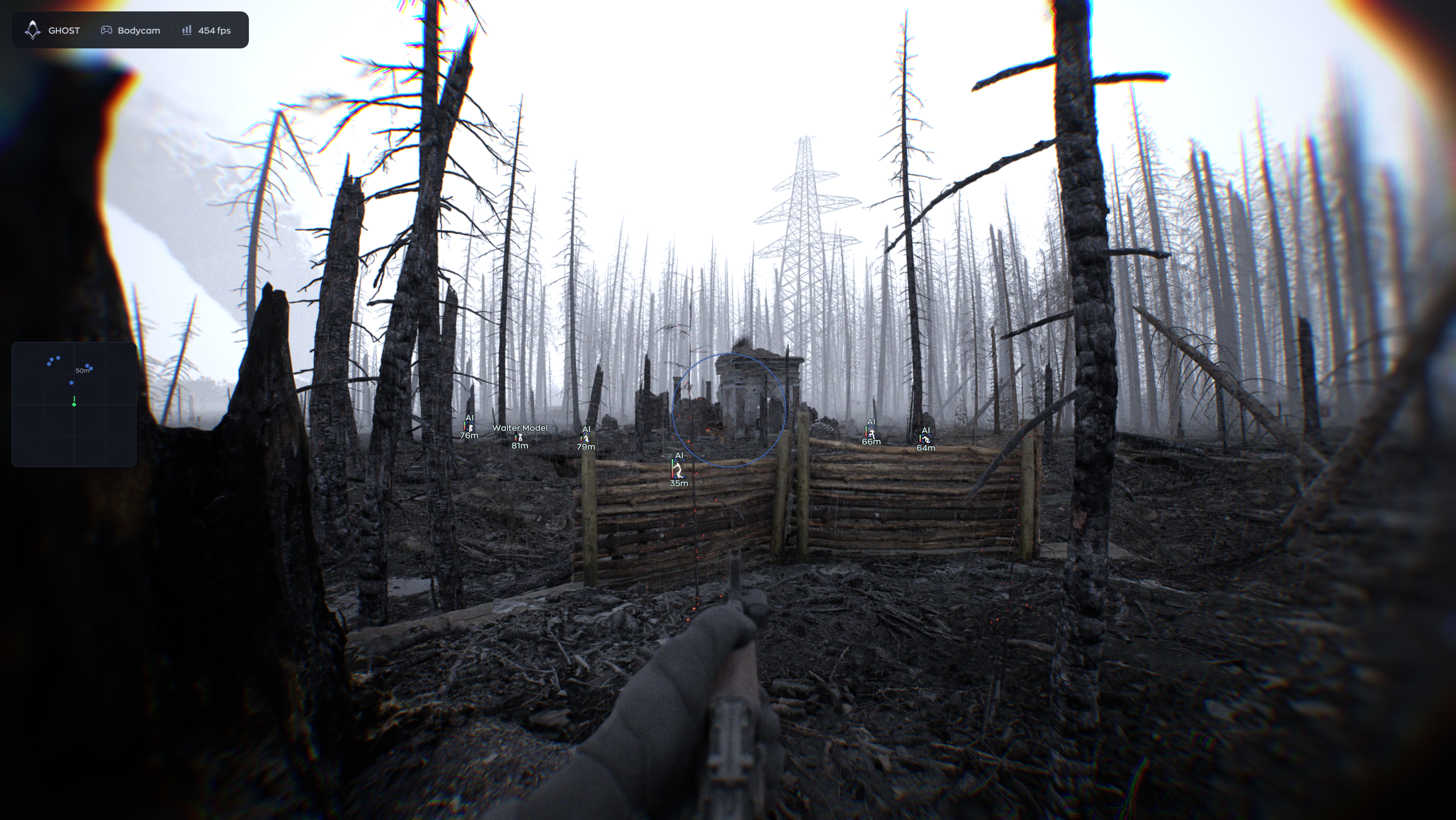
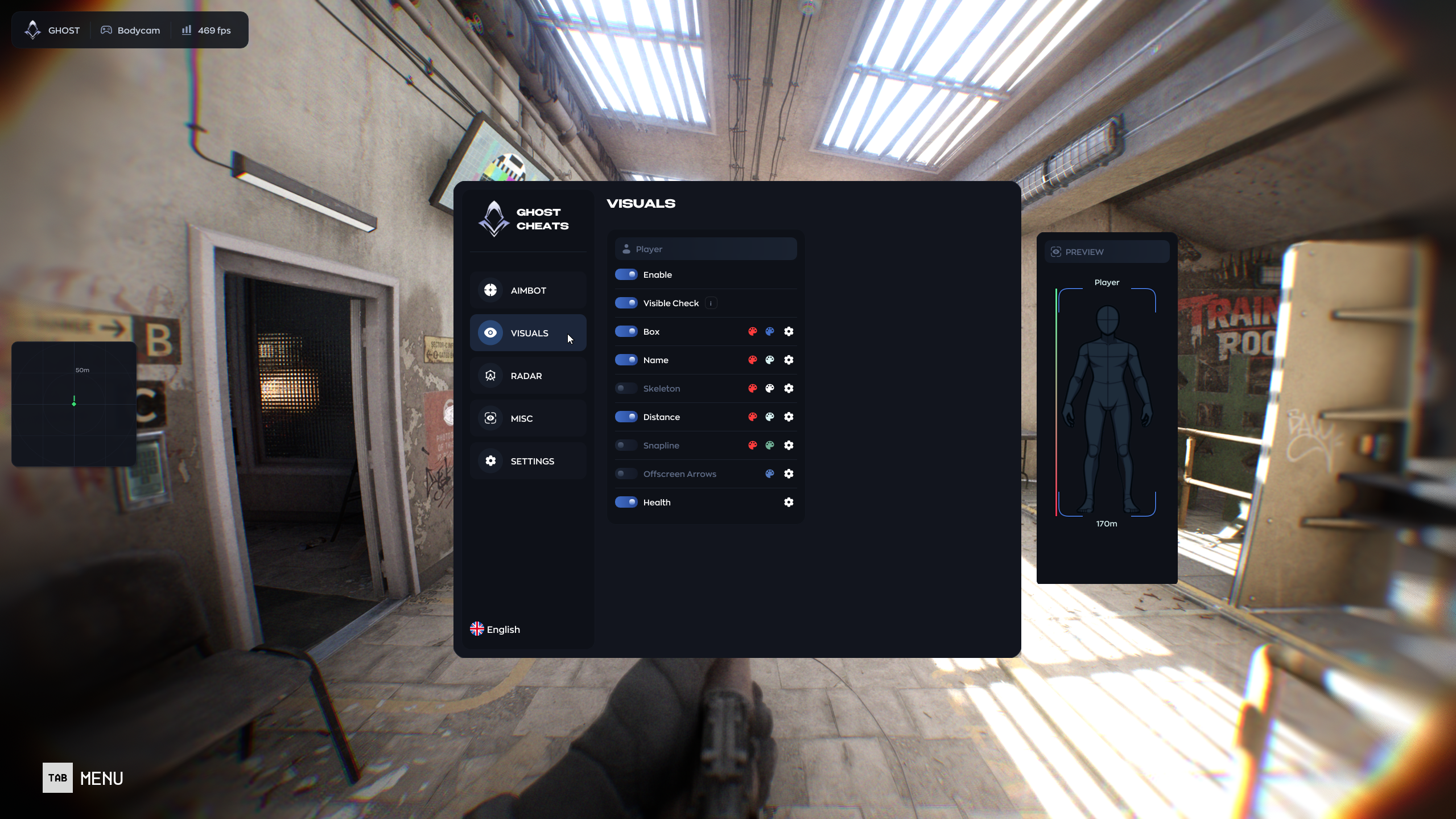
Ghost includes a detailed ESP system for displaying information about players directly on screen.
ESP Master Controls
- Enable / Disable ESP
- Visibility Check
- Separate visual behavior for visible and non-visible players
Box ESP
Display a box around detected players.
Available Styles
- Standard Box
- Corner Box
- Filled Box
- 3D Box
Player Information
Display useful information directly beside player models:
- Player Name
- Distance
- Health
- Skeleton
Skeleton ESP
Render the player model skeleton for easier visual tracking.
Snaplines
Draw configurable lines from your screen toward detected players.
Snapline Target
Choose where the line connects:
- Head
- Body
- Feet
Snapline Mode
Choose which entities receive snaplines:
- All Players
- Current Aimbot Target
Offscreen Arrows
Display directional indicators for players outside your current field of view.
This provides additional awareness without constantly rotating the camera.
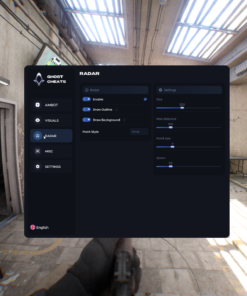
📡 Radar
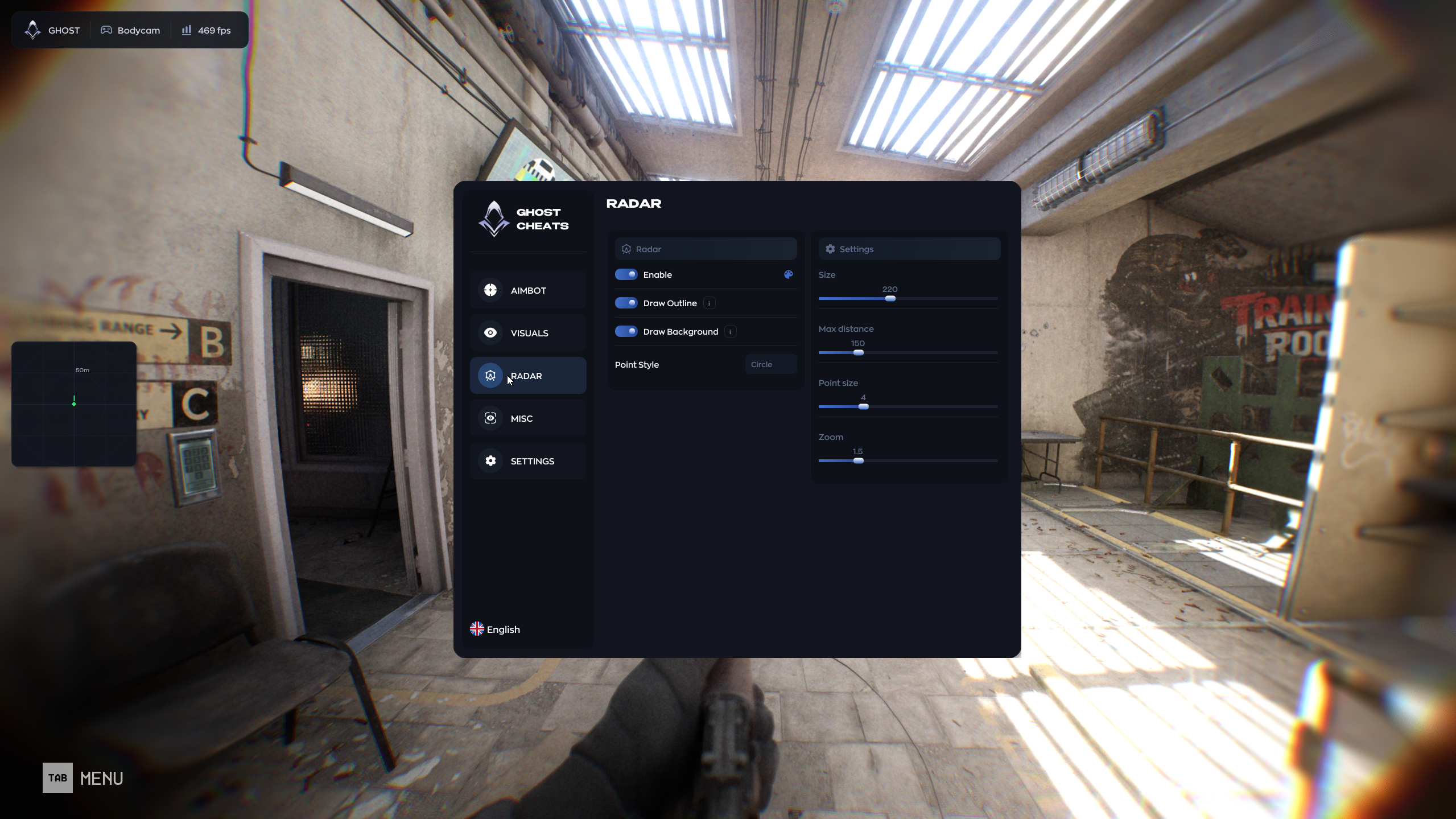
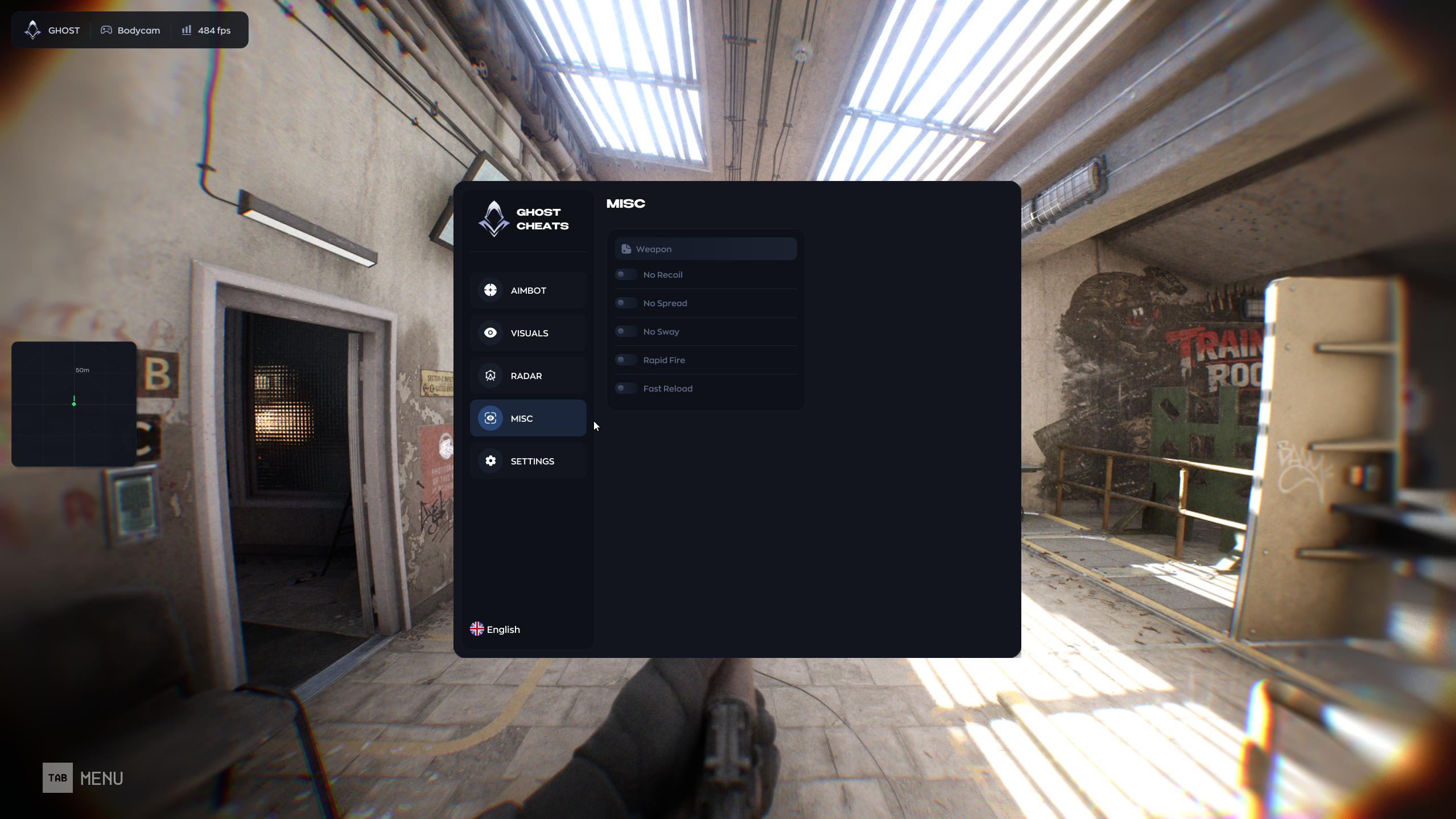
Ghost includes an integrated configurable radar for tracking nearby players.
Radar Features
- Enable / Disable Radar
- Draw Outline
- Draw Background
- Adjustable Radar Size
- Adjustable Maximum Distance
- Adjustable Point Size
- Adjustable Zoom
Point Styles
Choose how entities appear on the radar:
- Square
- Circle
- Triangle
The radar can be customized to remain compact or provide a wider tactical overview depending on your preference.
🔫 Weapon Features
Ghost includes several weapon-related modifications designed to change standard weapon behavior.
No Recoil
Reduces or removes weapon recoil.
No Spread
Reduces or removes bullet spread.
No Sway
Removes weapon sway for a more stable aiming experience.
Rapid Fire
Increases weapon firing speed.
Fast Reload
Reduces reload time for supported weapons.
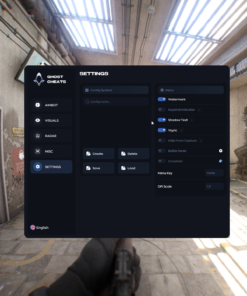
⚙️ Configuration System
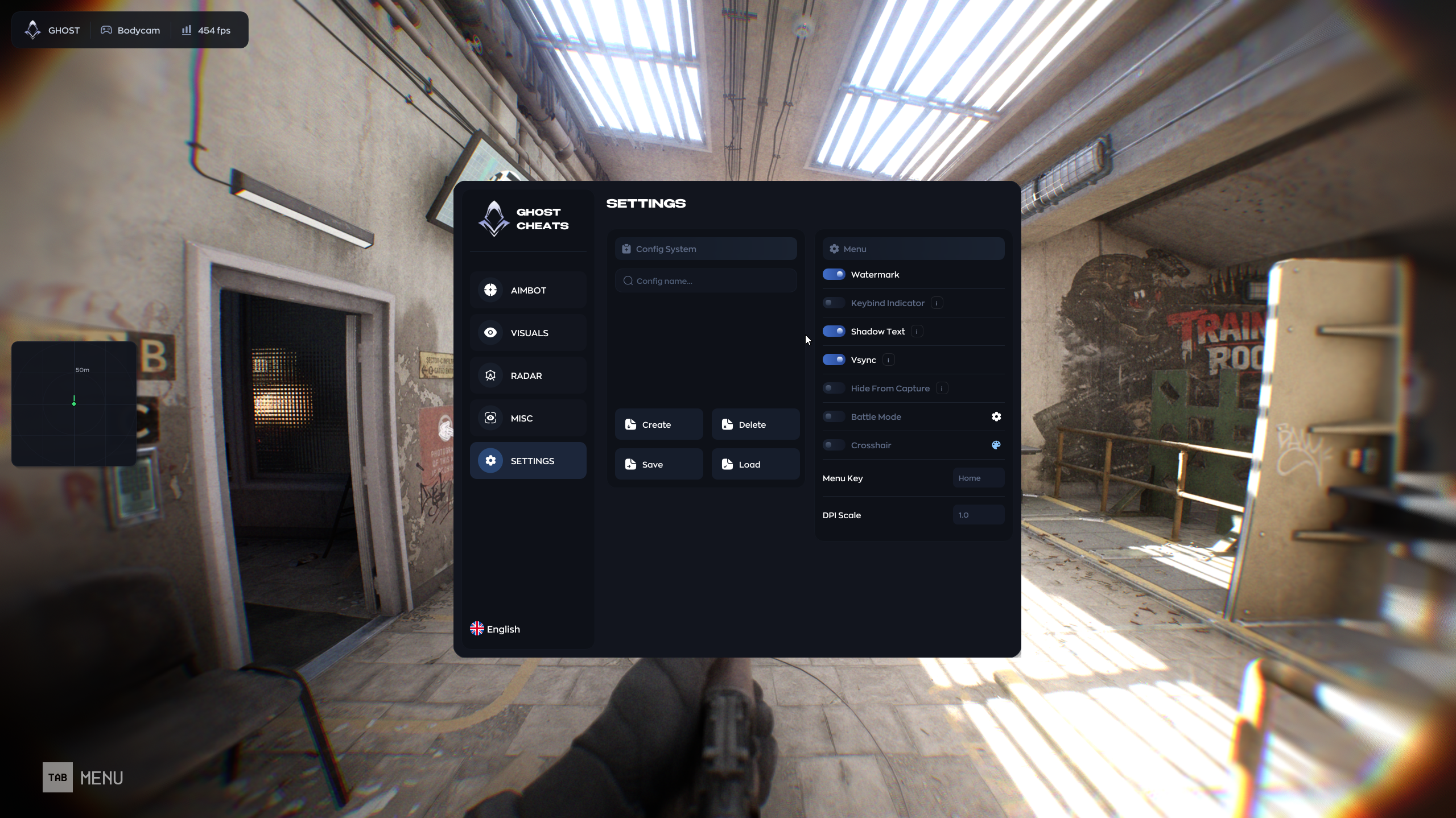
Ghost includes a complete configuration manager, making it easy to maintain different setups.
Config Features
- Create Config
- Save Config
- Load Config
- Delete Config
Create separate profiles for different visual settings, radar layouts, aim configurations, keybinds, or playstyles.
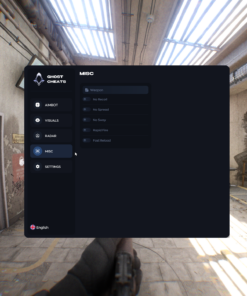
🖥️ Interface & Quality-of-Life Features
Watermark
Display an optional software watermark on screen.
Keybind Indicator
Show currently active keybinds through a dedicated on-screen panel.
Shadow Text
Enable text shadows for improved interface readability.
Hide From Capture
Designed to hide supported overlay elements from compatible capture methods such as:
- OBS
- Discord capture
- Xbox Game Bar
Capture behavior may depend on capture mode, software version, and system configuration.
⚔️ Battle Mode
Enable a simplified combat-oriented interface that reduces unnecessary on-screen elements.
Battle Mode is useful for users who prefer a cleaner setup during active gameplay.
➕ Custom Crosshair
Ghost includes a configurable on-screen crosshair.
Crosshair Settings
- Enable / Disable Crosshair
- Custom Color
- Visual customization
⌨️ Menu & Interface Controls
Menu Key
Choose the key used to open and close the Ghost menu.
DPI Scale
Adjust the interface scale for different monitor sizes, resolutions, and Windows scaling settings.
This is especially useful for high-resolution displays.
💻 System Requirements
Processor
Supported:
- Intel
- AMD
Operating System
Supported:
- Windows 10 – All Versions
- Windows 11 – All Versions
Graphics Card
Supported:
- NVIDIA
- AMD
Game Display Mode
Supported:
- Windowed
- Borderless
Game Client
- Steam
⚠️ Important Information
Ghost is third-party software and is not affiliated with or endorsed by the developers or publishers of Bodycam.
Game updates may temporarily affect compatibility or individual functions. Always check the current software status before launching after a major game update.
Third-party gameplay modification tools may carry account-related risks depending on the game, platform, and applicable rules. Use is at the customer’s own discretion and responsibility.
Ghost for Bodycam
A complete feature set built around:
- Configurable Aimbot
- Player ESP
- Visibility Checks
- Skeleton / Box / Health / Distance ESP
- Offscreen Indicators
- Tactical Radar
- No Recoil / No Spread / No Sway
- Rapid Fire
- Fast Reload
- Custom Crosshair
- Config Profiles
- Capture-Hiding Support
- Customizable Interface
Compatible with Windows 10 and Windows 11.
| Duration | 1 day, 7 days, 30 days |
|---|
Reviews
There are no reviews yet.